Tools for Jira
 Tools for monday.com





Scrum and Kanban give agile teams a clear system for project planning and organizing work. But planning what to build is only half the job. The other half is executing consistently, and that depends on smaller, repeatable steps that boards and backlogs don’t capture.
Agile checklist tools fill that gap. They help optimize team collaboration on complex projects by documenting processes in simple step-by-step instructions. In other words, checklists guide software development teams through the pre-approved or standardized steps, helping them maintain consistency and work quality.
This matters even more when agile teams scale, workflows grow more complex, and responsibilities spread among cross-functional teams. Apart from agile development, this is also true for any other area where teams use agile methodology.
This article reviews seven agile checklist tools that support recurring work for Scrum and Kanban teams.
Top Agile Checklist Tools at a Glance: Comparison Table
| Tool | Best for | Key agile use cases | Integrations | Core functionality | G2 Rating |
|---|---|---|---|---|---|
| Smart Checklist for Jira | Jira-based development teams, QA professionals, and HR specialists | DoD, acceptance criteria, QA reviews, release checklists | Jira, Monday | Checklist templates, mandatory items, custom statuses, automation features | 4.3/5 |
| Spinach | Remote Scrum ceremonies | Standups, retrospectives, follow-ups | Jira, Slack, GitHub | AI-generated checklists, meeting summaries | 4.4/5 |
| Checklist for Jira (HeroCoders) | Jira Cloud teams | Issue-level checklists, recurring steps | Jira | Inline checklists, simple templates | N/A |
| ClickUp | All-in-one agile workspaces | Task tracking, onboarding, recurring workflows | GitHub, Slack, Jira | Checklists, automation, dashboards | 4.7/5 |
| Asana | Cross-functional teams | Workflow standardization, task management | Slack, GitHub | Subtasks, templates, automation | 4.4/5 |
| Trello | Lightweight Kanban boards | Card checklists, simple workflows | Slack, GitHub | Card checklists, boards | 4.4/5 |
| Any.do | Individual developers | Personal task tracking, daily routines | Slack, calendar tools | Personal checklists, reminders | 4.2/5 |
What Are Agile Checklist Tools?
Agile checklist tools are solutions that let agile teams organize their work with checklists. The goal is simple: make the “next steps” visible, track what’s done, and reduce missed details when work moves fast.
Some agile checklist tools are standalone apps. Others are built directly into agile project management software – platforms like Jira, ClickUp, or Trello. The right fit depends on where your team already works and how tightly you need checklists tied to your existing issue tracking and task management system.
Typical Use Cases for Agile Checklist Tools
These solutions are most useful when teams repeat the same operational steps multiple times. Examples are: regression testing, Definition of Done checks, deployment preparation, incident follow-ups, and onboarding tasks.
By using the same checklist for these processes, teams make execution more consistent. In Scrum, checklists are usually applied in user stories or epics to capture acceptance criteria, review steps, and quality gates before work moves to the next stage. In Kanban, checklists help standardize and streamline how recurring processes are handled. This improves consistency and supports scaling.
7 Best Agile Checklist Tools for You to Try
We based this ranking on a mix of hands-on experience and real-world feedback. We evaluated each tool, considering such parameters as checklist functionality, fit for agile workflows, integrations, and pricing.
We also reviewed user feedback from G2, Capterra, and the Atlassian Marketplace to understand how these tools perform across different team sizes and agile processes.
1. Smart Checklist for Jira
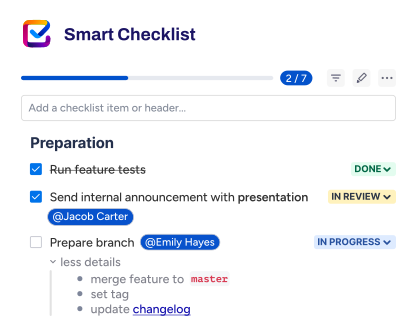
The first one in our ranking is Smart Checklist by Titan Apps. This is a checklist solution designed specifically for agile teams that work in Jira or Monday.
Smart Checklist allows you to create feature-rich checklists directly inside work items, in a separate block below the task description section. This lets you organize work efficiently and reduce context switching, since all the necessary steps are documented directly where teams work day-to-day.
One of Smart Checklist’s most popular features is checklist templates. This is a valuable instrument for recurring tasks and processes because it allows you to reuse the pre-approved sequence of steps without the need to start from scratch. As a result, you can save time, improve consistency, and enforce the best practices accepted in your organization.
Here are some of the most commonly used Smart Checklist templates for agile teams:
- Definition of Done Checklist template
- Definition of Ready Checklist template
- Code Review Template
- Release Readiness Checklist
- Project Kick-off Checklist
- Product Discovery and Validation Checklist
- Regression Testing Checklist
All these templates are available for free, so you can try them out and see how they work for your team.
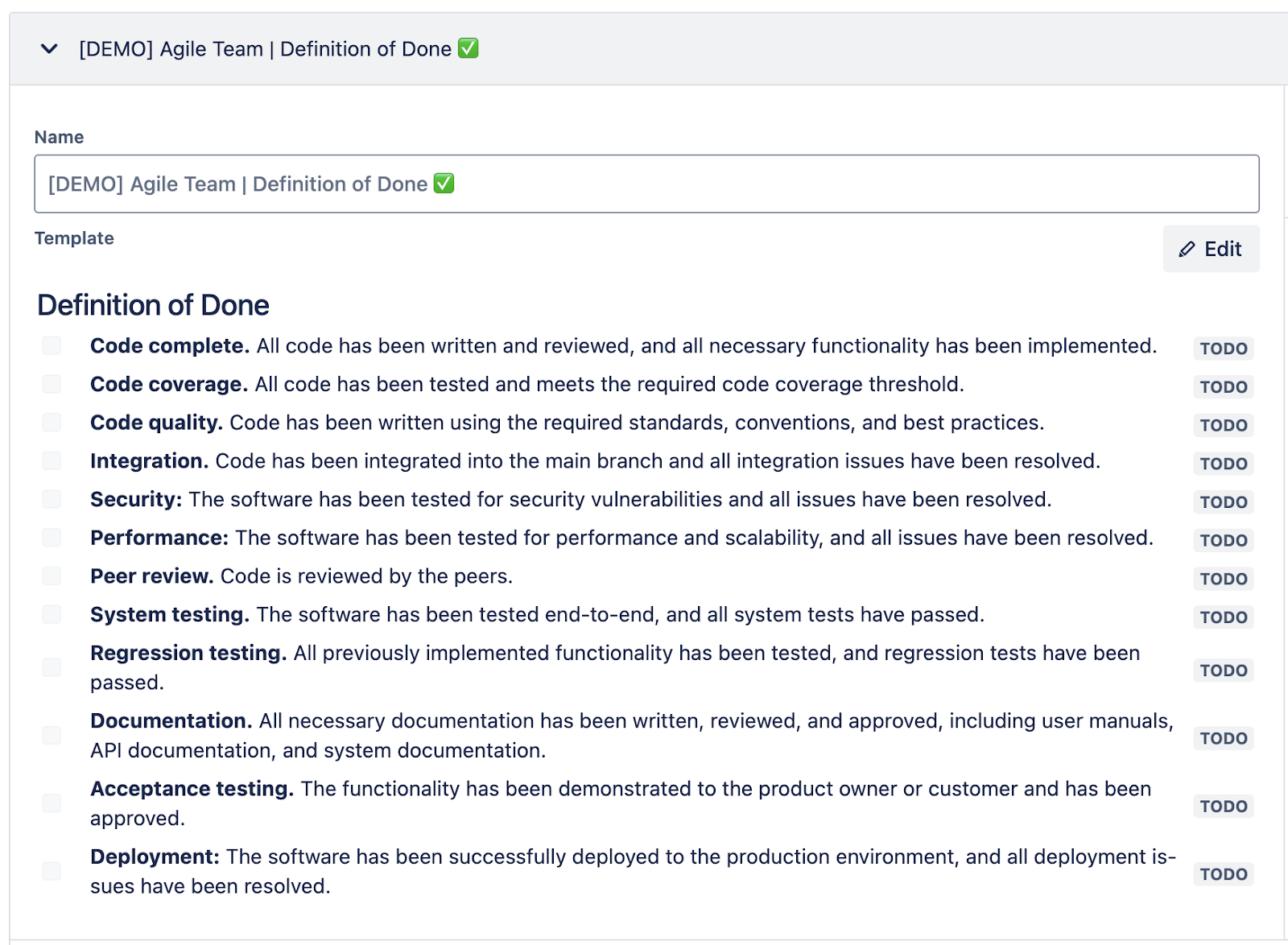
This is what the Definition of Done template by Smart Checklist looks like:
## Definition of Done
- **Code complete.** All code has been written and reviewed, and all necessary functionality has been implemented.
- **Code coverage.** All code has been tested and meets the required code coverage threshold.
- **Code quality.** Code has been written using the required standards, conventions, and best practices.
- **Integration.** Code has been integrated into the main branch, and all integration issues have been resolved.
- **Security:** The software has been tested for security vulnerabilities, and all issues have been resolved.
- **Performance:** The software has been tested for performance and scalability, and all issues have been resolved.
- **Peer review.** The code is reviewed by the peers.
- **System testing.** The software has been tested end-to-end, and all system tests have passed.
- **Regression testing.** All previously implemented functionality has been tested, and regression tests have been passed.
- **Documentation.** All necessary documentation has been written, reviewed, and approved, including user manuals, API documentation, and system documentation.
- **Acceptance testing.** The functionality has been demonstrated to the product owner or customer and has been approved.
- **Deployment:** The software has been successfully deployed to the production environment, and all deployment issues have been resolved.
One more useful feature offered by Smart Checklist is native automation. It allows you to automatically add checklist templates to Jira work items according to your preferences. For example, you can save your Definition of Done Checklist as a template and then set up an automation that will add this checklist to all new Tasks or Epics once they are created.
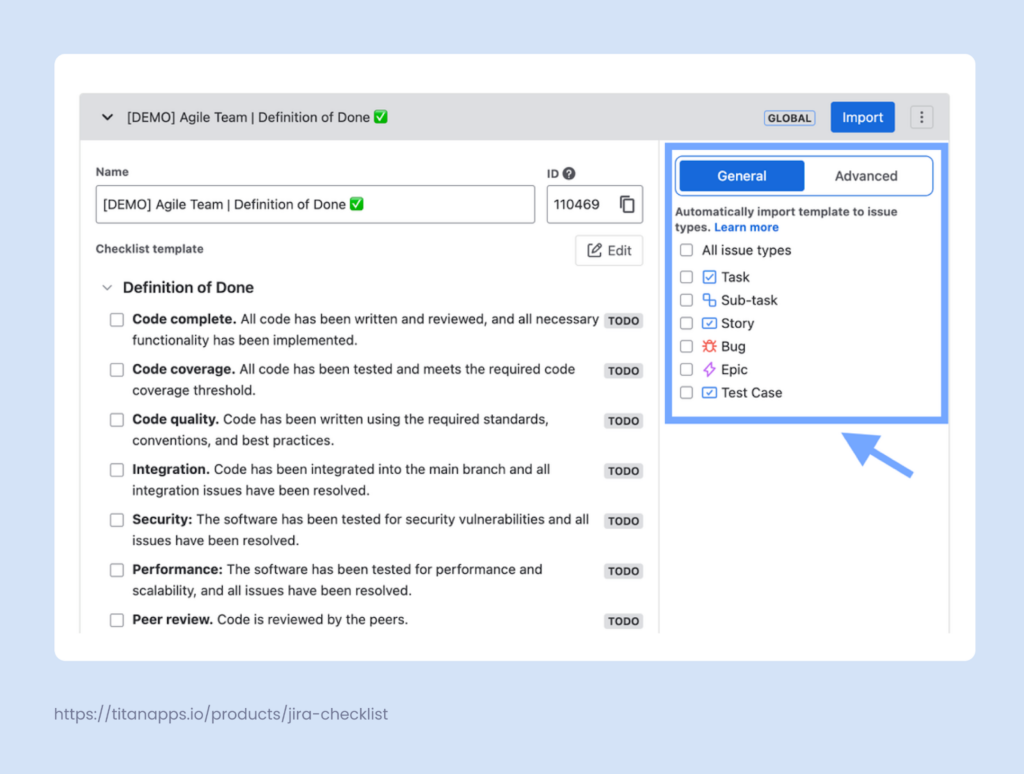
Alternatively, you can use Advanced automation settings to set a combination of different criteria. This automation will be handled on Smart Checklist’s side. However, if needed, you can use Smart Checklists with Automation for Jira as they can be easily integrated.
Assigning checklists automatically saves time and allows you to streamline your processes. When a person working on a task opens their ticket, it will already contain all the instructions they need for work. This ensures there won’t be any missed steps, and the task will be performed consistently.
Key features of Smart Checklist:
- Feature-rich checklists directly in Jira work items
- Custom statuses for individual checklist steps
- Rich formatting options: you can use headers, tag people, and add deadlines
- Mandatory Items for better prioritization
- Linked Templates for syncing checklists across work items
- Reusable checklist templates for agile teams
- Native automation features to add checklists based on criteria
- Expandable detail sections for individual steps
This solution is best for: Jira-based software development teams.
Pricing: Free tier available, with paid plans for advanced features.
Pros: Works directly inside Jira issues, strong fit for acceptance criteria and QA steps, supports consistent agile workflows.
Cons: Supports Jira and Monday only, limited value outside issue-level execution.
The Checklist option on Jira is a convenient way to follow up on your daily process without forgetting or missing any assignments. It contains the ability to mark each of the assignments differently and not just if it’s done or not done. – Customer review
2. Spinach (Spinach.ai)
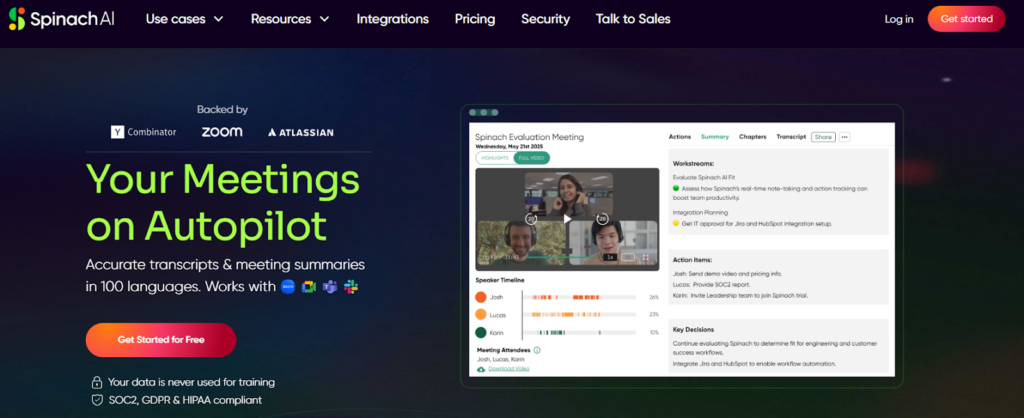
Spinach is an AI-assisted checklist and meeting companion designed for agile ceremonies. It focuses on turning Scrum events into structured follow-up action points.
Agile teams use Spinach during daily standups, sprint planning, and retrospectives to capture action items in real time. The tool converts conversations into checklists that help Scrum teams track commitments after meetings end, improving accountability and teamwork.
- Key Features:
- AI-generated meeting summaries and checklists
- Real-time capture of action items
- Integration with Jira and Slack
- Support for Scrum ceremonies and agile processes
- Best for: Remote agile teams running frequent Scrum meetings.
- Pricing: Free tier available, paid plans offered.
- Pros: Reduces manual note-taking during meetings, helps track follow-ups from retrospectives, easy to adopt for distributed teams.
- Cons: Limited outside meeting-driven workflows, limited control over checklist structure.
Being able to track discussions and next steps in agendas for future planned and unplanned meetings has been super helpful! I like the ability to add tasks to Jira. – Customer review
3. Checklist for Jira (HeroCoders)
Checklist for Jira by HeroCoders is a simple Jira checklist app focused on adding task lists to Jira issues. It provides lightweight checklist functionality for teams that want basic execution tracking without advanced workflow enforcement.
Teams often use it to break down user stories into smaller steps, track QA tasks, or document simple acceptance criteria. It works best for teams that already rely heavily on Jira issue tracking and want minimal setup.
- Key Features:
- Inline checklists inside Jira work items
- Simple checklist templates
- Jira Cloud support
- Lightweight configuration
- Best for: Small Jira teams that need basic checklist functionality.
- Pricing: Paid plans available via the Atlassian Marketplace.
- Pros: Easy to set up and use, fully embedded in Jira issues, and low learning curve.
- Cons: Limited automation and reporting, fewer controls for enforcing workflows.
The app makes it much easier to see small details that can’t be overlooked during development. – Customer review
4. ClickUp
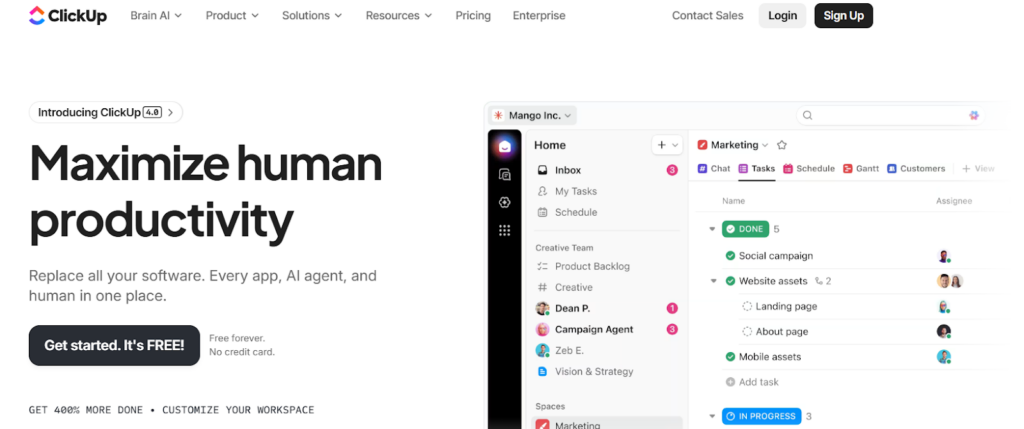
ClickUp is an all-in-one project management platform, but it still landed in our ranking of the best agile checklist tools. It includes strong checklist functionality for agile teams managing recurring workflows. While it is often positioned as an agile project management tool, many development teams use ClickUp specifically for task tracking and checklist-driven execution.
ClickUp checklists help standardize onboarding, release preparation, QA cycles, and recurring operational tasks. Checklists can live inside tasks, be reused through templates, and combined with automation to reduce manual setup across iterations.
- Key Features:
- Task-level checklists with reusable templates
- Automation for recurring workflows
- Dashboards for tracking progress and metrics
- Integrations with GitHub, Slack, and Jira
- Best for: Agile teams looking for an all-in-one workspace with strong checklist support.
- Pricing: Free tier available, with paid plans starting at a monthly per-user rate.
- Pros: Flexible checklists and templates, strong automation and dashboard options, scales well for teams of all sizes.
- Cons: Can feel complex for teams that only need checklists, less tightly embedded in Jira work items than dedicated Jira checklist apps.
ClickUp gives me a true “work operating system.” I love how I can move seamlessly between Whiteboards, Docs, tasks, and dashboards without losing context. – Customer review
5. Asana
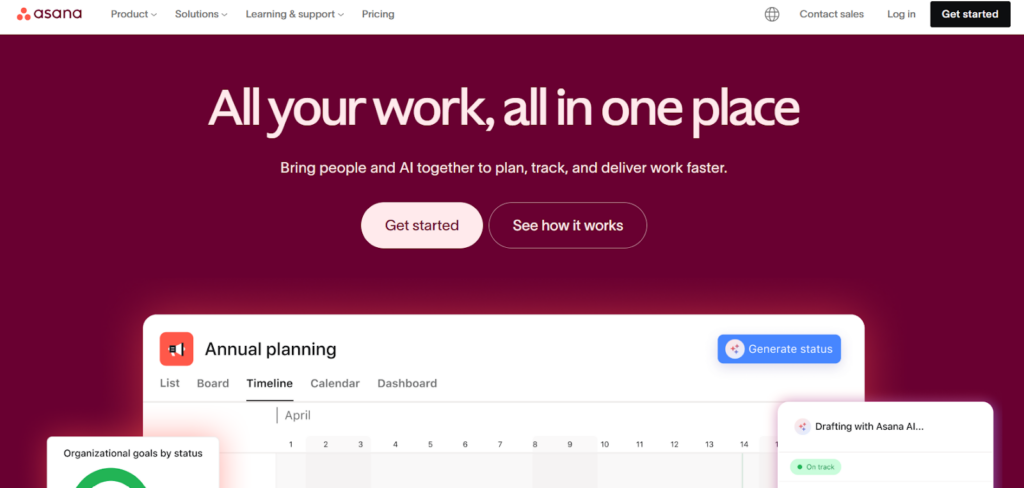
The next solution on our list of the best agile checklist tools is Asana – a task management platform widely used by cross-functional teams to coordinate workflows and track project progress. For agile teams, Asana checklists typically appear as subtasks that support recurring execution steps.
Development teams often use Asana to standardize workflows. Example use cases include onboarding, release coordination, and handoffs between engineering, QA, and product management. While it supports agile practices, checklists are part of a broader task management approach rather than a dedicated checklist system.
- Key Features:
- Subtasks and task templates for recurring work
- Workflow automation and rules
- Timeline views and dashboards
- Integrations with Slack and GitHub
- Best for: Cross-functional teams coordinating recurring workflows across departments.
- Pricing: Free tier available, with paid plans offering advanced automation and reporting.
- Pros: User-friendly interface, strong collaboration features, good visibility across teams and stakeholders.
- Cons: Checklists are not the primary focus. Limited Jira integration compared to Jira-native checklist apps.
I like how effortlessly I can manage my tasks with the help of Asana. I usually work on collaborations with brands as a content creator, and it does have deadlines, so I can easily create my to-do list based on particular dates, and complete my work easily before the deadline. – Customer review
6. Trello
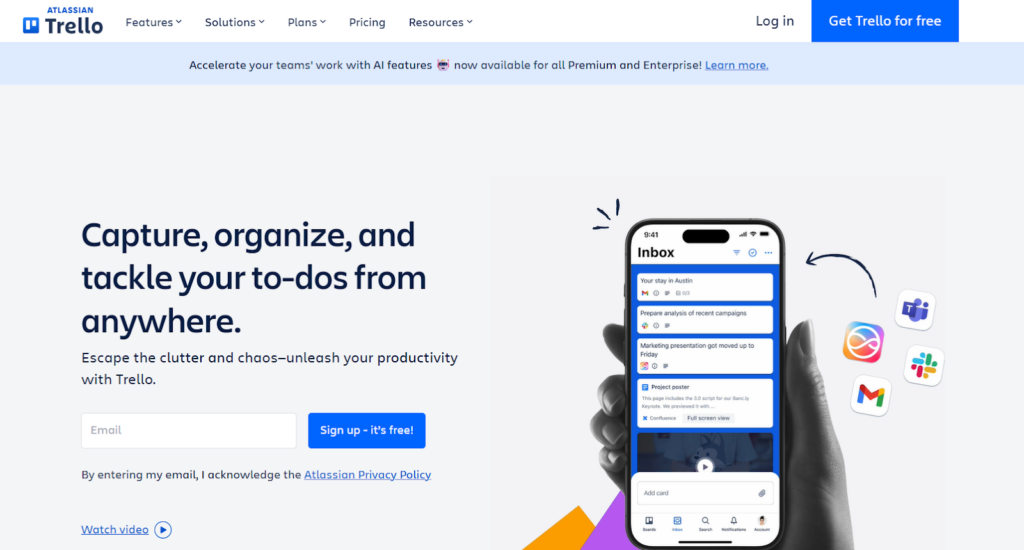
Trello is a lightweight Kanban board tool built around cards, lists, and visual workflows. Agile teams often use Trello checklists to manage simple recurring tasks within cards as work moves across kanban boards.
Trello works well for small teams or individual developers who need a visual way to track progress without heavy configuration. Checklists help ensure key steps are not missed, especially in simple development or maintenance workflows.
- Key Features:
- Card level checklists
- Kanban boards for visual workflows
- Simple automation with Butler
- Integrations with Slack and GitHub
- Best for: Small teams using Kanban boards for lightweight task tracking.
- Pricing: Free tier available, with paid plans unlocking advanced automation.
- Pros: Easy to adopt and use, clear visual workflow, suitable for small teams and simple processes.
- Cons: Limited reporting and metrics, not designed for complex agile processes.
What I like most about Trello is how it translates work into something visual. Instead of digging through emails or long text threads, I can glance at a board and instantly understand who’s working on what, what’s blocked, and what’s ready to move forward. – Customer review
7. Any.do
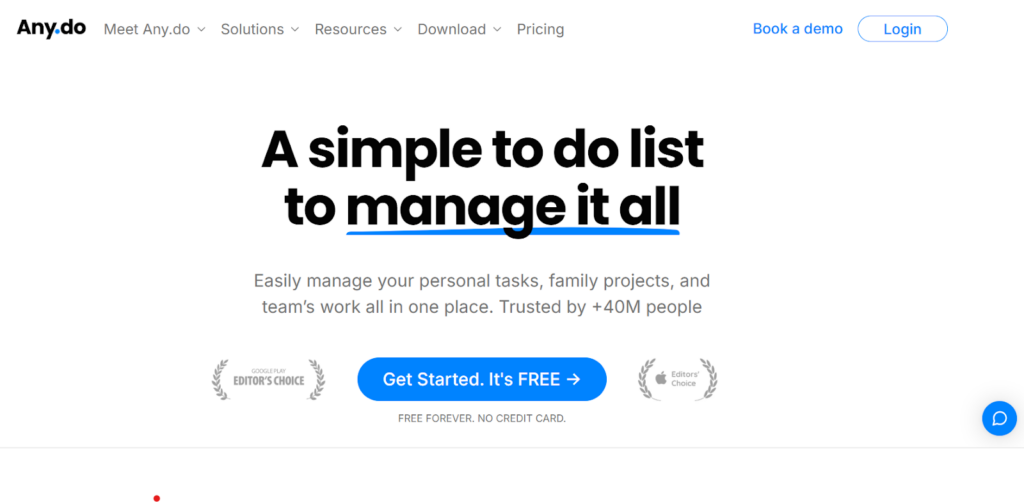
The last solution on our list of the best agile checklist tools is Any.do. It is a personal task management and checklist app designed for individual productivity rather than team-wide agile workflows. Developers and small teams often use it to manage daily routines, personal task tracking, and lightweight planning outside formal project tools.
While it does not support Scrum boards or backlog management, Any.do can complement agile tools by helping team members manage personal to-do lists alongside development work.
- Key Features:
- Personal checklists and reminders
- Daily planning views
- Calendar integration
- Mobile and desktop apps
- Best for: Individual developers managing personal task lists and routines.
- Pricing: Free tier available, with paid plans offering advanced features.
- Pros: Simple and user-friendly, good for personal productivity, works well across devices.
- Cons: Not built for agile teams, no native support for workflows or metrics.
The application is really simple to use and can serve to manage personal as well as work tasks. It has a reminder and snooze feature so that you do not miss anything that you have planned for the day. It also allows you to add color tags to prioritize your tasks. – Customer review
Key Benefits of Agile Checklist Tools for Development Teams
Agile checklist tools offer several practical advantages for Scrum and Kanban teams beyond simple task tracking:
- Fewer missed steps during recurring work. Release preparations, QA cycles, and onboarding processes involve many small actions. Checklist tools make each step visible so team members do not rely on memory alone.
- Consistent execution across teams. Reusable templates help standardize how work is done, regardless of which team member picks up the task. This supports continuous improvement and reduces variation across sprints.
- Better visibility for stakeholders. Checklists that live inside Jira work items, ClickUp tasks, or Trello cards give Scrum Masters, product owners, and managers a real-time view of execution progress.
- Less context switching. Tools that integrate directly with your project management platform keep checklists where the work already happens. Teams do not need to open separate apps to track execution steps.
- Faster onboarding for new team members. Checklist templates document how recurring processes work, making it easier for new developers or product owners to follow established agile workflows from day one.
- Audit-ready execution evidence. Completed checklists create a record of what was done, when, and by whom. This supports compliance needs and makes retrospectives more productive by showing exactly where steps were missed.
How to Choose the Right Agile Checklist Tools for Your Needs
Finding the right option starts with understanding where your team already does its work. For many development teams, Jira is the system of record for issue tracking, sprint planning, and backlog management. In those cases, checklist apps that work directly inside Jira issues reduce context switching and keep execution visible inside Scrum boards and Kanban boards.
Teams that rely more heavily on all-in-one collaboration platforms like ClickUp, Asana, or Trello should first evaluate whether built-in checklists and templates are sufficient for their workflows. Adding another tool only makes sense if it improves consistency, visibility, or automation across recurring tasks.
Other factors to consider include how easy it is to create and reuse templates, how pricing scales as teams grow, and whether the tool supports metrics or dashboards. Some checklist tools focus purely on personal task tracking, while others help teams standardize workflows and support continuous improvement across development processes.
We hope our overview of the best agile checklist tools is useful to you!
Keep Execution Consistent With Agile Checklist Tools
Agile frameworks like Scrum and Kanban rely on simple, repeatable routines to support teamwork and continuous improvement. While boards and reports help teams track project progress, checklist tools play a quieter role by ensuring that day-to-day execution steps are not missed. By making recurring work visible and easier to follow, they reduce friction and improve consistency across workflows.
When evaluating tools, it is often best to test one or two options that fit naturally into existing agile workflows. Start with a single recurring process, such as a release readiness checklist or QA checklist, and expand from there as the team gains confidence.
For teams already running agile projects in Jira, checklist apps that work directly inside Jira work items offer a practical way to keep execution and evidence inside the same system. This approach supports better visibility, clearer ownership, and more reliable delivery.
FAQs About Agile Checklist Tools for Development Teams
When should a team use checklists instead of subtasks?
Use a checklist when you have many steps that are part of the same process, especially if it’s standard or recurring. These can be regression testing steps, a set of standard actions for the onboarding flow, or a marketing campaign launch checklist. Checklists are also useful when listing various criteria, such as the Definition of Done, Definition of Ready, and Acceptance Criteria.
Subtasks work better when each part represents a substantial chunk of work with its own deliverables. In Jira, checklists are also a good fit when you want to track progress at the step level without cluttering your board with extra work items. Smart Checklist for Jira is built for this pattern, because the steps live inside the work item and stay visible during execution.
For more on this topic, please see our article Jira Subtask vs Jira Checklist.
Where should a checklist live: in the ticket, the PR, or the wiki?
Put the checklist where people actually act on it. If the steps drive delivery, keep them inside the work item so they are checked off while the work moves forward. If the steps are code-review specific, a short PR checklist can work, but it should stay minimal.
A wiki is better for reference, not execution. Teams often keep a “master” version in docs, then copy or apply the operational version into tickets. With Smart Checklist, the checklist stays in Jira and can be saved as a template, so you reuse the same structure without switching context.
What are the most common checklist templates used by dev teams?
Most teams start with a few repeatable templates that match daily delivery. Common ones include: Definition of Done checks, QA and regression steps, release readiness, incident response, and onboarding setup.
If you work in Jira, Smart Checklist templates are a practical way to standardize these patterns across teams. You can keep one template per work type, then apply the right checklist automatically when the work item is created or moved to a new status.
How do agile checklist tools help with QA and regression testing?
They turn “test it” into a visible sequence of checks. That matters in regression, where missing one step can ship a bug that is hard to trace back. A checklist also makes it clear what was tested and what was skipped, without digging through comments.
In Jira, Smart Checklist helps QA track progress at the step level inside the same work item. This is useful when several people share testing work or when you need a quick, auditable view of what is done.
Can you use agile checklist tools with automation?
Yes. For example, Smart Checklist lets you apply the right checklist template automatically, based on conditions such as project, work type, component, or a status change. As a result, when a work item is created or moved to another status, it already contains the checklist needed for further working on it. This saves you time and effort and helps you enforce best practices. You can ensure that no one will forget to use a standardized checklist, since it will always be added automatically.
Smart Checklist also has the Linked Templates feature. It links a checklist inside a work item to a central template, instead of creating a one-time copy. When you update the template, you can push the same update to every work item that uses that linked template, such as all tickets in a specific release, all incident work items, or all QA tasks in a given project. This is useful when your process changes mid-stream and you need active tickets to follow the latest version, not an outdated checklist.
Why should you use agile checklist tools?
Agile checklist tools are useful when teams repeat the same small steps across many work items and still miss things under pressure. They turn “we usually do this” into visible actions that are easy to follow inside the ticket.
Here’s why teams use them:
- They reduce missed steps in recurring work like QA, releases, and incident follow-ups.
- Agile checklist tools make “done” clearer by turning quality gates into tickable checks.
- They improve handoffs because everyone sees what’s finished and what’s still pending.
- They make work easier to audit later, since the checklist shows what was actually done.
- Agile checklist tools support continuous improvement because you can update the checklist template when the process changes and reuse the improved version next time.
If you run delivery in Jira, a tool like Smart Checklist helps because the checklist lives inside the Jira work item, can be saved as a template, and can be applied automatically based on your rules.