Tools for Jira
 Tools for monday.com





A document management system (DMS) helps organizations store, organize, and control electronic documents through their full lifecycle. It goes beyond basic cloud storage by adding version control, metadata, access permissions, and audit trails across business processes. According to Fortune Business Insights, the global DMS market was valued at $7.16 billion in 2024 and is projected to reach $24.34 billion by 2032.
This guide is for IT leaders, compliance officers, and operations managers evaluating document management platforms in 2026. Teams today need more than file storage. They need structured approval processes, retention policies, HIPAA and GDPR compliance controls, and integration with apps like Microsoft 365, Salesforce, and Jira. A DMS supports paperless operations by replacing manual, paper-based document handling with automated, trackable processes.
This article compares 10 document management solutions. The list includes enterprise content management platforms like Microsoft SharePoint and Hyland OnBase, metadata-driven systems like M-Files, AI-powered document capture apps like DocuWare and Square 9 Softworks, compliance-grade document management platforms like Laserfiche and Box, and open-source options like Hyland Alfresco. Each tool is evaluated on capabilities, deployment, pricing, and use-case fit. For teams that run document-related execution in Jira, this guide also covers how Smart Checklist and Smart Templates can handle review and approval steps without replacing the DMS.
Key Takeaways
A document management system manages the full document lifecycle, not just storage.
Process automation, OCR, and metadata search are the key features that most reduce manual effort.
Deployment choice (cloud, on-premises, or hybrid) depends on compliance and infrastructure needs.
Laserfiche leads G2 ratings at 4.7/5 among the tools compared in this article.
Smart Checklist for Jira can handle document review and approval steps without replacing the DMS.
Best document management solutions by use case
Best for Microsoft 365 organizations: Microsoft SharePoint
Best for regulated enterprises: Box
Best for finance and HR document processing: DocuWare
Best for metadata-driven organization: M-Files
Best for healthcare and government: Hyland OnBase
Best for mid-market capture and automation: Square 9 Softworks
Best for compliance and records management: Laserfiche
Best for large enterprise content governance: OpenText Content Suite
Best for hybrid IT environments: Egnyte
Best for open-source flexibility: Hyland Alfresco
Best for enterprises looking to unify document management, workflow automation, and content governance: Newgen
Comparison Table
| Tool | Main Focus | Best For | Key Capabilities | Deployment | Starting Price | Rating |
|---|---|---|---|---|---|---|
| Microsoft SharePoint | Enterprise content management | Microsoft 365 organizations | Metadata-driven libraries, version control, Power Automate, granular permissions | Cloud or hybrid | $5-$60/user/month (via M365 plans) | 4.0/5 (G2) |
| Box | Governance-focused content management | Regulated enterprises | Approval workflows, audit trails, Box Sign, 1,500+ integrations | Cloud | $5-$47/user/month | 4.2/5 (G2) |
| DocuWare | Workflow-driven DMS | Finance and HR teams | OCR capture, automated routing, approvals, retention controls | Cloud or on-premises | Custom pricing | 4.4/5 (G2) |
| M-Files | Metadata-driven DMS | Knowledge-heavy organizations | Metadata-based organization, lifecycle states, AI classification, M365 integration | Cloud or on-premises | Custom pricing (est. $39-$59/user/month) | 4.4/5 (G2) |
| Hyland OnBase | Enterprise content management | Healthcare, government, finance | Document imaging, process automation, records management, Epic/Workday integrations | Cloud, on-premises, or hybrid | Custom pricing | 4.4/5 (G2) |
| Square 9 Softworks | AI-powered document capture and automation | Mid-market document-heavy teams | AI data extraction (InquireAI), OCR, process automation, ERP integrations | Cloud or on-premises | From $50/user/month (min. 5 users) | 4.5/5 (G2) |
| Laserfiche | Document and records management | Compliance-focused organizations | Records management, electronic forms, audit logging, AI-powered capture | Cloud or on-premises | Custom pricing | 4.7/5 (G2) |
| OpenText Content Suite | Enterprise records management | Large compliance-focused enterprises | Retention policies, lifecycle governance, advanced access control | Hybrid | Custom pricing | Low G2 volume; 4.1/5 (Capterra) |
| Egnyte | Hybrid file governance | Hybrid IT environments | Access control, audit logging, hybrid cloud storage, compliance tools | Hybrid | $10-$55/user/month | 4.4/5 (G2) |
| Hyland Alfresco | Open-source content management | Technical teams | Open-source DMS, metadata and version control, workflow automation, API integrations | Cloud or on-premises | Free (Community) / Custom (Enterprise) | 3.8/5 (G2, Community) |
| Newgen | Newgen is an enterprise content management software that helps organizations manage documents, automate business processes, and govern enterprise content throughout its lifecycle | Enterprises looking to unify document management, workflow automation, and enterprise-wide content governance | Enterprise content management, workflow automation, document capture, records management, AI-powered content services, low-code application development, and enterprise integrations | Cloud, on-premises, or hybrid | Custom pricing | 4.4/5 (G2) |
What should you look for in a document management solution?
The right DMS depends on your compliance requirements, team size, and existing tech stack. Effective digital document management requires a platform that matches your business needs across these capabilities.
Workflow automation
A DMS should automate routing, approvals, and notifications for document-heavy processes. The same goes for the standard operating procedures behind those processes: without a clear owner and a review cycle, they drift out of date fast. Look for configurable workflows that support multi-step reviews, conditional logic, and automated escalation. This is what separates a DMS from basic file storage.
Metadata and search
Folder-based organization breaks down at scale. Metadata-driven systems let users tag, classify, and retrieve documents by attributes like type, status, owner, or project. Full-text search combined with metadata filters makes retrieval fast even across large repositories.
OCR and document capture
Optical character recognition (OCR) converts scanned documents into searchable, indexable content. AI-powered capture tools can extract fields from invoices, contracts, and forms automatically. This reduces manual data entry and speeds up processing of electronic documents.
Version control
Every DMS should track document versions and allow users to restore previous versions. Document control features like check-in/check-out prevent conflicting edits when multiple people work on the same file. Look for clear version history and support for simultaneous editing without overwrite risk.
Access control and permissions
Granular access control determines who can view, edit, or share specific documents. Role-based permissions, folder-level restrictions, and external sharing controls help protect sensitive information. Consider how many team members need access and at what permission levels.
Compliance and data protection
Organizations in regulated industries need a DMS that supports HIPAA, GDPR, or industry-specific standards. Look for built-in audit trails, retention schedules, encryption, and data residency options. Compliance is harder to add later if the platform does not support it natively.
Retention and archiving
A DMS should enforce retention policies that define how long documents are stored and when they are archived or disposed. Automated retention schedules reduce manual oversight and support regulatory compliance.
Deployment options
Cloud-based, on-premises, and hybrid deployment models each serve different needs. Cloud suits distributed teams. On-premises gives full infrastructure control. Hybrid lets organizations bridge both. The right choice depends on data security policies and IT capacity.
AI-powered features
AI is becoming standard in document management software. Common capabilities include automatic classification, intelligent data extraction, content summarization, and anomaly detection. For teams embedding this capability into existing workflows, an enterprise document data extraction SDK can turn recurring document fields into structured data. According to industry research, AI-powered document classification can achieve 85-95% accuracy on well-structured business documents. Evaluate how each platform uses AI and whether the features are included or priced as add-ons.
Integrations
A DMS should connect with the tools your team already uses. Key integrations include Microsoft 365, CRM platforms like Salesforce, ERP systems, and project management tools like Jira. API access matters for custom workflows and automation.
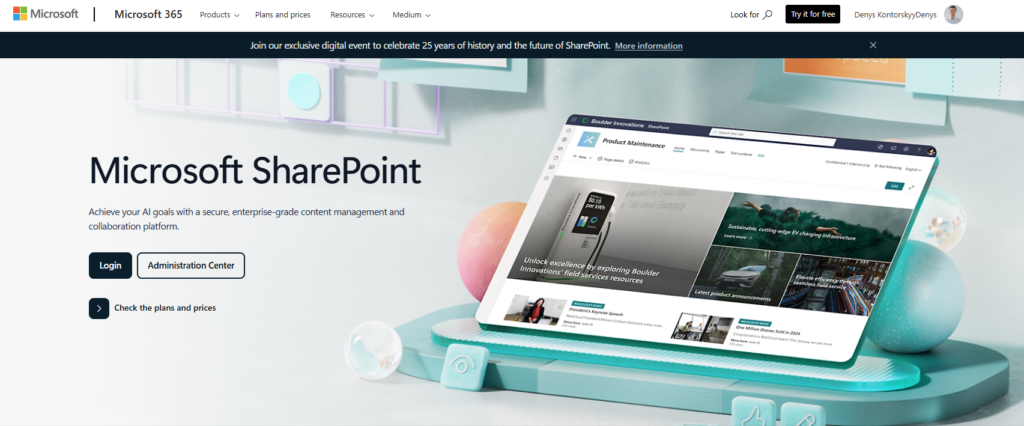
Microsoft SharePoint is an enterprise content management platform built into Microsoft 365. It organizes documents through structured libraries with metadata, version control, and granular permissions.
SharePoint supports document workflows across the full lifecycle. Teams can automate approvals, reviews, and routing through Power Automate. Retention policies and compliance features are available on higher-tier M365 plans.
The platform works best for organizations already invested in the Microsoft ecosystem. Integration with Teams, Outlook, OneDrive, and other M365 apps makes it a natural system of record for enterprise content.
Best for: Organizations standardizing document management inside Microsoft 365.
Key capabilities: Metadata-driven document libraries, version control with previous versions, workflow automation through Power Automate, granular access control and permissions.
Deployment: Cloud or hybrid.
Pricing: $5-$60/user/month depending on M365 plan. SharePoint Plan 1 starts at $5/user/month standalone. Document governance features like retention and compliance require Business Premium ($22/user/month) or E3/E5 plans.
Tradeoffs: SharePoint offers deep governance and enterprise content management at scale. But configuration can be complex. Workflow customization often requires technical expertise, especially for larger deployments. Teams without dedicated IT support may struggle with setup and permission management.
“SharePoint has made working with the team feel way easier. Everything lives in one spot, so I don’t have to dig through emails to find the right document or wonder if I’ve got the latest version.” – G2 reviewer, verified user
Official site: https://www.microsoft.com/en-us/microsoft-365/sharepoint/collaboration | Reviews: G2 reviews
Box
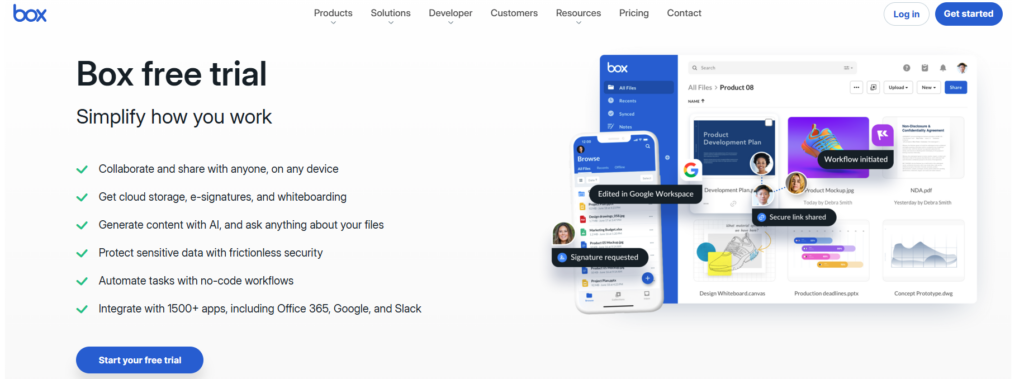
Box is a governance-focused content management platform designed for regulated industries. It combines document storage with workflow automation, compliance controls, and a large integration ecosystem.
Organizations use Box to manage document approvals, enforce access policies, and maintain audit-ready records. Box Sign adds native e-signature support. The platform integrates with over 1,500 apps, including Salesforce and Microsoft 365.
Box is positioned for enterprises that need structured document workflows with strong compliance features. It supports HIPAA, GDPR, and FedRAMP standards natively.
Best for: Enterprises requiring secure, compliant document workflows with broad integrations.
Key capabilities: Workflow automation for approvals, audit trails and access control, Box Sign for e-signatures, 1,500+ integrations including Salesforce and M365.
Deployment: Cloud.
Pricing: $5-$47/user/month. Business Starter at $5/user/month offers 100 GB per user. Governance and advanced security features start at the Business Plus tier ($25-$33/user/month).
Tradeoffs: Box provides strong compliance and integration capabilities. However, advanced features like Box Governance and Box Shield are priced as add-ons. Costs can escalate quickly for smaller teams that need enterprise-level functionality.
“Our business account has infinite storage, so there is no worry about running out or upgrading space. The interface is easy to understand, and most users adapt very quickly.” – G2 reviewer, verified user
Official site: https://www.box.com/ | Reviews: G2 reviews
DocuWare
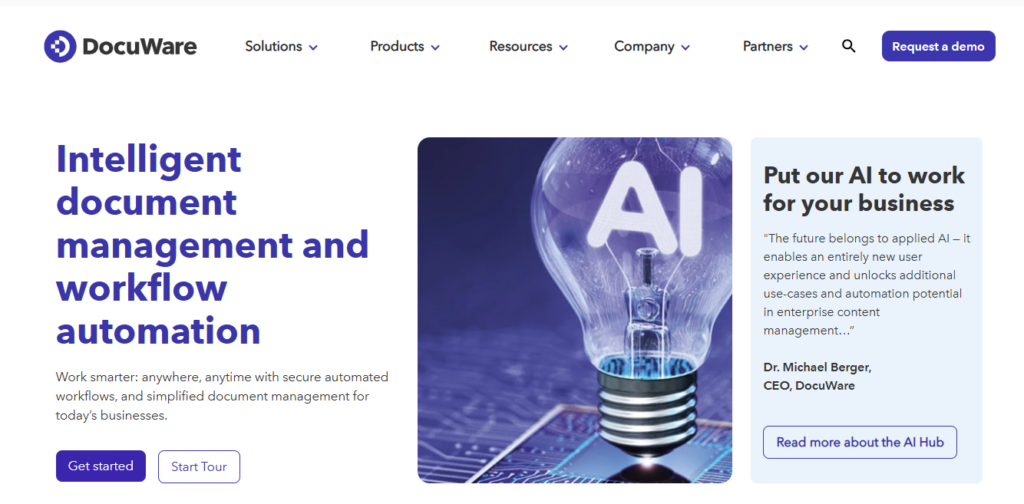
DocuWare is document management software focused on automating document-heavy workflows. It is commonly used by finance and HR teams for invoice processing, approvals, and compliance documentation.
The platform captures documents through scanning, email, or direct upload. OCR extracts metadata automatically, reducing manual tagging. Configurable routing rules move documents through review and approval workflows without manual intervention.
DocuWare integrates with over 500 applications, including Microsoft Dynamics, Salesforce, and SAP. It supports both cloud and on-premises deployment.
Best for: Finance and HR departments managing high volumes of structured documents.
Key capabilities: OCR-based document capture, automated routing and approvals, metadata-driven workflows, retention and archiving controls.
Deployment: Cloud or on-premises.
Pricing: Custom pricing. No public pricing available. Free 30-day trial offered.
Tradeoffs: DocuWare reduces manual handling and improves audit readiness through automation. But it requires clear process definition before implementation. The platform is stronger for structured document processing than for unstructured knowledge collaboration.
“DocuWare addresses the challenge of disorganized, paper-based processes by digitizing and centralizing all documents in a secure location. It helps reduce errors and speed up workflows like approvals and routing.” – G2 reviewer, verified user
Official site: https://start.docuware.com/ | Reviews: G2 reviews
M-Files
M-Files is a metadata-driven document management solution that organizes documents by context rather than folder structure. Users find documents based on attributes like type, status, owner, or project instead of navigating directories.
The platform applies automated lifecycle states to documents as they move through stages. Version control, permissions, and workflow automation are tied to metadata. M-Files also integrates natively with Microsoft 365, including Teams and SharePoint.
In 2026, M-Files positions its AI capabilities (M-Files Aino) as a core differentiator. AI-powered classification and intelligent metadata tagging reduce manual filing effort.
Best for: Knowledge-driven organizations with complex, cross-department document workflows.
Key capabilities: Metadata-based organization, automated lifecycle states, version control, AI-powered classification, Microsoft 365 integration.
Deployment: Cloud or on-premises.
Pricing: Custom pricing. Third-party estimates suggest $39-$59/user/month. Free 30-day trial available.
Tradeoffs: M-Files improves visibility and reduces duplication through structured metadata. But teams used to folder-based systems may need training. Metadata design requires careful planning upfront. Some reviewers note that advanced features require higher subscription tiers.
“I especially like the Access from anywhere feature. Instead of remembering folders, I search by things that represent that folder, like name, project, or document type.” – G2 reviewer, verified user
Official site: https://www.m-files.com/ | Reviews: G2 reviews
Hyland OnBase
Hyland OnBase is an enterprise content management platform used widely in healthcare, government, finance, and higher education. It manages high-volume document processing with built-in workflow automation, records management, and electronic forms.
OnBase stands out for its deep industry integrations. Purpose-built connectors for Epic, Workday, and SAP allow organizations to embed document workflows directly into core business systems. This reduces the need for custom integration work.
The platform supports document imaging, barcode scanning, and automated capture. Its concurrent user licensing model means organizations pay for the number of simultaneous users rather than total seats.
Best for: Large organizations in healthcare, government, and finance with high-volume document processing and compliance needs.
Key capabilities: Document imaging and capture, workflow automation, records management, electronic forms, industry-specific integrations (Epic, Workday, SAP).
Deployment: Cloud, on-premises, or hybrid.
Pricing: Custom pricing. Concurrent user licensing model. Contact vendor for a quote.
Tradeoffs: OnBase offers strong automation and deep integration with industry systems. But it is a significant investment. Implementation requires careful planning and may need dedicated admin resources. The platform is best suited for organizations with the IT capacity to manage an enterprise-grade deployment.
“OnBase has positively impacted my organization by improving claims payment time by 82% for emergency room claims. It has replaced more than 10 other applications, minimizing our overall application footprint.” – PeerSpot reviewer, verified user
Official site: https://www.hyland.com/en/products/onbase | Reviews: G2 reviews
Square 9 Softworks
Square 9 Softworks is an AI-powered document management and process automation app. It focuses on replacing paper-based processes with digital capture, intelligent indexing, and automated routing.
The platform’s InquireAI feature uses natural language prompts to extract data from invoices, contracts, and receipts. This removes the need for traditional OCR templates. GlobalSearch provides a secure, centralized repository with advanced search and metadata filtering.
Square 9 is recognized as a G2 Leader in Document Management for Spring 2026. It targets mid-market organizations that need document capture and workflow automation without enterprise-level complexity.
Best for: Mid-market organizations automating document-heavy processes like accounts payable, HR onboarding, and contract management.
Key capabilities: AI-powered data extraction (InquireAI), OCR and document capture, workflow automation, electronic forms, ERP and CRM integrations.
Deployment: Cloud or on-premises.
Pricing: From $50/user/month (Process Automation Essentials, minimum 5 users). Three pricing tiers range from $50 to $75/user/month.
Tradeoffs: Square 9 delivers strong automation and AI-powered extraction at a mid-market price point. Customer support is consistently praised in reviews. However, initial configuration takes effort. Permission setup can be complex.
“The platform delivers strong automation capabilities at an affordable price point. Support has been a standout as they take a creative approach to building solutions that fit our specific processes.” – Capterra reviewer, verified user
Official site: https://www.square-9.com/ | Reviews: G2 reviews
Laserfiche

Laserfiche is a document and records management platform built for organizations with strict compliance and retention requirements. It excels at combining document capture, process automation, electronic forms, and long-term archiving in an all-in-one platform.
The app supports AI-powered document classification and data extraction. Retention schedules and access controls enforce governance policies consistently across departments. Audit logging tracks all document activity.
Laserfiche holds the highest G2 rating among the tools in this comparison at 4.7/5 with over 1,100 reviews. It is widely used in government, education, financial services, and healthcare.
Best for: Organizations that need strict regulatory compliance, records management, and lifecycle governance.
Key capabilities: Records management with retention schedules, workflow automation, electronic forms, audit logging, AI-powered capture and classification.
Deployment: Cloud or on-premises.
Pricing: Custom pricing. Starts at 5 users for cloud plans. Contact vendor for a quote.
Tradeoffs: Laserfiche provides strong retention controls and compliance-grade document management. Its workflow automation and forms capabilities go beyond basic DMS functionality. However, the platform has a learning curve. Licensing tiers and modular pricing can feel complex.
“I’ve created many forms and have automated processes in less than 2 hours. My favorite thing about Laserfiche is that there are always answers or solutions to my problems.” – G2 reviewer, verified user
Official site: https://www.laserfiche.com/ | Reviews: G2 reviews
OpenText Content Suite
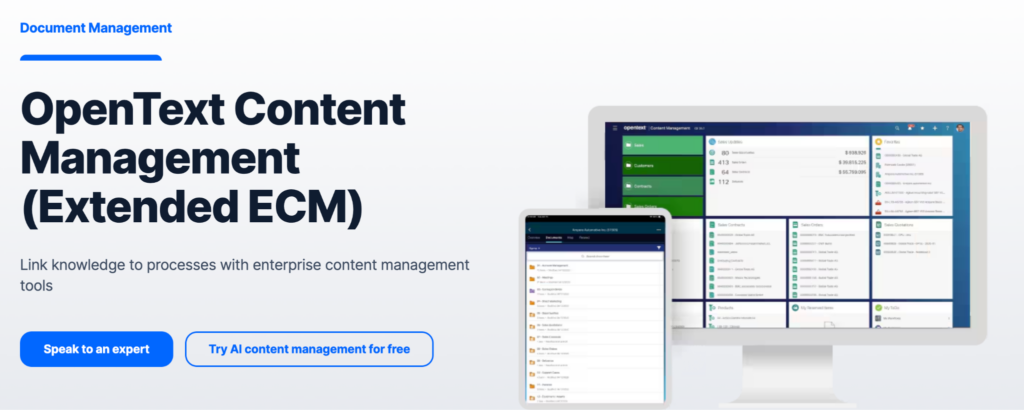
OpenText Content Suite is an enterprise content management platform designed for large organizations managing complex document ecosystems at scale. It supports document lifecycle management, security, and compliance across departments like finance, legal, and operations.
OpenText is often deployed in environments with strict governance requirements. It integrates with enterprise systems like SAP and Oracle. The platform supports both cloud and hybrid deployment models.
OpenText acquired Micro Focus in 2023, expanding its capabilities in information governance and security. The platform is positioned for organizations that need enterprise-grade records management with long-term retention and archiving.
Best for: Large enterprises with complex content governance, retention, and compliance needs.
Key capabilities: Enterprise content management, lifecycle and retention governance, advanced access control, hybrid deployment, SAP and Oracle integrations.
Deployment: Hybrid (cloud and on-premises).
Pricing: Custom enterprise pricing. Contact vendor for a quote.
Tradeoffs: OpenText scales effectively for large, multi-department deployments. It supports comprehensive governance and retention policies. But implementation complexity and cost make it unsuitable for smaller organizations. G2 review volume is low compared to other tools in this comparison.
“Very powerful content solution for big and medium business. Mature tech and strong support from OpenText Content Suite Platform.” – TrustRadius reviewer, verified user
Official site: https://www.opentext.com/products/content-suite-platform | Reviews: G2 reviews
Egnyte
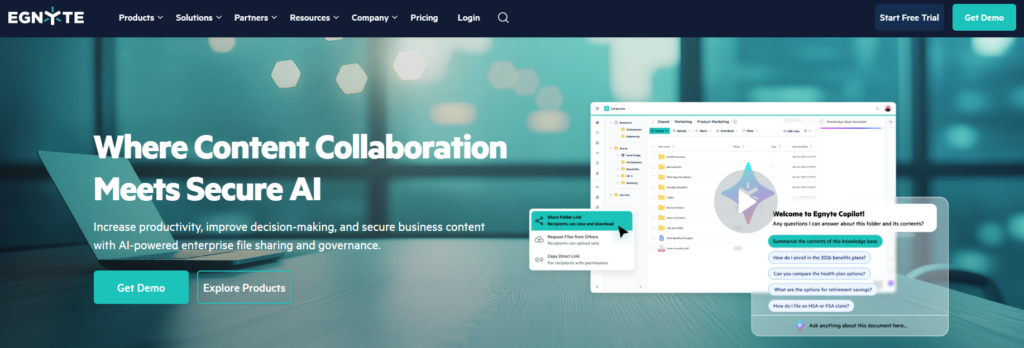
Egnyte combines secure file sharing with governance and compliance controls. It is designed for organizations that operate across hybrid IT environments, bridging cloud storage with on-premises infrastructure.
The platform provides centralized access control, audit logging, and data residency options. AI-powered content classification helps identify sensitive information and enforce data protection policies. Egnyte integrates with Microsoft 365, Salesforce, and industry tools used in architecture, engineering, construction, and life sciences.
Egnyte is not a traditional DMS with full records management. It sits between cloud storage and enterprise content management, offering stronger governance than basic file sharing platforms.
Best for: Organizations with hybrid infrastructure needs and strong data security and compliance requirements.
Key capabilities: Hybrid cloud storage, access control and audit logging, AI-powered content classification, M365 and CRM integrations, compliance tools.
Deployment: Hybrid (cloud with on-premises storage integration).
Pricing: $10-$55/user/month. Team plan starts at $10/user/month with 1 TB storage. Governance and compliance features start at the Business tier ($20/user/month).
Tradeoffs: Egnyte balances usability with governance and supports hybrid deployment well. It is strong in industries like AEC and life sciences. But advanced workflow automation and records management capabilities are more limited compared to full enterprise DMS platforms.
“The granular but easy-to-use sharing and permission controls give me confidence when collaborating with clients or external partners.” – G2 reviewer, verified user
Official site: https://www.egnyte.com/ | Reviews: G2 reviews
Hyland Alfresco

Hyland Alfresco is an open-source content management platform for organizations that want flexibility and control over their document infrastructure. It offers both a free Community edition and a paid Enterprise edition managed by Hyland.
Alfresco supports document workflows, metadata management, version control, and records management through APIs. Its open architecture allows deep customization. The platform integrates with Microsoft 365 and Google Docs for collaboration.
Hyland acquired Alfresco and now offers it alongside OnBase as part of its content services portfolio. The Community edition suits technical teams that can self-host and maintain the platform. The Enterprise edition adds commercial support, security features, and scalability.
Best for: Technical teams that need an open-source, customizable document management platform.
Key capabilities: Open-source DMS, metadata and version control, workflow automation, API integrations, records management (Enterprise edition).
Deployment: Cloud or on-premises.
Pricing: Free (Community edition). Custom pricing for Enterprise edition.
Tradeoffs: Alfresco provides maximum flexibility through its open-source architecture. It avoids vendor lock-in and supports complex, API-driven document workflows. But it requires technical expertise for setup, maintenance, and customization. The Community edition lacks commercial support.
“It’s easy to use, with a huge open-source community and a lot of examples on how to implement solutions using Alfresco.” – Gartner Peer Insights reviewer, verified user
Official site: https://www.hyland.com/en/products/alfresco-platform | Reviews: G2 reviews
Newgen
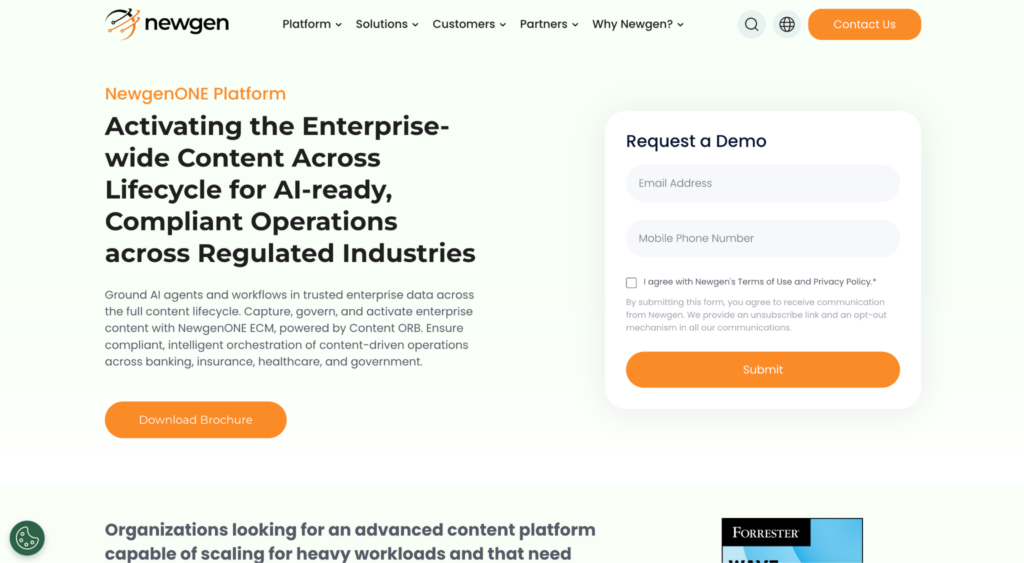
Newgen is an enterprise content management software that helps organizations manage documents, automate business processes, and govern enterprise content throughout its lifecycle. It combines document management, workflow automation, records management, AI-powered content services, and low-code application development in a unified platform. Newgen is widely used across banking, insurance, healthcare, government, and other document-intensive industries that require secure content governance and regulatory compliance.
Best for: Enterprises looking to unify document management, workflow automation, and enterprise-wide content governance.
Key capabilities: Enterprise content management, workflow automation, document capture, records management, AI-powered content services, low-code application development, and enterprise integrations.
Deployment: Cloud, on-premises, or hybrid.
Pricing: Custom pricing.
Official site: https://newgensoft.com/ | Reviews: G2 reviews
Other document management platforms worth considering
The 10 tools above cover the core DMS market from enterprise to mid-market to open-source. These three document management platforms also appear frequently in competitor comparisons and may fit specific use cases.
Revver (formerly eFileCabinet) is an AI-powered document management platform with strong automation and up to 20 TB of cloud storage on enterprise plans. It is popular in accounting, insurance, and financial services. G2 rating: 4.4/5 with 900+ reviews. Revver ranks in AI overviews for document management queries and is recognized as a G2 High Performer for Winter 2026. Custom pricing.
Official site: revverdocs.com | G2 reviews
PandaDoc combines document creation, e-signatures, and approval workflows in a single platform. It is best suited for sales, legal, and operations teams that need to create, send, and sign contracts and proposals. PandaDoc is not a full records management system, but it covers document workflows well for teams focused on agreements and client-facing documents. From $35/user/month.
Official site: pandadoc.com | G2 reviews
FileHold is an enterprise document management system designed for organizations that need structured records management, scanning, and version control. It integrates with Microsoft Office and supports both cloud and on-premises deployment. FileHold is commonly used in government, healthcare, and manufacturing. Custom pricing.
Official site: filehold.com | G2 reviews
Which document management platforms fit specific industries?
Different industries have different compliance, integration, and process requirements. Here is how the tools in this comparison map to common industry needs.
Healthcare: Hyland OnBase (Epic integration, HIPAA compliance), Laserfiche (records management, audit trails)
Government and public sector: Laserfiche (retention schedules, compliance), Hyland OnBase (electronic forms, high-volume processing)
Finance and accounting: DocuWare (invoice processing, OCR), Box (HIPAA/SOX compliance, audit trails)
Architecture, engineering, and construction: Egnyte (hybrid storage, large file handling, data residency)
Legal: OpenText (lifecycle governance, SAP integration), Box (secure external sharing, e-signatures)
Mid-market and general business: Square 9 Softworks (AI capture, affordable automation), M-Files (metadata-driven organization)
How can teams run document workflows in Jira with Smart Checklist and Smart Templates?
A document management system governs storage, retention, and lifecycle policies. But document-related work like reviews, approvals, and evidence collection often happens inside project management tools like Jira.
Smart Checklist and Smart Templates by TitanApps support document workflows inside Jira without replacing the DMS.
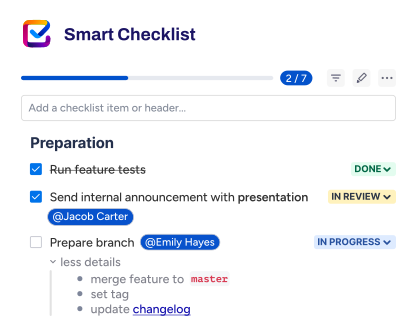
Smart Checklist lets teams define required steps for document reviews directly inside Jira issues. Teams can assign ownership to checklist items, mark items as mandatory, and connect checklist completion to workflow transitions. This creates lightweight approval checkpoints that are visible and trackable.
Smart Templates standardize recurring document workflows. Teams can create reusable issue structures for processes like Draft, Review, Approval, Publish, and Archive. Every time the process runs, the structure is consistent.
Teams that want to automate Jira processes can connect checklist completion to workflow transitions, notifications, and approval rules. Notifications through email, Slack, or Microsoft Teams give visibility into document execution progress.
This model separates document governance from execution. The DMS handles storage, retention, and compliance. Jira handles the operational work. Smart Checklist and Smart Templates make sure nothing critical is missed during execution.
For teams that need quality gates per issue type, mandatory checklist items serve as a practical Definition of Done mechanism.
In regulated environments, a compliance audit template in Jira ensures required documentation and approvals are consistently captured.
Teams can also connect checklist and template workflows with Jira automation rules to reduce manual steps and keep document-related Jira workflows structured.
How to choose the right document management solution
Start by mapping your business needs to the capabilities that matter most. Organizations in regulated industries like healthcare, finance, or government need platforms with built-in retention policies, audit trails, and support for standards like HIPAA or GDPR. Tools like Laserfiche, Hyland OnBase, and Box are designed for these environments.
Next, consider deployment. Cloud-based platforms suit distributed teams and reduce IT overhead. On-premises deployment gives full control over data and infrastructure. Hybrid options like Egnyte bridge both approaches. Your choice depends on data residency policies and IT capacity.
Evaluate integration needs. Most teams need the DMS to connect with Microsoft 365, CRM platforms like Salesforce, or project management tools like Jira. Check whether the platform supports native integrations or requires API development.
Consider how many team members need access and what technical capacity your organization has. Enterprise platforms like OpenText and Hyland OnBase require dedicated IT resources. Mid-market options like DocuWare and Square 9 help optimize document-heavy processes with less overhead. Small businesses with basic document storage needs may start with lighter platforms before investing in a full DMS. Open-source platforms like Hyland Alfresco provide maximum flexibility but need in-house technical expertise.
Factor in implementation time and cost. Enterprise DMS platforms often require weeks or months of setup, configuration, and training. Mid-market tools typically offer faster deployment. Plan for 20-30% of your implementation budget to go toward training and change management to ensure adoption.
Finally, separate document governance from document execution. The DMS should handle storage, retention, and compliance. Operational work like reviews and approvals can happen in tools like Jira, with Smart Checklist and Smart Templates keeping execution structured and visible.
FAQ
What is a document management system?
A document management system (DMS) is software that stores, organizes, and controls digital documents through their full lifecycle. It supports version control, metadata, workflow automation, access permissions, retention policies, and audit trails. A DMS goes beyond basic cloud storage by adding governance and compliance capabilities.
What are the key features of a document management system?
The most important key features of a DMS include document capture with OCR, metadata-driven search, version control, access permissions, process automation for approvals and routing, retention and archiving policies, audit trails, and compliance controls. AI-powered classification and data extraction are becoming standard in 2026. Integration with Microsoft 365, CRM, and project management tools is also critical for most organizations.
What is the difference between a DMS and cloud storage?
Cloud storage platforms like Google Drive or Dropbox focus on file storage and sharing. A DMS adds structured document governance: retention schedules, audit trails, automated workflows, access control policies, and records management. Organizations that need compliance, lifecycle control, or automated document routing typically need a DMS rather than basic cloud storage.
Which document management solutions support HIPAA compliance?
Several platforms in this comparison support HIPAA compliance natively. Box, Hyland OnBase, and Laserfiche offer built-in HIPAA controls including audit trails, encryption, and access restrictions. DocuWare and M-Files also support compliance-focused workflows. Always verify specific compliance certifications with the vendor before making a decision.
What does AI-powered document management mean?
AI-powered document management uses machine learning and natural language processing to automate tasks like document classification, metadata tagging, and data extraction. For example, Square 9’s InquireAI extracts invoice fields using natural language prompts. M-Files Aino classifies documents automatically based on content. AI reduces manual data entry and speeds up document processing.
Can you manage document workflows in Jira?
Yes. While Jira is not a DMS, teams can manage document-related execution steps inside Jira. Smart Checklist by TitanApps lets teams define required review and approval steps within Jira issues. Smart Templates standardize recurring document workflows like Draft, Review, Approve, and Publish. This approach keeps execution visible inside Jira while the DMS handles storage and governance.
How much does document management software cost?
Pricing varies widely. Cloud-based platforms like Box start at $5/user/month for basic plans. Mid-market tools like Square 9 start at $50/user/month. Enterprise platforms like OpenText and Hyland OnBase use custom pricing. Many tools offer free trials. When comparing prices, check which plan includes the features you actually need, as governance and compliance features often sit on higher tiers.
Is Dropbox a document management system?
Dropbox is a cloud storage and file sharing platform, not a full document management system. It supports version history and permissions but lacks structured retention policies, workflow automation, audit trails, and records management found in dedicated DMS platforms. Teams that only need file storage and sharing may find Dropbox sufficient, but regulated or process-heavy organizations typically need a purpose-built DMS.
What is the best open-source document management system?
Hyland Alfresco is the most widely used open-source DMS. Its Community edition is free and supports metadata management, version control, workflow automation, and API integrations. The Enterprise edition adds commercial support, enhanced security, and scalability. Alfresco is best suited for technical teams that can self-host and maintain the platform. Other open-source options include LogicalDOC and Paperless-ngx, though these have smaller communities and fewer enterprise features.
Is Google Workspace a document management system?
Google Workspace provides file storage and real-time collaboration through Google Drive, Docs, and Sheets. It supports basic version history and sharing permissions. However, it does not include structured retention policies, audit trails, records management, or automated document routing found in dedicated document management platforms. Teams that need compliance controls and document lifecycle governance should evaluate a purpose-built DMS.
What is the difference between a CMS and a DMS?
A content management system (CMS) is designed to create, manage, and publish digital content, typically for websites and online channels. A document management system (DMS) is designed to store, organize, and control internal business documents through their lifecycle, with features like retention policies, audit trails, and access controls. Some document management platforms overlap with CMS functionality, but the core difference is that a CMS focuses on publishing content externally while a DMS focuses on governing documents internally.
Conclusion
The right document management solution depends on what problem you need to solve first.
For enterprise content management inside Microsoft 365, SharePoint is the default choice. For compliance-heavy industries, Laserfiche and Hyland OnBase offer the strongest governance and records management. Box fits regulated enterprises that need broad integrations and cloud-native security.
Mid-market teams that need document capture and workflow automation should evaluate DocuWare, M-Files, and Square 9. Organizations with hybrid infrastructure requirements should look at Egnyte. Technical teams that want full control over their document infrastructure should consider Hyland Alfresco.
If your team already uses Jira for operational work, Smart Checklist and Smart Templates can structure document review and approval steps inside Jira without replacing your DMS.
Start by identifying your compliance requirements, deployment preferences, and integration needs. Then use the comparison table above to shortlist 2-3 tools for evaluation.