Tools for Jira
 Tools for monday.com





If you are looking for a project management tool in 2026, Jira will certainly be on your radar. This Atlassian heavyweight has been around for more than two decades and is used by thousands of companies. You are probably already familiar with it – or even using it now.
However, there are numerous Jira alternatives to choose from. One of them is Linear, a streamlined project management solution focused on removing routine administrative tasks from software developers’ workflow as much as possible. But does it live up to this promise? And which tool will be best for your team? Read on to get the data to base your decision on.
Key takeaways
- Jira is built for flexibility and scale. Linear is built for speed and simplicity.
- Jira relies on comprehensive manual configuration, which allows it to accommodate almost any workflow. However, this makes it prone to overengineering and increases administrative overhead.
- Linear relies on streamlined processes and automation. While it is relatively easy to set up and maintain, the trade-off is fewer customization capabilities.
- Jira can be tailored to any team: software engineering, HR, marketing, etc. Linear is most suitable for software development workflows.
- Jira’s granular permission management, customizability, and team-size-based pricing policy make it better suited to the needs of large enterprises.
What is Jira?
Jira is a project management and issue-tracking tool developed by Atlassian. At its core, it is a digital task board where teams create individual pieces of work (“work items”), assign them to specific team members, change statuses, and track their progress. Released in 2002, Jira has become one of the most popular project management solutions, used by more than 300,000 companies.
What is Linear?
Linear is a project management and issue-tracking solution tailored to the needs of product and engineering teams. Its core philosophy is to streamline and accelerate the software development workflow while minimizing administrative overhead. Founded in 2019, Linear is used by 33,000+ companies.
Linear vs Jira at a Glance
| Jira | Linear | |
|---|---|---|
| Most suitable for | Larger teams with complex organizational structures | Small-to-medium-sized development teams |
| Ease of use | Packed with features, has a steep learning curve, may be overwhelming for non-tech users | Keyword-driven design, straightforward for developers, but may feel difficult for non-tech users |
| UI speed | Medium/Low for large instances | High |
| Pricing (billed monthly) | Free for teams up to 10 users Standard - $3.01 - $9.05 per user/month (depends on the number of users) Premium - $5.91 - $18.30 per user/month (depends on the number of users) Enterprise - $166,000 - to $9,078,000 | Free for up to 2 teams / 250 issues Basic - $12 per user/month Business - $18 per user/month Enterprise - custom |
| G2 rating | 4.3 (7,861 reviews) | 4.5 (90 reviews) |
In the following section, we will examine two tools more closely and compare their key project management capabilities.
Linear vs Jira: Project Management Features Comparison
Agile tools
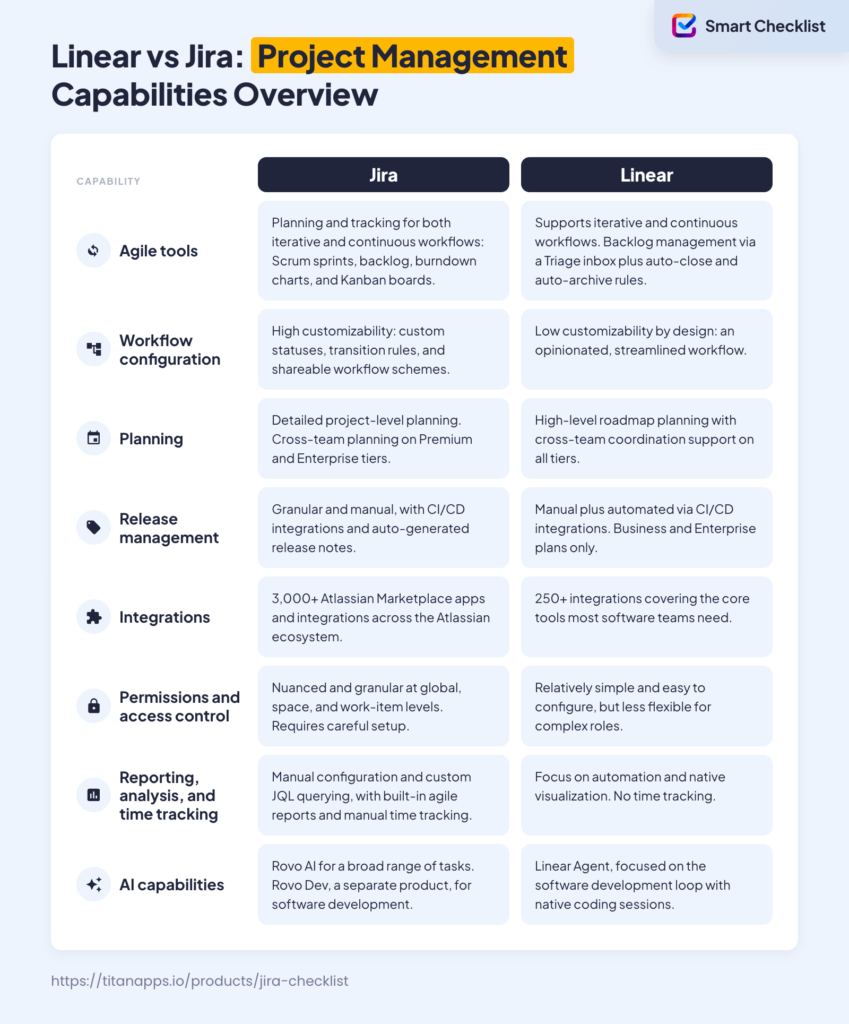
Both tools support iterative and continuous workflows. Linear aims to address a known issue: backlog rot. It introduces incoming task screening and trims items that remain in the backlog for too long.
Jira
- Scrum boards with a backlog and sprint planning.
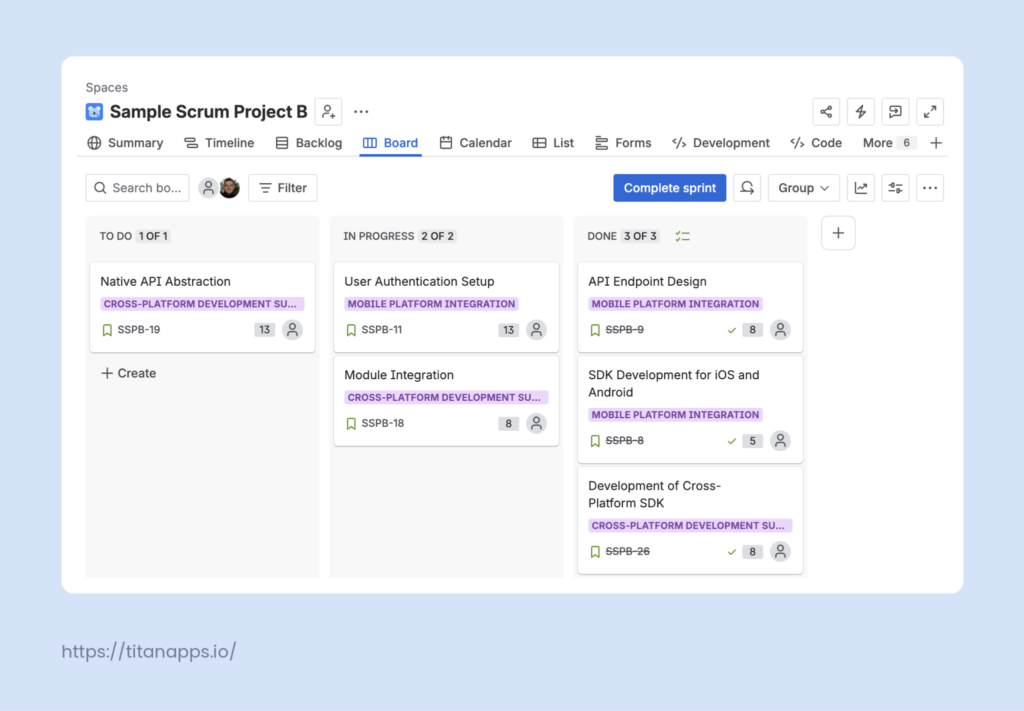
- Burndown charts to track progress against the sprint goal.
- Kanban boards that support continuous flow
- The standard Epics-Stories/Tasks-Sub-tasks hierarchy to group related work.
Linear
- “Cycles” as a version of sprints – recurring, time-boxed periods where unfinished work automatically rolls over.
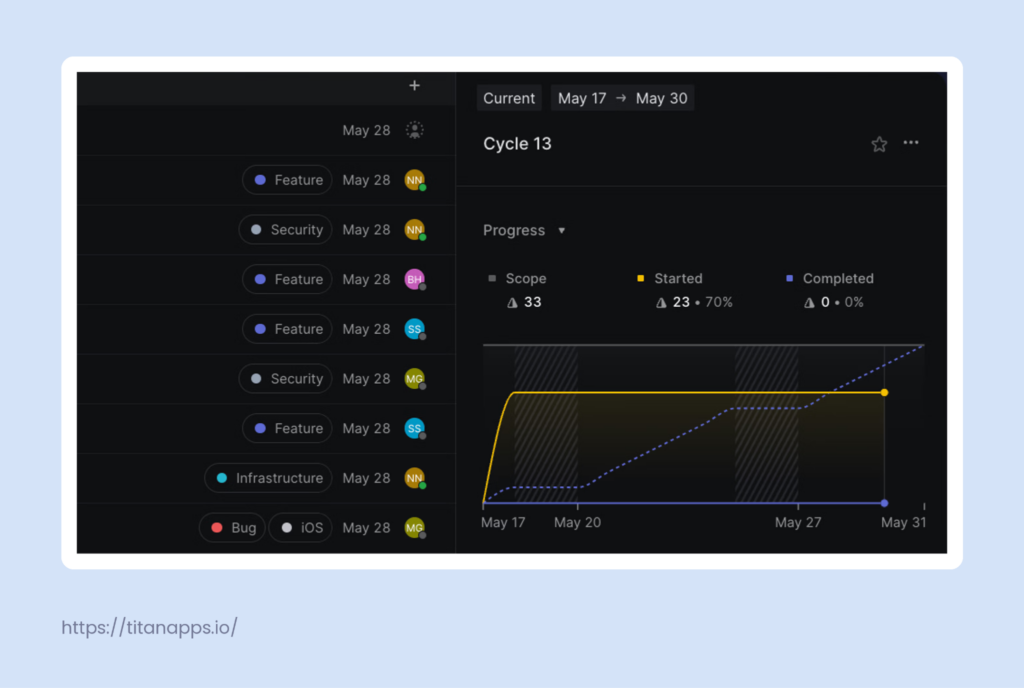
- A hierarchy of Issues and Sub-issues that roll up into time-bound Projects to organize work
- A pre-backlog Triage inbox to vet incoming requests before they enter the main workflow.
- Auto-close and auto-archive rules to clear out stale items and completed work, keeping the backlog manageable.
Workflow configuration
Jira is built with customizability in mind, while Linear is deliberately restrictive and relies on automation. Jira can accommodate any workflow, but it requires effort to set up and maintain. If poorly configured, Jira’s flexibility becomes an administrative burden. That said, team-managed spaces and pre-configured templates make initial setup more approachable than it used to be. Linear keeps the system fast and manageable, but is not the best fit for complex, custom workflows.
Jira
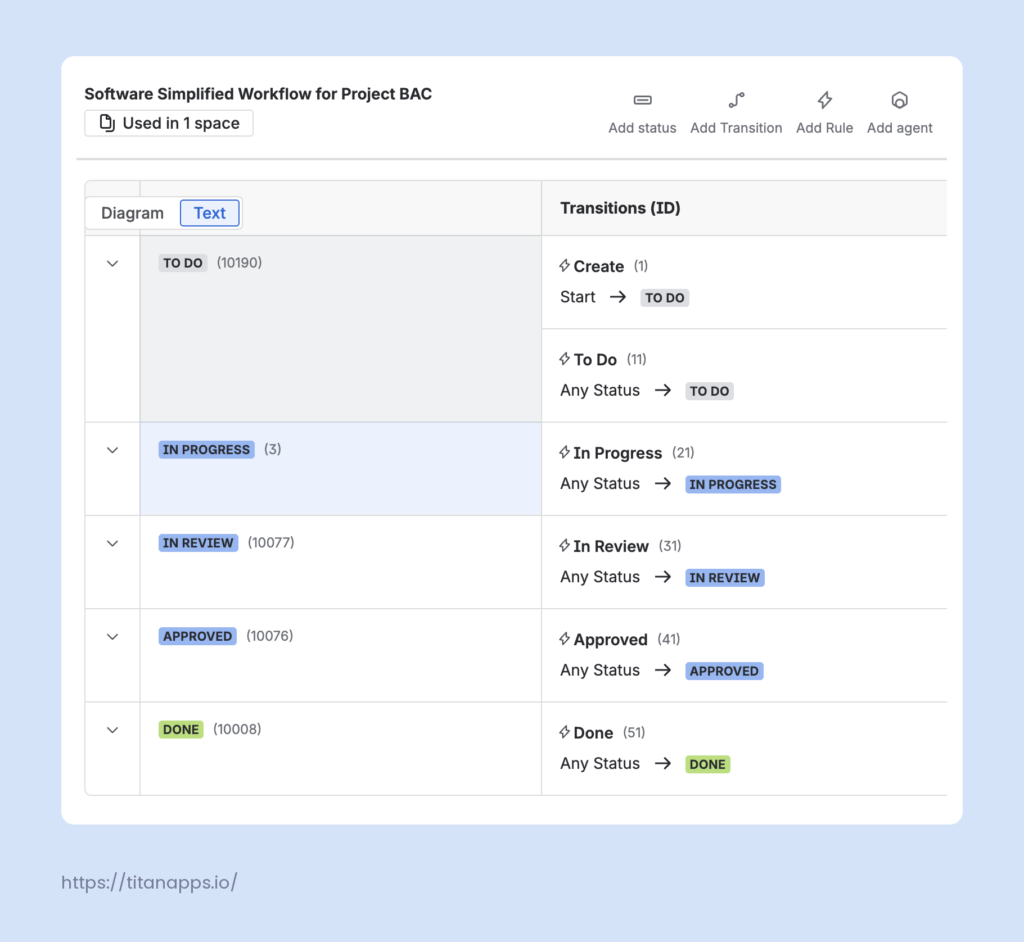
- Statuses: add, remove, rename, or reorder workflow statuses (e.g., To do, In progress, Done)
- Transitions: map the specific pathways that work items must follow to move between statuses.
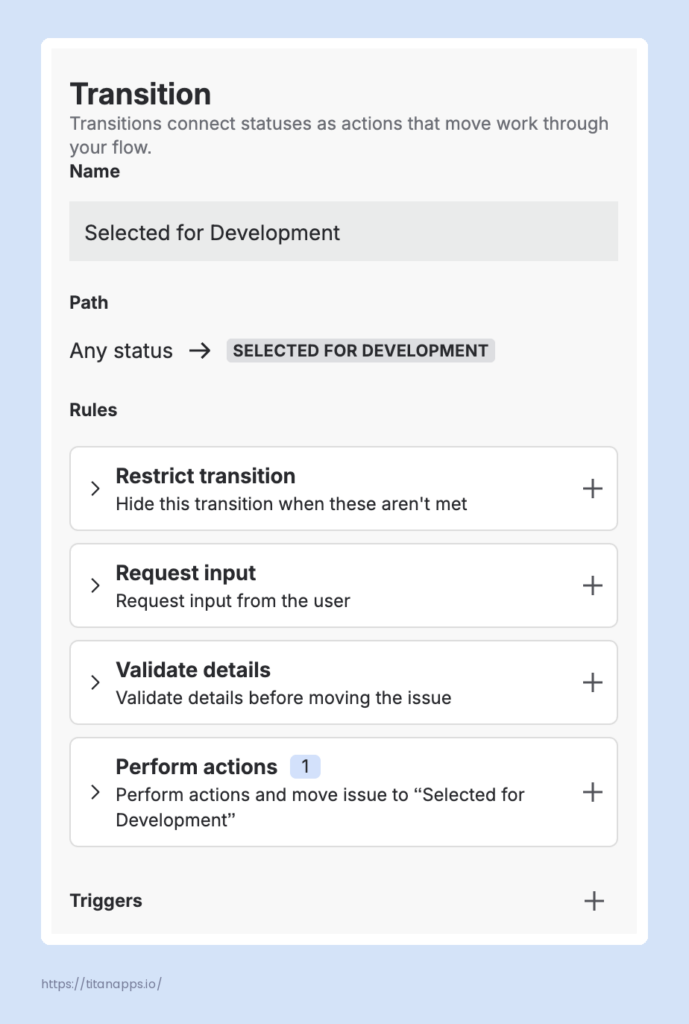
- Restrict transition: rules to control who can move a work item or under what circumstances the transition is available.
- Validate details: verify that specific requirements are met before a transition completes (specific fields filled out, the item has been through a required status, etc.).
- Perform actions: assign a work item, update a work item’s field, copy the value of one field to another, set a work item’s security level, or trigger a webhook after a transition is executed.
- Workflow schemes: map customized workflows to specific work types and share these overarching workflow schemes across multiple spaces in your Jira site.
Linear
- Automated transitions: Linear supports manual status updates but allows teams to automate them through Git integrations (GitHub, GitLab) that move issues forward as branches and pull requests progress.
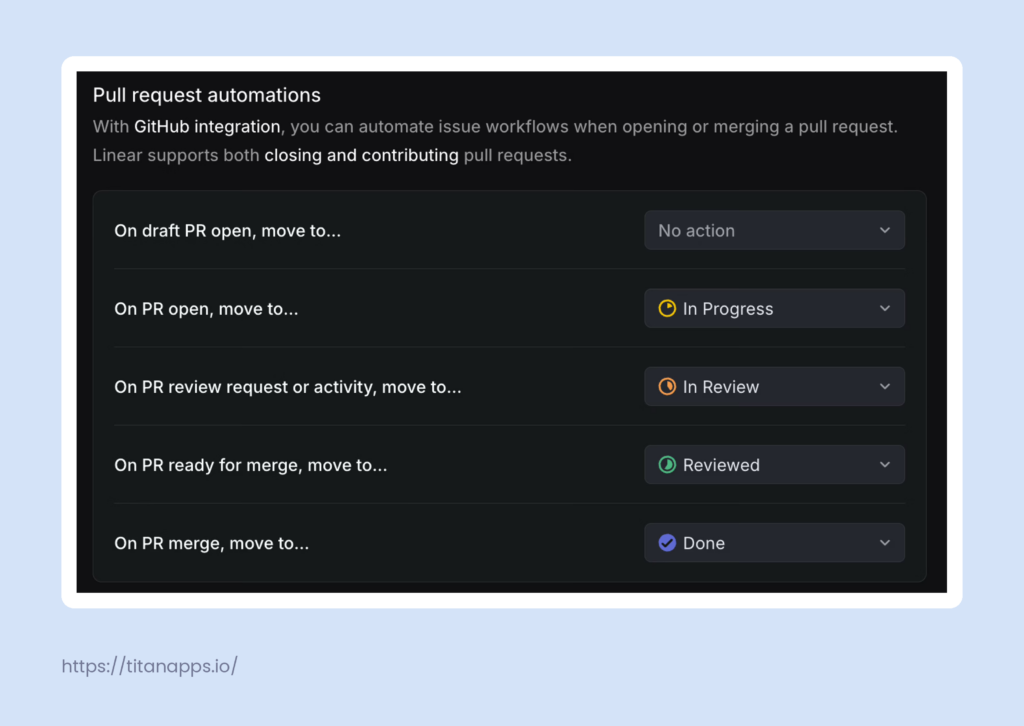
- Custom workflow statuses: create custom workflow statuses within one of the pre-defined categories
Planning
Jira offers a detailed project-level timeline, but cross-project planning is reserved for users on higher tiers. Linear intentionally simplifies its timeline to show only projects, but makes it easier to understand and suitable for coordination across teams.
Jira
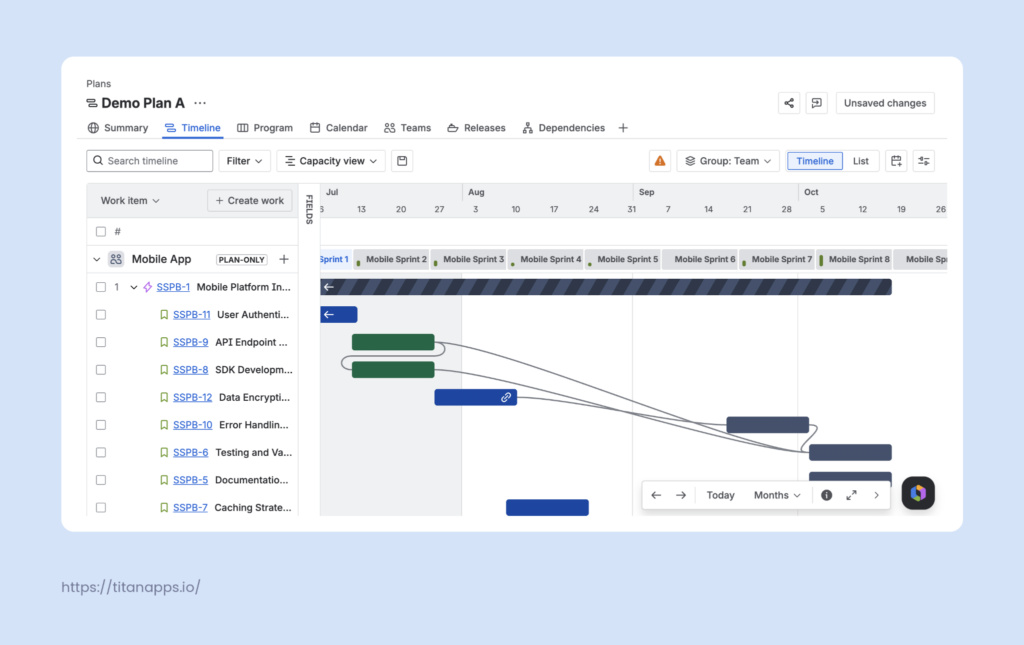
- Timeline: provides a Gantt-style view for individual projects to plan, track delivery, and visualize team-level dependencies.
- Jira Plans (formerly Advanced Roadmaps): enables cross-team planning with capacity mapping, scenario modeling, cross-team dependencies, and custom hierarchies for large-scale initiatives. Available on Premium and Enterprise.
Linear
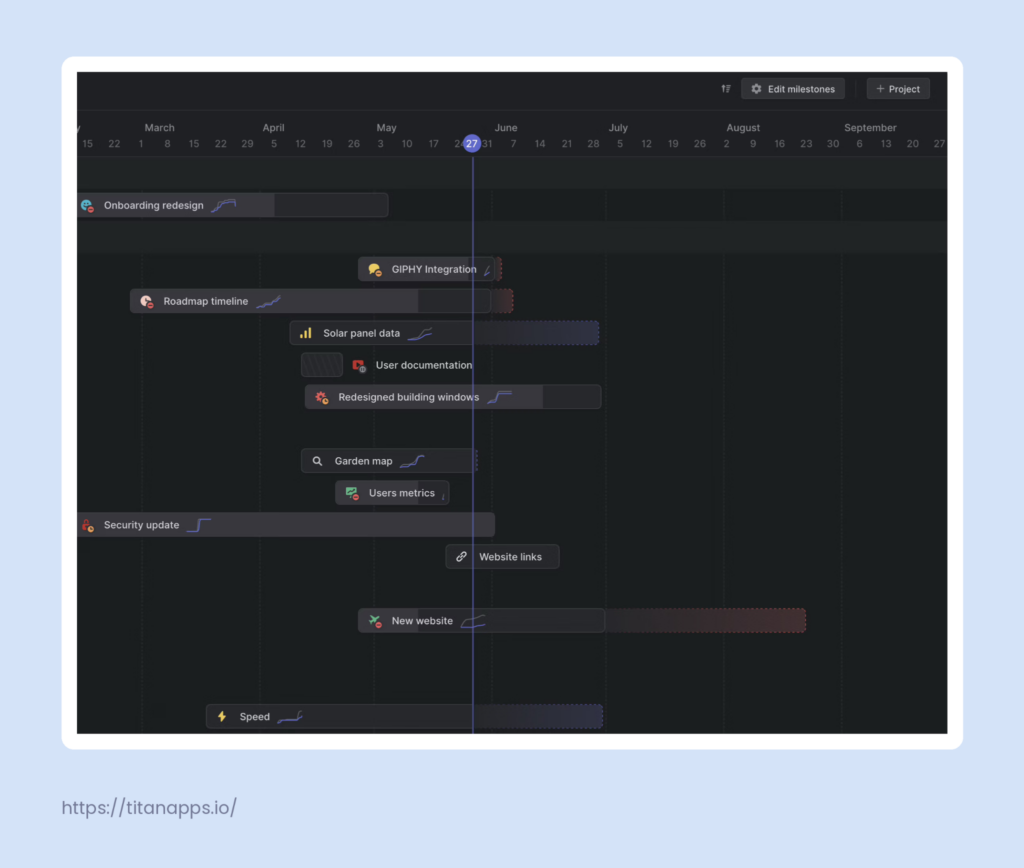
- Timeline view: Designed for high-level visualization, surfacing only projects rather than individual issues. Supports cross-team coordination by overlaying team cycles on the timeline. Allows grouping projects using Initiatives (and Sub-Initiatives for Enterprise users).
Release Management
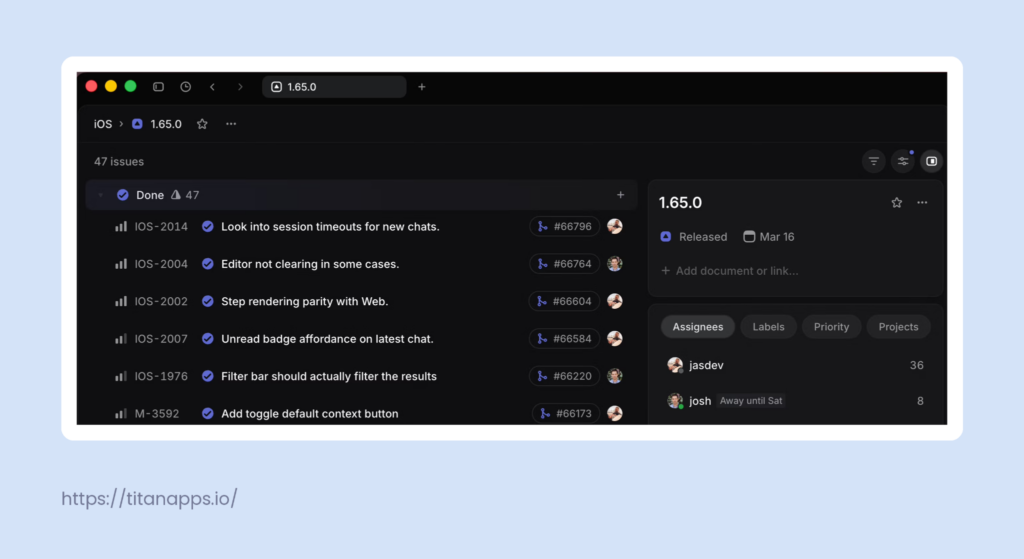
Jira relies on granular manual release management, while Linear’s release functionality, like other features, is automation-focused. Note that only Business or Enterprise users can manage releases on Linear.
Jira
- Fix version field to group work items from the release under one version.
- CI/CD tool integrations provide extra information on deployment status.
- Cross-team releases in Jira Plans (Premium and Enterprise).
- Automatically generated release notes.
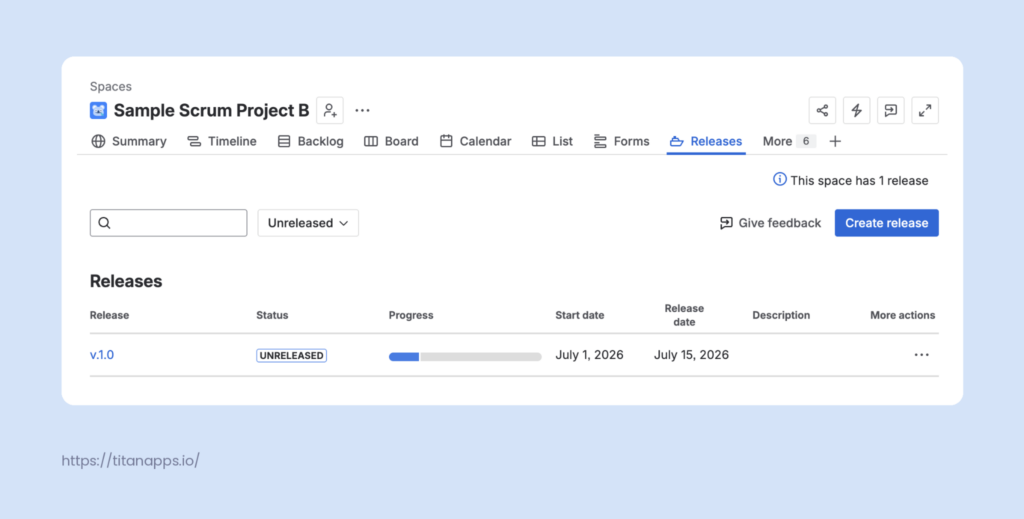
- Release hub to manage single-project (space) versions and track progress.
Linear
- CI/CD tool integrations automatically group issues in Release pipelines and update the ticket status based on PR activity: In Review, Merged, Deployed.
- A dedicated Changelog tab with release notes in chronological order for every pipeline.
- Cross-team capabilities: assign multiple teams to a release pipeline.
Integrations
Jira relies on thousands of Atlassian Marketplace apps and a native Atlassian ecosystem, which is a significant advantage. Linear integrates with the core tools most software teams need, but it can’t match Jira’s breadth.
Jira
- Atlassian ecosystem: Confluence for documentation, Bitbucket for code management, Jira Service Management for support workflows, Trello for lightweight task tracking, and Opsgenie for incident management.
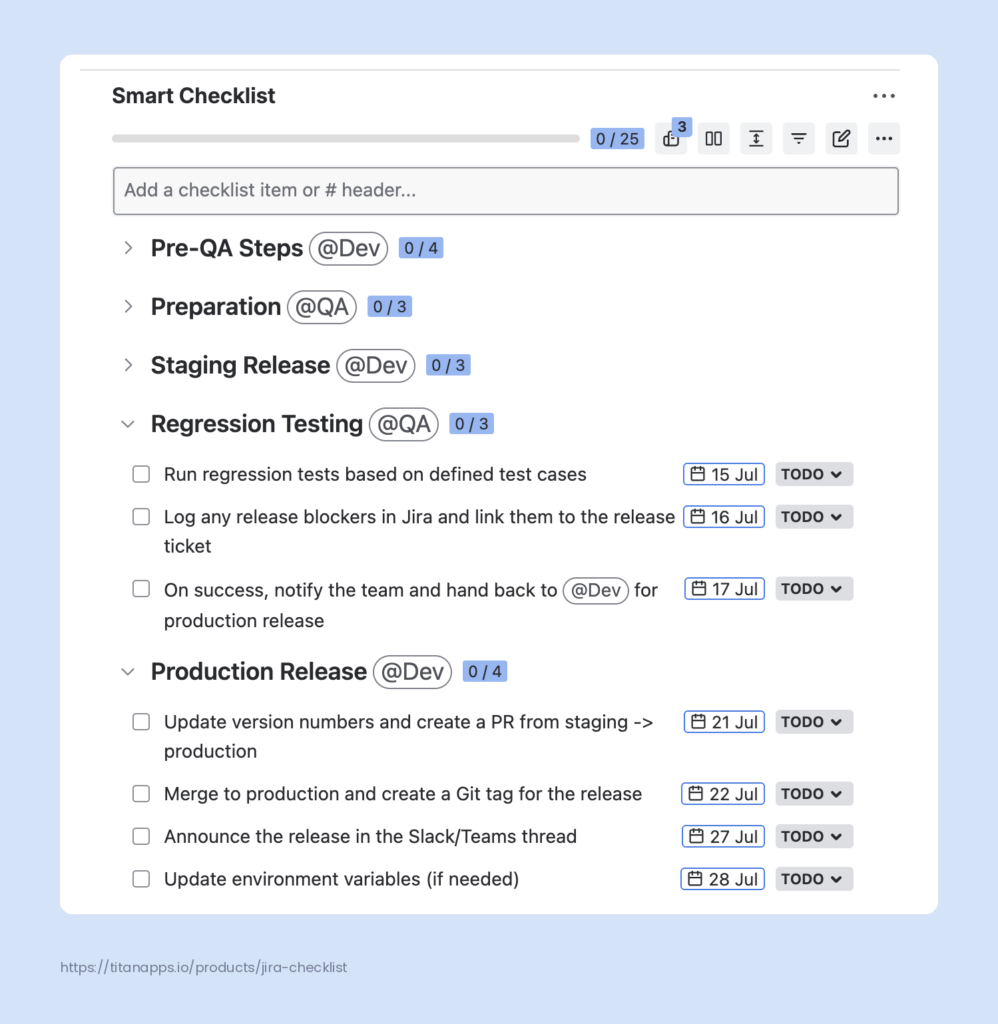
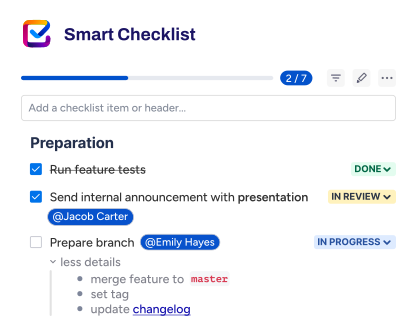
- Atlassian Marketplace: 3,000 third-party apps that cover the full range of team needs from communication and design to CI/CD pipelines and monitoring. In particular, they provide integrations with such popular tools as Slack, GitHub, Microsoft Teams, Jenkins, and Figma. Also, they extend Jira’s capabilities. For example, the Smart Checklist app for Jira by TitanApps allows users to add checklists to work items. It declutters the boards and facilitates repeatable processes, such as onboarding or enforcing the definition of done.
- REST API for building new applications
- Forge as a hosted app development platform
Linear
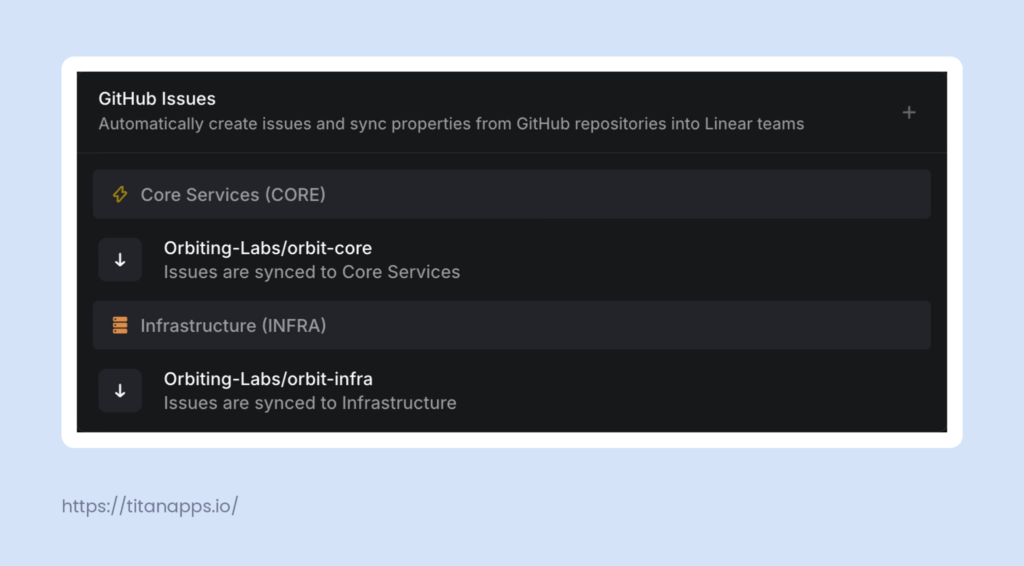
- Official integrations built by the Linear team and 250+ third-party integrations covering such tools as GitHub, GitLab, Slack, Microsoft Teams, Notion, Zendesk, Figma, Sentry, etc.
- GraphQL API for custom app development
Permissions and access controls
Permission management in Linear is much simpler than in Jira. It reduces administrative overhead but also limits the ability to exercise granular control over who can do what. The latter may be an issue for larger teams with multiple roles and strict compliance requirements.
Jira
- Global permissions apply site-wide and control system-wide actions such as performing bulk changes. There are two default groups: jira-administrators and jira-software-users.
- Space permissions control what users can do within a specific space: browse work items, manage sprints, administer the space, and more. These are controlled through permission schemes. One scheme can be applied across multiple spaces to save time. The default space roles are Administrators, Developers, and Users.
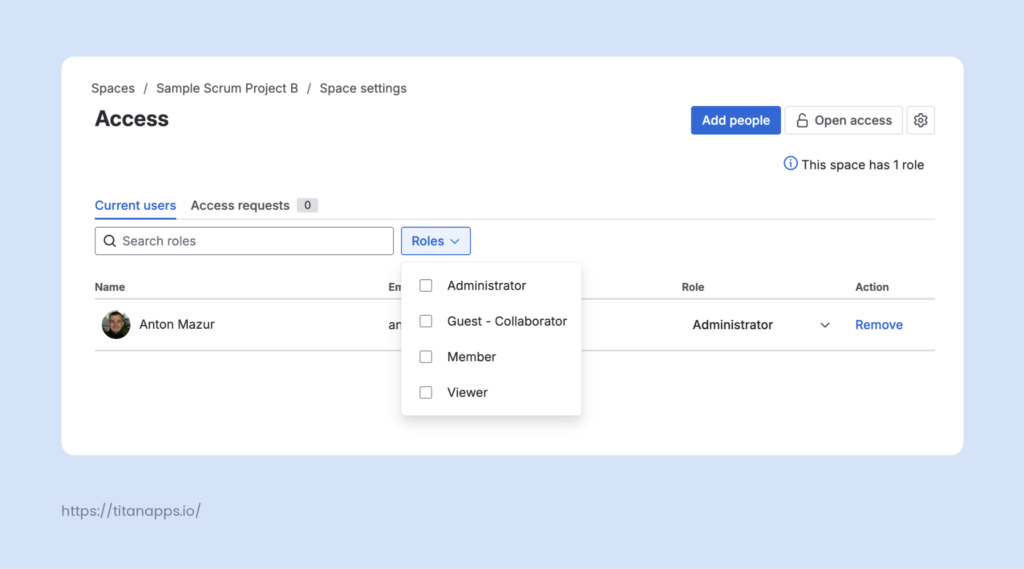
- Work item permissions control specific actions on individual work items: creating, editing, assigning, closing, deleting, and linking.
Linear
- Workspace roles: Workspace Owner (Enterprise only), Admin, Member, and Guest. Workspace Owners and Admins can manage global settings such as billing, security, and integrations. Members can collaborate across teams they have access to. Guests (Business and Enterprise) have restricted access rights.
- On the team level, access is controlled by visibility: teams are either Public, open to the workspace, or Private, restricted to invited members. The Team Owner (Business and Enterprise) can toggle a few simple restrictions. For instance, whether members are allowed to manage issue labels, templates, team settings, and add new users.
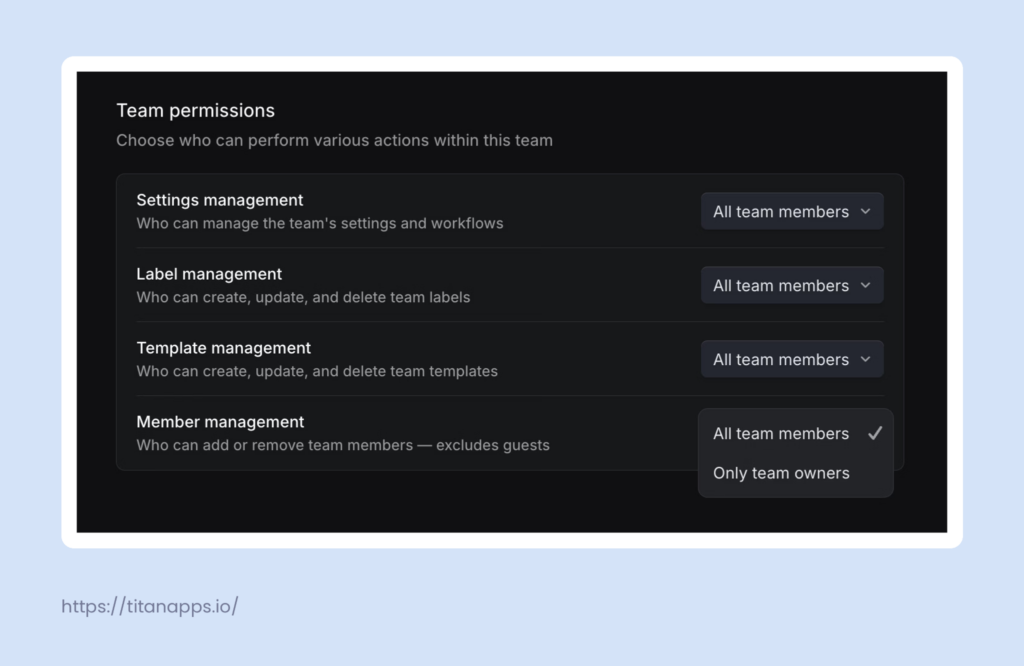
- On the issue level, Linear does not offer granular action-based permissions. If a member has access to a team, they can view, create, edit, assign, and close the issues within that team.
Reporting, analysis, and time tracking
Linear leans heavily into automation and native visualization in contrast to Jira’s manual configuration and custom querying. The absence of a manual time tracker in Linear is one of the most notable differences.
Jira
- Custom dashboards with adjustable sets of gadgets to display summaries of space and work item data.
- Jira Query Language (JQL) enables advanced reporting by allowing users to go beyond basic search using specialized functions, operators, and keywords.
- Estimation and tracking:
- Assign estimates to work items before starting to aid in planning.
- Log actual time as work progresses to assess if projects are on schedule.
- Built-in Agile reports:
- Burndown Charts to track actual vs. estimated work remaining in a sprint.
- Velocity Charts to display the average amount of work a scrum team completes across multiple sprints.
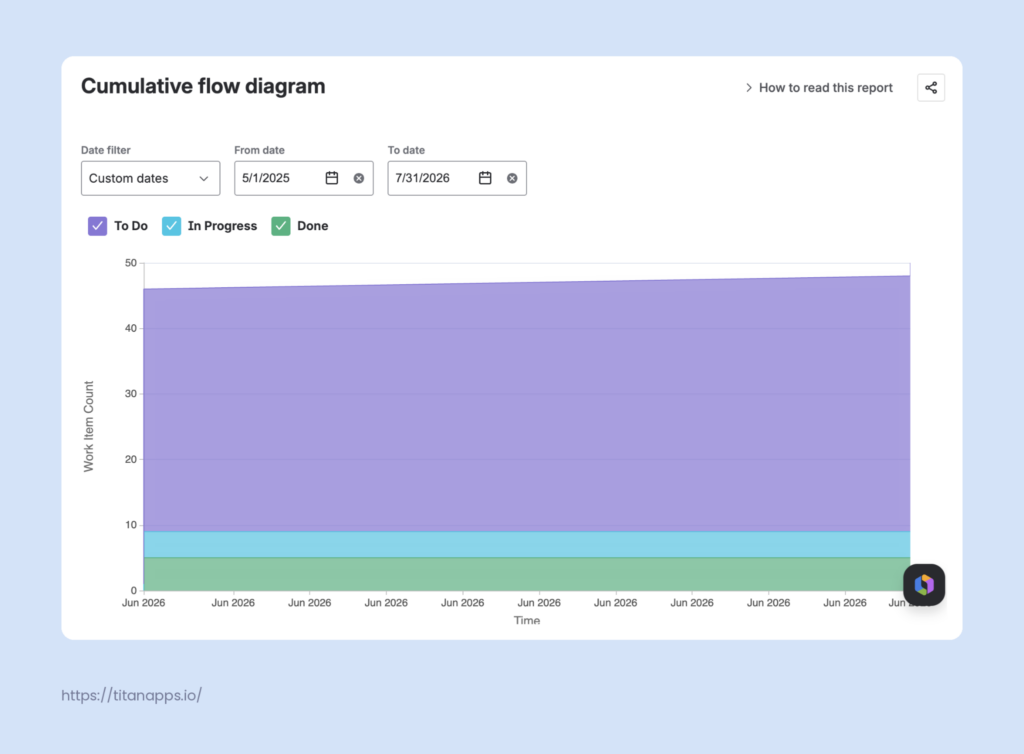
- Cumulative Flow Diagrams to visualize work item statuses over time to help identify bottlenecks.
Linear
- Customizable Dashboards (Enterprise) combining charts, metric blocks, and data tables.
- Custom views to filter across any property.
- Cycle graphs showing the team’s progress in each cycle.
- Historical weekly velocity – completed issue points per week, calculated automatically.
- Estimates to define the scope before work begins.
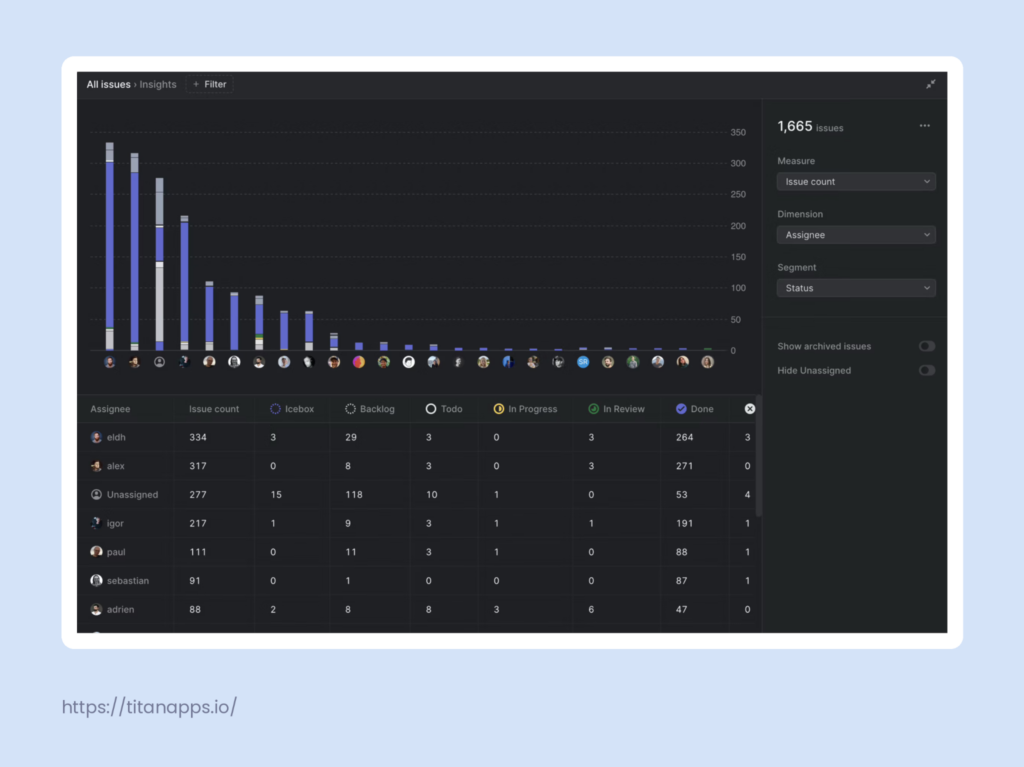
- Linear Insights (Business plan and above) with burn-up charts to track progress, detect patterns, and identify bottlenecks, and performance-tracking metrics such as Cycle Time and Lead Time.
AI capabilities
Both tools offer AI capabilities deeply integrated into team workflows. Linear Agent focuses on the software development loop with native coding sessions. In Jira, Rovo spans a broader range of applications, while Rovo Dev addresses specific development needs as a separate product.
Jira
Jira offers Rovo AI on the Standard, Premium, and Enterprise plans, but usage allowance varies by tier. Rovo can:
- Create JQL queries or fix JQL errors
- Create automation flows
- Write and edit content such as work item descriptions and comments
- Summarize work item comments
- Retrieve related content from Confluence to link to work items
- Create child work items based on the parent item details
- Create work items from Slack messages and threads and Microsoft Teams chats
- Link similar work items
- Draft release notes
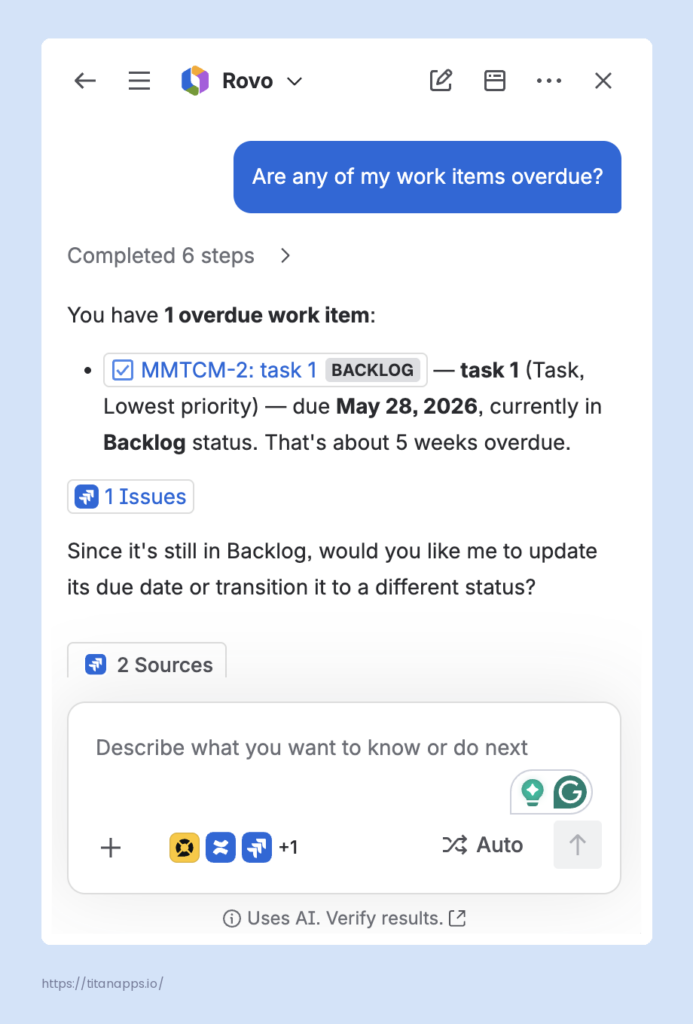
Atlassian also has Rovo Dev, an agentic AI for software development teams, that allows users to run coding tasks, pull requests, builds, and deployments with natural language, create custom sub-agents for complex tasks, and build custom workflows. It is billed separately at $20 per developer/month.
Linear
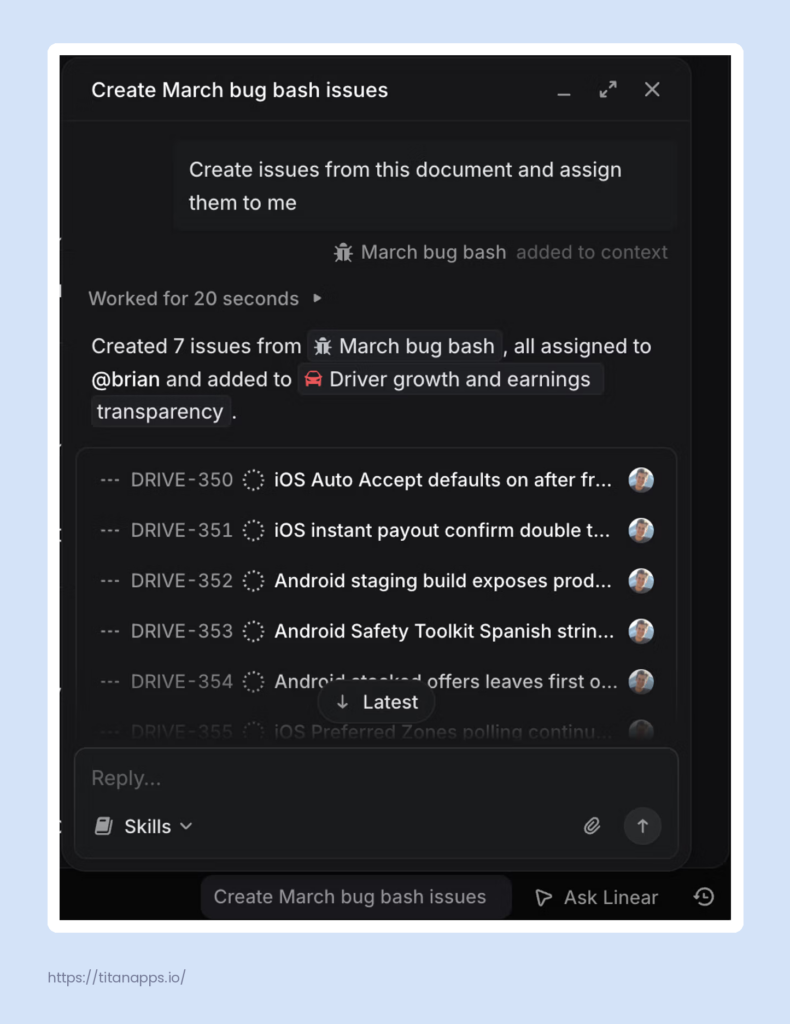
The Linear Agent is available even on the Free plan, though with limited capabilities. With its full scope at your disposal (mostly on Business and Enterprise plans), you can:
- Write code natively via Coding Sessions (Basic plan and above), or delegate issues to third-party coding agents like Claude Code, Codex, or Cursor
- Investigate a bug, trace the root cause, and generate a code diff for review.
- Reason how the product works based on the GitHub analysis to answer technical questions or explain feature behavior
- Analyze the new request against the workspace’s history to suggest assignees, apply labels, and flag likely duplicate issues
- Automatically translate issue text or find and attach relevant documentation
- Draft a project or initiative update, auto-generate release notes
Linear vs Jira Pricing Comparison
Both tools have similar pricing tier structures. Jira caps its Free plan by team size, while Linear relies on usage limits. Jira’s pricing for entry- and mid-level plans is more complex and varies dramatically with team size, reflecting its focus on scalability. Still, even accounting for this variation, Jira’s pricing for the entry-level plan (Standard) is more advantageous.
Jira pricing tiers
- Free for teams up to 10 users
- Standard
| Billed monthly, per user/month | Billed annually, per year |
||
|---|---|---|---|
| Max (1-100 users) | Min (99,650 - 100,000 users) | Min (1-10 users) | Max (90,001 - 100,000 users) |
| $9.05 | $3.01 | $900 | $3,013,000 |
- Premium
| Billed monthly, per user/month | Billed annually, per year | ||
|---|---|---|---|
| Max (1-100 users) | Min (99,320 - 100,000 users) | Min (1-10 users) | Max (90,001 - 100,000 users) |
| $18.30 | $5.91 | $1,850 | $5,910,000 |
- Enterprise – available for organizations with more than 800 users, annual billing only; the annual price ranges from $166,000 (801-1,000 users) to $9,078,000 (90,000 – 100,000 users)
For more details, check our article on Jira pricing in 2026.
Linear pricing tiers
- Free for up to 2 teams / 250 issues
- Basic – $10 per user/month if billed annually / $12 per user/month if billed monthly
- Business – $16 per user/month if billed annually / $18 per user/month if billed monthly
- Enterprise – custom pricing
For more information, see Linear’s pricing page.
The table below gives more context on how the two tools compare:
| Jira | Linear | |
|---|---|---|
| Strength |
|
|
| Weaknesses |
|
|
Bottom Line: Which Tool Should You Choose?
There is no one-size-fits-all project management tool. Both Jira and Linear have their merits, and the choice depends on your organization’s workflows and needs.
Jira is better suited for larger companies focused on cross-team collaboration and compliance. It can accommodate thousands of users, complex organizational structures, and be tailored to any workflow.
Linear is a great choice for startups and smaller teams that prioritize software development speed and minimal administrative overhead. Its sleek, fast UI and automated, easy-to-set-up workflows are intended to keep developers in a flow state and be more productive.
Frequently Asked Questions
Is Jira better than Linear?
The answer depends on your team’s size, workflows, and priorities. Jira is a better fit for large organizations with complex, cross-functional workflows and compliance requirements. It offers comprehensive customization, reporting, and permission capabilities. Linear is the stronger choice for small- to medium-sized software development teams that value speed. Its minimal interface, keyword-first design, and automated workflows reduce administrative overhead and help developers stay focused.
What is the difference between Jira and Linear?
The main difference is the underlying philosophy: Jira is built for flexibility, Linear is built for speed. Jira offers more customization and a broader integration ecosystem, but requires more setup and admin effort. Linear is faster to get started with and easier to use day-to-day for software development teams, but it isn’t perfect for complex or non-engineering workflows. Also, Jira has a particular focus on the needs of larger organizations, including scalability and compliance.
Does Linear integrate with Jira?
Yes. Linear’s Jira integration, Jira Sync, allows Jira users to try Linear before committing to a full-scale migration. It connects Jira spaces to Linear teams so that new issues and projects created in either tool stay up to date in both. However, it doesn’t support Jira’s issue types (work item types), constraints, components, or required fields. Also, the sync doesn’t import all the existing Jira work items into Linear.
Why might a team choose Linear over Jira?
Linear is a strong fit for software development teams that prioritize speed and simplicity and find Jira’s complex customization and administration options unnecessary. They will benefit from an easy setup, a streamlined interface, extensive use of keyboard shortcuts, deep integration with AI and CI/CD tools, and a focus on automation. Larger teams with non-technical stakeholders, strict compliance requirements, or complex cross-functional processes will likely find Jira a better choice.