Tools for Jira
 Tools for monday.com





When a new software engineer joins, what typically happens is a mix of Slack pings, scattered wiki links, and whatever the buddy engineer remembers to mention that day. As a result, a new hire spends their first week reverse-engineering context that should’ve been handed to them on day one.
If your team runs on Jira, you already have the infrastructure to fix this. In this article, we share a free software developers onboarding template built with Smart Checklist.
What Is Software Developer Onboarding
 Definition
Software developer onboarding is the structured process of integrating a new software developer into an engineering team, covering everything from access and tooling setup to codebase orientation, workflow norms, and first contributions. It ends when the new hire can operate independently, take ownership of their work, and contribute without constant prodding or guidance.
The keyword is structured. An ad-hoc walkthrough is not an onboarding process. True onboarding is a repeatable, documented series of steps, preferably tracked and visible to the entire engineering team.
Goals For Efficient Onboarding of Software Developers
On average, onboarding goals include the following:
- Grasp business context. A new hire needs to understand the codebase, the tech stack, the CI/CD setup, and why things were built the way they were.
- Align on expectations early. New team members need to know what’s expected of them in the first month and first sprint, what the ramp-up timeline looks like, and where they can find a mentor when they’re stuck.
- Reduce time-to-productivity. A new software engineer should ship something real (even a small fix or low-risk improvement) within the first week. By making measurable contributions, they’ll build confidence.
- Support retention. Engineers who go through structured onboarding are more likely to hit their stride and stay.
- Build cross-team relationships. A new developer who knows only their direct lead will route everything through one person. Clear introductions to stakeholders, backend, frontend, QA, and DevOps leads prevent that bottleneck.
How Developer Onboarding Works in JSM
Jira Service Management (JSM) is primarily built for IT service workflows. Still, it maps well onto engineer onboarding for teams that want a single platform for both service requests and onboarding tasks.
In JSM, you can set up a dedicated onboarding project in which each new developer receives their own onboarding ticket. That ticket tracks all the steps from pre-start access setup through the first and third months. Queues keep engineering managers focused on active onboarding cases. SLAs can be used to flag when a step has been pending too long. For example, if access requests haven’t been resolved within 24 hours of the first working day.
Atlassian rolled out custom onboarding in Jira Cloud for Premium and Enterprise users. As a Jira site admin, you can build tailored welcome experiences for new users by role, including a dedicated software development role. That means when a new engineer logs into Jira for the first time, they see a customized welcome message, links to your internal wiki, architecture docs, and team norms, rather than an empty board.
Combined with Smart Checklist for Jira inside each onboarding issue, this gives you a two-layer setup: a role-based welcome experience on first login, and a step-by-step onboarding checklist embedded directly in the ticket.
What Is a Developer Onboarding Template and Why Do You Need One?
Definition
A developer onboarding template is a reusable, structured checklist that walks a new software engineer through every required step of the onboarding process: from legal paperwork and tool access to codebase walkthroughs, mentor meetings, and code reviews in the first week and first month.
Without a template, onboarding quality is defined by the person running it. A senior developer who’s done this before gives a thorough walkthrough. Someone new to the team skips half the steps. A template removes that inconsistency. Every new hire gets the same onboarding experience, regardless of who’s running it.
Templates also make it easier to iterate. If your onboarding process needs to change: new CI/CD tooling, a shift to a new Slack workspace structure, updated docs, you update the template once, and it applies everywhere.
The Software Developers Onboarding Template: Step-by-Step Checklist
The checklist below was built with Smart Checklist for Jira and covers three phases of the developer onboarding process: company onboarding, technical onboarding, and step-by-step contribution milestones. Once you have installed Smart Checklist, you can paste this markdown text directly into any Jira work item, and it will render immediately.
The checklist is based on a real onboarding framework used by engineering teams at startups and SMBs. Teams at Lemon.io, a marketplace for vetted senior developers, use a similar structure to support clients during software developers’ onboarding. The phases below translate that framework into Jira-native steps.
Adjust, add, or remove items to match your stack and team. Assign each step to a specific team member directly in Smart Checklist — the new hire, HR, or the engineering manager — so ownership is clear.
Phase 1: Company Onboarding
Before a new hire starts writing code, they need to understand the business context, communication norms, and team structure they’re operating in.
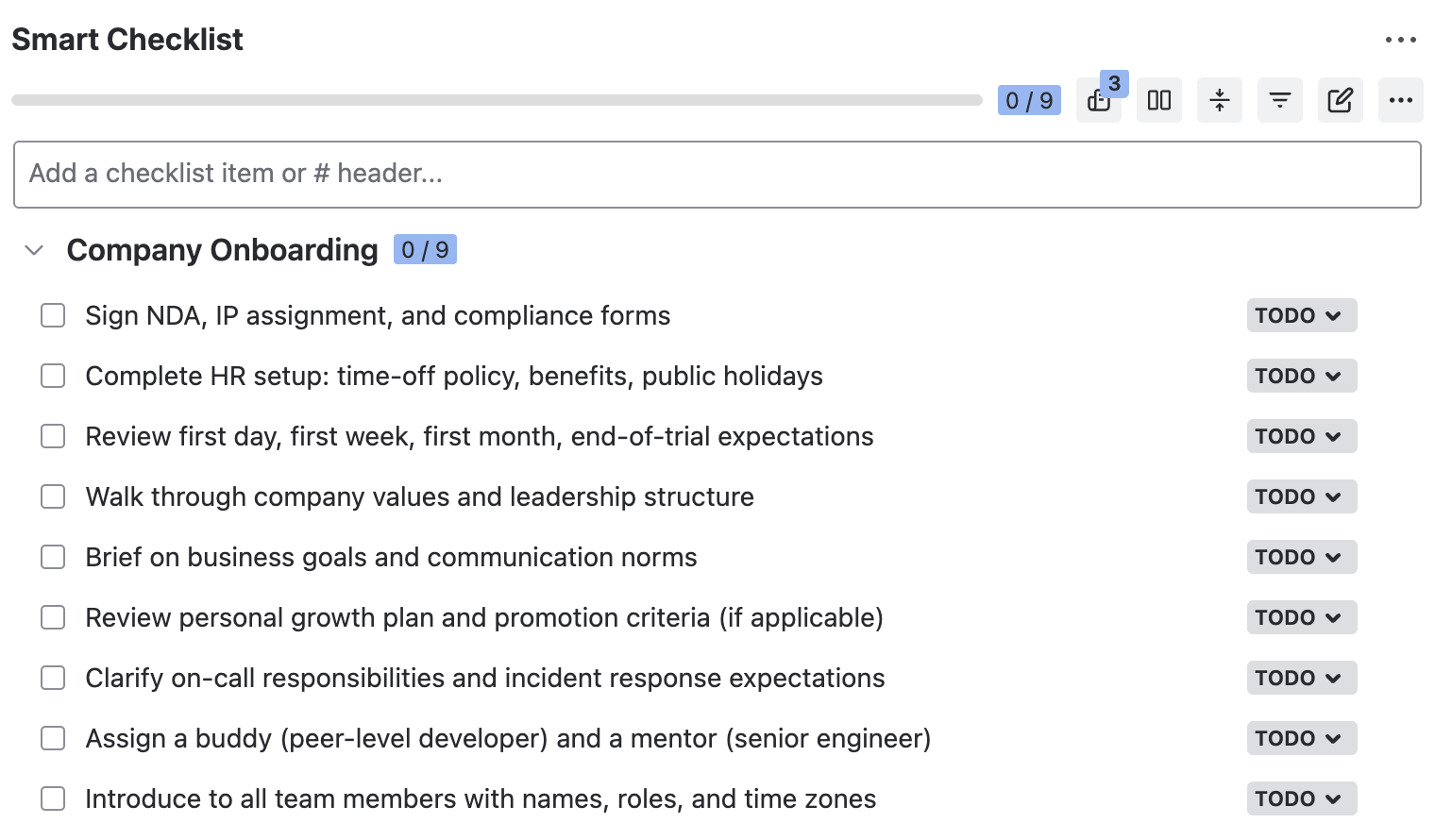
## Company Onboarding
- Sign NDA, IP assignment, and compliance forms
- Complete HR setup: time-off policy, benefits, public holidays
- Review first day, first week, first month, end-of-trial expectations
- Walk through company values and leadership structure
- Brief on business goals and communication norms
- Review personal growth plan and promotion criteria (if applicable)
- Clarify on-call responsibilities and incident response expectations
- Assign a buddy (peer-level developer) and a mentor (senior engineer)
- Introduce to all team members with names, roles, and time zones
Phase 2: Technical Onboarding
The checklist below surfaces baseline tech onboarding steps.
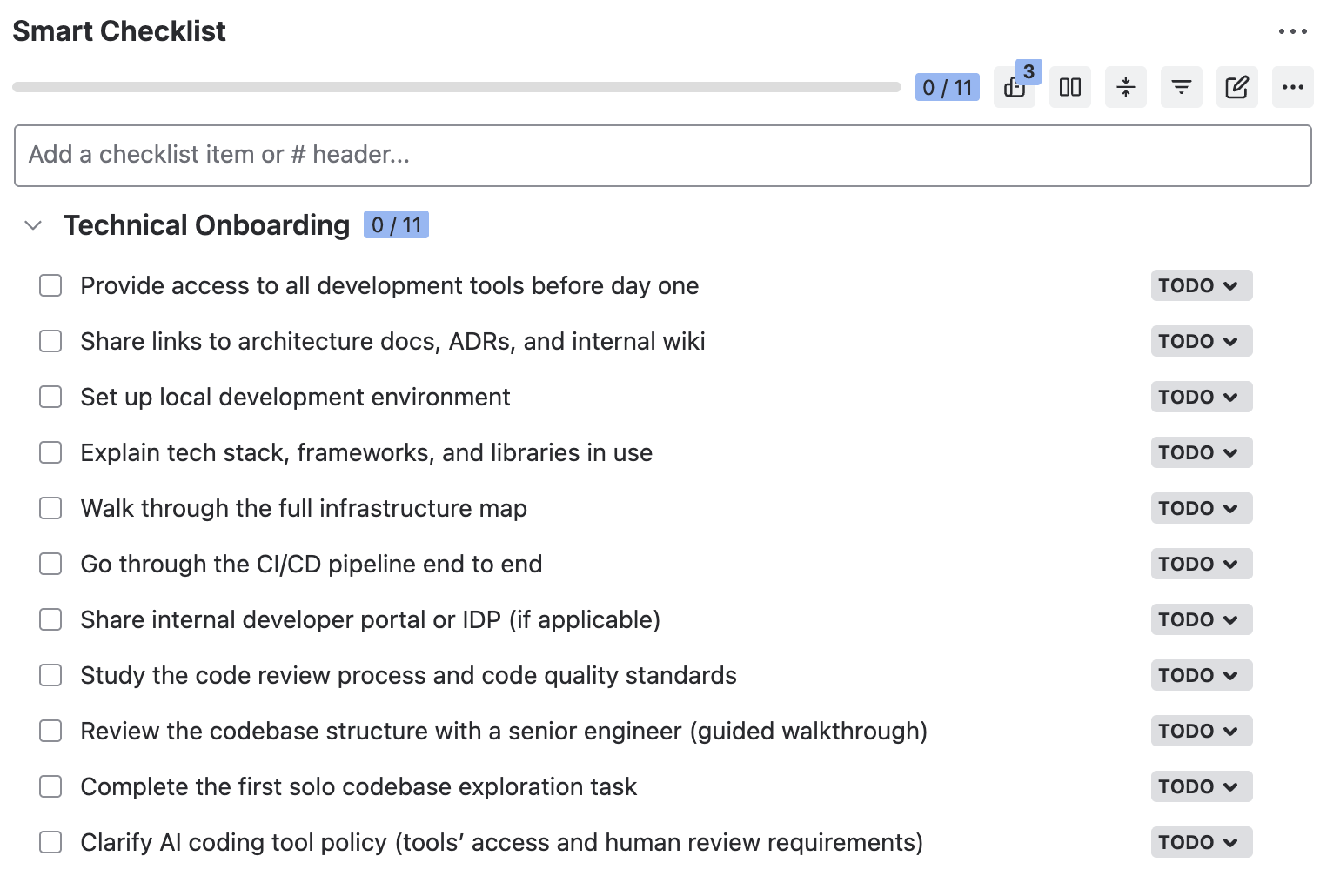
## Technical Onboarding
- Provide access to all development tools before day one
- Share links to architecture docs, ADRs, and internal wiki
- Set up local development environment
- Explain tech stack, frameworks, and libraries in use
- Walk through the full infrastructure map
- Go through the CI/CD pipeline end to end
- Share internal developer portal or IDP (if applicable)
- Study the code review process and code quality standards
- Review the codebase structure with a senior engineer (guided walkthrough)
- Complete the first solo codebase exploration task
- Clarify AI coding tool policy (tools’ access and human review requirements)
Phase 3: First Week and First Month
This phase tracks the new engineer’s ramp-up through real contribution milestones.
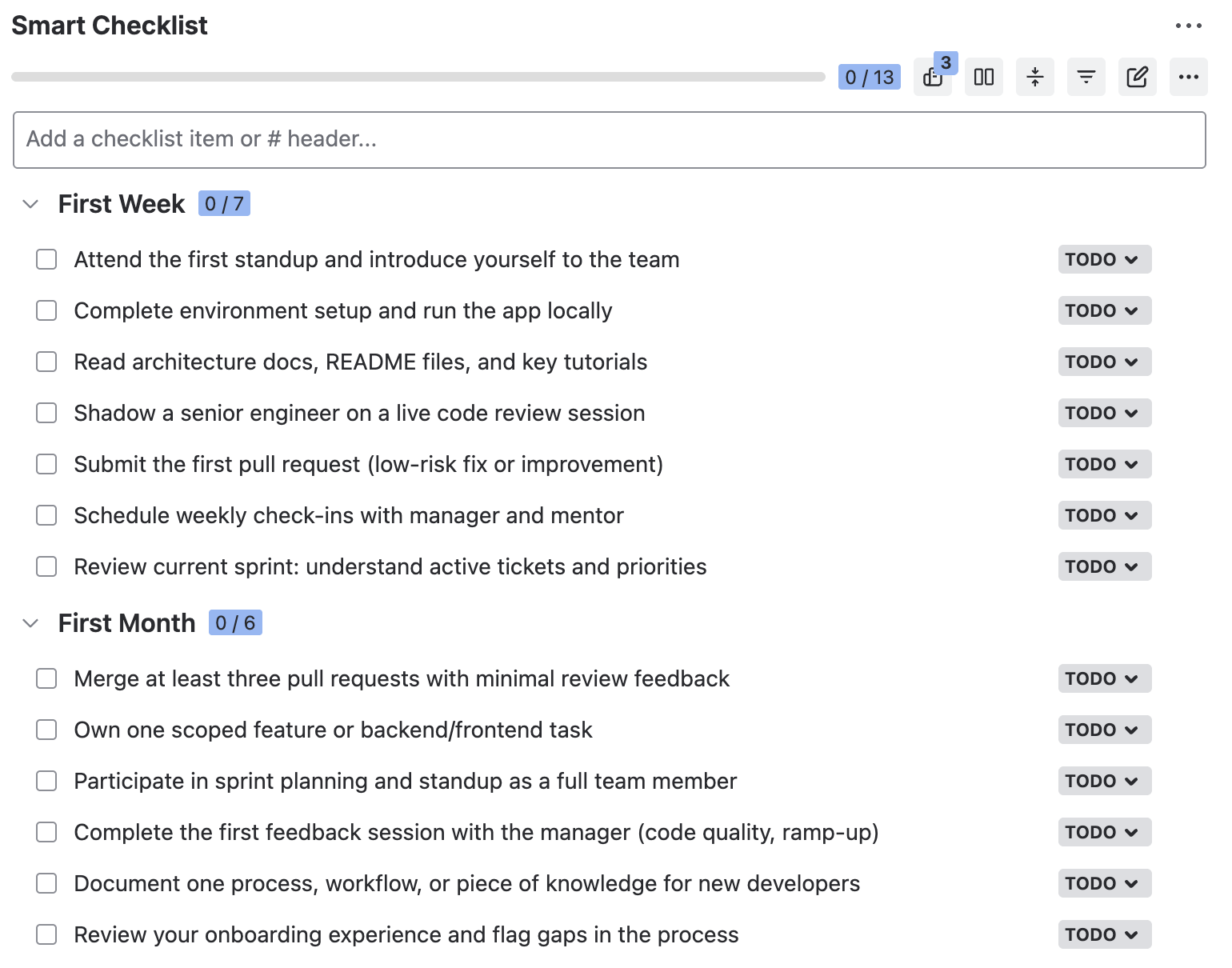
## First Week
- Attend the first standup and introduce yourself to the team
- Complete environment setup and run the app locally
- Read architecture docs, README files, and key tutorials
- Shadow a senior engineer on a live code review session
- Submit the first pull request (low-risk fix or improvement)
- Schedule weekly check-ins with manager and mentor
- Review current sprint: understand active tickets and priorities
## First Month
- Merge at least three pull requests with minimal review feedback
- Own one scoped feature or backend/frontend task
- Participate in sprint planning and standup as a full team member
- Complete the first feedback session with the manager (code quality, ramp-up)
- Document one process, workflow, or piece of knowledge for new developers
- Review your onboarding experience and flag gaps in the process
How to Use This Checklist in Jira as a Template
Using this onboarding template in Jira takes a few minutes to set up once and then runs automatically from that point forward.
- Install Smart Checklist for Jira from the Atlassian Marketplace.
- Add the checklist to a Jira work item. Open the onboarding issue, find the Smart Checklist section, and paste the markdown from above. The formatting renders automatically.
- Save it as a template. Open the Smart Checklist menu, click the three dots, and select Save as a template. You can save it as a project-level template or make it global across all Jira projects.
- Mark critical steps as mandatory (optional). If you want to enforce that certain steps (like completing the infrastructure walkthrough or submitting the first PR) are done before the ticket can close, you can set those items as mandatory. Smart Checklist supports a workflow validator that blocks ticket transitions until all mandatory steps are marked Done.
Pro tip
Use a linked template so that when you update the master template, all active onboarding tickets reflect the change automatically. When your tech stack or onboarding process changes, you don’t have to update every open ticket manually.
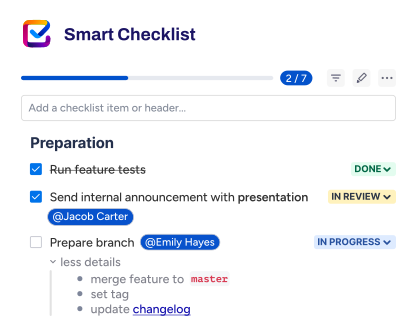
How to Automatically Add Checklists to Jira Tickets
Manually adding this checklist every time a new developer joins is tedious enough. Smart Checklist handles this with native automation.
Once your developer onboarding template is saved, you can set it as the default for a specific work item type, for example, an “Engineer Onboarding” issue type, in your project. Every new issue of that type opens with the full checklist already inside it.
In the Advanced settings, you can configure additional conditions for when checklists are added automatically: based on project, issue type, assignee role, or other triggers. All automation settings are managed from the Smart Checklist Template Management menu, without needing to touch Jira’s Automation for Jira rules at all.
For teams using JSM for onboarding workflows, this means the moment HR or an engineering manager creates the onboarding ticket for a new hire, the full three-phase checklist is already there, ready for the first day.
What Metrics Do You Need to Track?
How do you know onboarding is working? Watch these signals:
- Time to first PR merged. Measures how quickly a new developer can make a real contribution. The shorter this number, the better your tooling access and codebase documentation.
- Ramp-up velocity. Is the number of tickets completed per sprint increasing over the first four to six weeks? If not, figure out what’s blocking the new hire.
- Jira checklist completion. The share of onboarding checklist items marked Done by the end of each phase (first week, first month, third month).
- 30/60/90-Day eNPS. A short post-onboarding survey (week four or end of the first month) gives you a signal on what’s working and what new employees found confusing or missing.
- Retention at 90 days. If someone leaves within the first three months, onboarding is usually at least part of the reason. Track it.
- Mentor engagement. Is the assigned senior engineer actively guiding the new developer, or has the mentorship relationship gone dormant after day one?
What Your Team Gains from Using a Smart Checklist for Software Developers’ Onboarding
- Consistent onboarding, regardless of who runs it. Whether the process is led by a CTO at a ten-person startup or an engineering manager at a 200-person company, the new hire gets the same experience every time.
- Progress visibility at the item level. You can see exactly which steps are done, which are in progress, and which are blocked.
- Faster ramp-up for junior engineers and senior engineers alike. Engineers who are new to your specific stack or way of working have a clear path. They don’t have to guess what to ask or who to ask.
- Built-in knowledge transfer. The checklist itself becomes documentation. New employees who join after the first cohort benefit from the same structure, refined over time.
- Tag teammates directly in checklist items. Assign the buddy check-in step to the buddy. Assign the infrastructure walkthrough to the senior engineer who owns it. Keep ownership clear inside the ticket.
- Retention signal through onboarding quality. Teams that run structured, tracked onboarding (especially at high-performing startups) see better retention in the first 90 days.
If you’re hiring software developers and want to make sure they ramp up fast, Lemon.io (a platform for hiring dedicated vetted senior engineers for remote work) uses a structured onboarding approach with their clients as part of how they support engagements. The principle is the same: document the process, track it, and don’t leave it to chance.
The checklist in this article is a starting point. Your team’s onboarding process will evolve as your tech stack, team size, and workflows change. Smart Checklist’s linked templates make that iteration easy: update once, apply everywhere.
For more on this topic, see our other articles:
- Employee Onboarding Template for Jira – a broader onboarding template that covers steps for HR, IT, legal, and the new hire in one Jira setup
- How to Make an Onboarding Template in Jira – a walk-through of building an onboarding Epic in Jira with Smart Checklist and Smart Templates
- How to Automate Jira Processes – a practical guide to setting up automation rules for repeating processes in Jira
- How to Create and Manage Jira Sprints – a reference for planning, running, and reviewing sprints in Jira
- What Are Story Points in Jira – a guide to estimating work with story points and using them in sprint planning.
Software Developers Onboarding: Frequently Asked Questions
Who should own developer onboarding?
At most startups, the engineering manager or tech lead owns the process. HR handles paperwork and access requests. A buddy answers day-to-day questions from the new hire. A mentor guides technical growth over the first few months. Without a named owner, onboarding turns into everyone’s job and nobody’s responsibility.
When do you need a structured developers’ onboarding process?
Informal onboarding works when the founding team is still under five people. Once you hire your second or third engineer, inconsistency starts to show. New hires get different context depending on who runs their week one. That is the signal to document the process. Even a lightweight checklist beats a verbal walkthrough.
How is onboarding a senior engineer different from a junior?
The structure is the same, but the depth per phase changes. Seniors move through tooling and codebase orientation faster. They often want to ship something in week one, so keep a scoped low-risk task ready. Juniors need more paired code reviews, more check-ins, and clearer first tasks. Both benefit from the same three-phase framework, just with different pacing.
How do you onboard a freelance software developer?
Use the same three phases, but tighten the scope. Skip long-term culture briefings and focus on access, code review norms, and scope of work. Assign one point of contact for questions. Freelance engineers need fast clarity on what is in scope and what is not. A short async screen recording often works better than a long meeting.
What if a new software engineer joins mid-sprint?
Do not drop them straight into sprint work. Treat the current sprint as their onboarding sprint instead. Add them to standups as an observer for the first few days. Give them a low-risk fix or a documentation task to build initial context. Full sprint participation and story point commitments start the following sprint.