Tools for Jira
 Tools for monday.com





Any SEO strategy is only as strong as its foundation. Even the best content will fail to rank if the website has issues with crawling, indexing, or rendering. Whether you are inheriting a new site or managing a long-standing domain, a regular audit is the only way to catch problems early and ensure the best results.
I talked to our SEO team and asked them to share the practical SEO audit template they use. It has already proven its value many times, helping us maintain the health and position of our websites. You will find it further in this article, along with best practices and other useful information. It will help you conduct thorough checks, identify problematic areas, and prioritize fixes.
The Main Scenarios When You Need to Conduct an SEO Audit
The most common situation when it’s necessary is when something changes. This change can be on your side, such as a redesign or migration. Or, these can be external changes affecting your search engine rankings – for example, an algorithm update or competitor activity. In both cases, the goal remains the same: identify what is limiting performance and address the issue.
Let’s have a look at some common scenarios. An SEO audit is necessary when you are:
- Launching a new website
- Rolling out a major redesign
- Experiencing a traffic drop or ranking loss
- Recovering after a major Google algorithm update
- Running routine maintenance
- Planning a new SEO campaign
- Taking over a new client website
- Completing a domain or platform migration
- Expanding into new markets or languages
In other words, the audit is essential for managing change effectively.
What is an SEO Audit Template and How Can it Help You?
 Definition
An SEO audit template is a structured framework that guides you through evaluating your website’s SEO performance. It can cover many optional areas, from UI checks to content review, but the mandatory part is a list of steps for a technical SEO audit.
Depending on your goals and workflow, SEO audit templates can take various forms. In this article, we share templates designed for agile teams working in Jira or Monday. We will explore two types of templates:
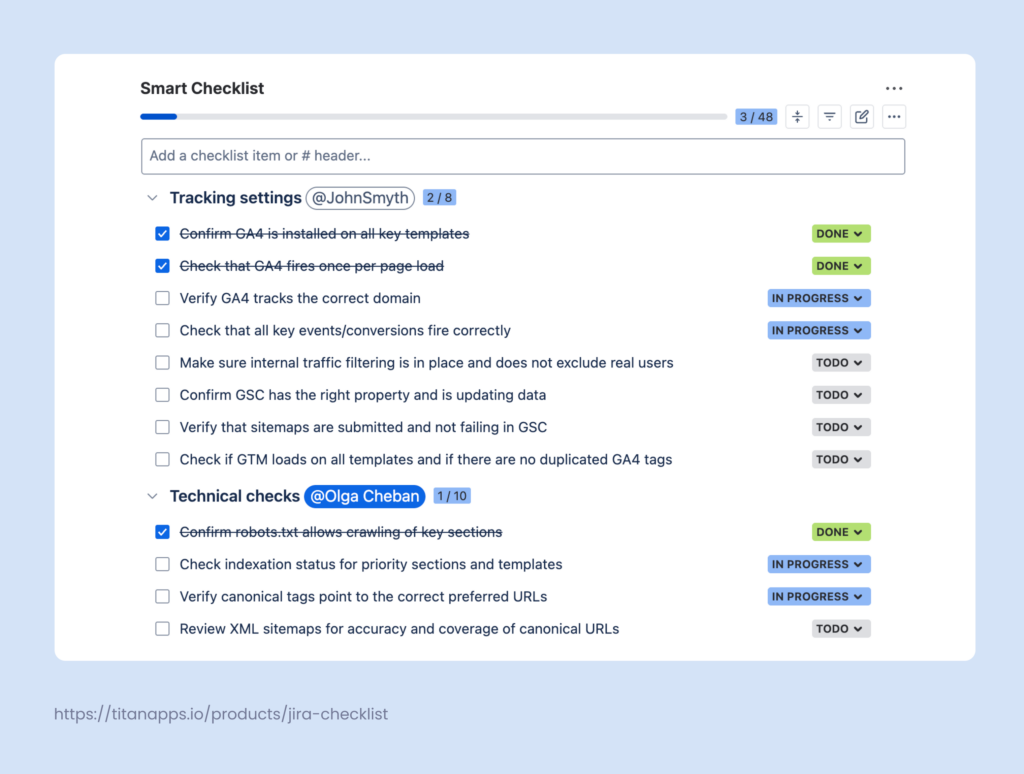
- A checklist template captures the audit sequence. It helps you run the same checks every cycle without forgetting anything. It’s also useful when you need to scale the SEO audit process, standardize steps, or onboard new team members. A checklist also makes progress visible: you can simply check the completed steps and set statuses for the remaining ones. Here’s an example:
- A work item template captures the audit as a standard ticket. This template is, basically, a “model” work item or set of work items for an SEO audit, saved for future use. For example, such a template can consist of a work item with a standard description, checklist, sub-tasks, and preset fields, such as assignee or reporter. Once the template is saved, you can generate new identical work items from this template in just a few clicks. Alternatively, this can also be done automatically on a schedule, which is helpful for regular audits.
Natively, Jira doesn’t support such templates, but you can still work with them using third-party solutions, such as Smart Checklist for Jira and Smart Templates for Jira.
The key benefits of using an SEO audit template include:
- Ensuring comprehensive coverage as nothing gets overlooked
- Saving time with a repeatable process
- Setting clear benchmarks and transparent progress tracking
- Enabling consistent audits across multiple websites and iterations
- Creating documentation for stakeholders and team alignment
- Preparing an auto-generated, pre-assigned task exactly when you need it
5 Key Categories to Include in Your SEO Audit Template
Depending on your goals, there may be more or fewer review categories if you choose to focus solely on a technical site audit. With time, you will see which areas require more attention and more frequent checks. Overall, to conduct a comprehensive audit, it’s enough to work on these 5 review categories:
1. Tracking settings
Before analyzing your SEO data, ensure it’s collected correctly. Check if Google Analytics 4, Google Search Console, Google Tag Manager, and other SEO tools you use are working correctly. If your tracking settings are incorrect, you will get a distorted picture, and the audit will be pointless.
2. Technical checks
To rank well, your website must be accessible. Technical SEO is about removing the “blockers” that prevent search engines from discovering and understanding your content. Focus on high-impact areas like crawlability, indexation status, and correct canonical usage. If your site has redirect loops or rendering issues that hide content from bots, even the best keyword research won’t save your rankings. Fixing these technical issues is arguably the most important part of the whole audit process.
3. On-page audit
At this stage, you need to check the on-page SEO elements that help search engines understand your content. Instead of reviewing every single post, look for patterns across your page templates. Are your H1-H3 titles and subheadings following a logical hierarchy? Are your metadata patterns aligned with the latest trends in how people search?
You should also verify that your internal links connect related topics, your anchor text is relevant, and you don’t have broken links. Another thing to check is that your technical tags (such as indexation tags) are correctly guiding search bots through your site.
4. Content audit
Next, analyze your homepage, blog posts, and landing pages. Ensure that each of them targets a specific user need and actually answers the question in the current search intent. Needless to say, you should have high-quality content on your site. Avoid generic information, include tips from real experts, and share unique materials, such as dashboard templates. For additional guidance on optimizing a website for search, businesses can also review this small business SEO guide, which covers practical strategies for improving organic visibility.
Identify “cannibalization” issues where multiple articles compete for the same target keywords, weakening your website’s results. Managing duplicates is especially important for e-commerce websites, where filters and sorting can create hundreds of unnecessary page versions. By cleaning up duplicate content and outdated information, you guide search engines to your highest-quality pages.
5. UX & performance checks
In this final category, ensure your site is fast and delivers a great user experience. To do so, identify performance issues that frustrate visitors or trigger search penalties, such as slow page speed, buttons that are too small on mobile devices, or intrusive pop-ups that block content.
Making your website mobile-friendly is critical, since most organic search now comes from smartphones. If your WordPress site needs broader UX or performance improvements, a WordPress web design agency can help optimize its structure, responsiveness, and overall user experience. After all, you wouldn’t want to waste your organic traffic on a skyrocketing bounce rate due to the poor site speed. To prevent this, check for WordPress plugins that may increase load time and search for other loading bottlenecks, such as images that are too large in file size. You can use Google PageSpeed Insights to help with this part of the website audit.
Covering all these areas, from functionality and web page elements to UX and mobile-friendliness, you can filter out most SEO issues affecting your search visibility.
A Complete SEO Audit Template in the Checklist Format
This checklist is based on the key audit categories we explored above. Feel free to use it as a base and customize it to better match your processes.
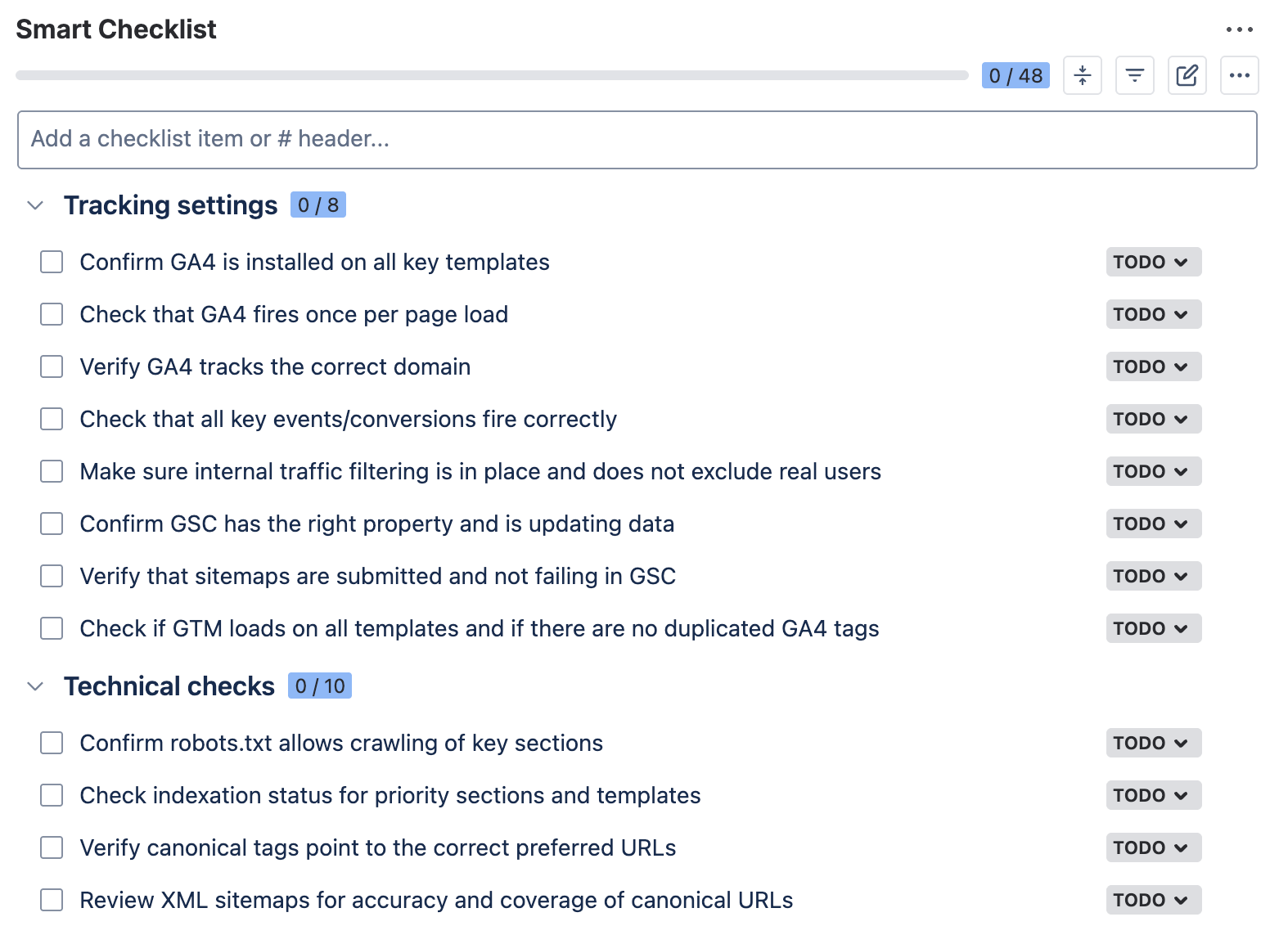
## Tracking settings
- Confirm that GA4 is installed on all key templates
- Check that GA4 fires once per page load
- Verify that GA4 tracks the correct domain
- Check that all key events/conversions fire correctly
- Make sure internal traffic filtering is in place and does not exclude real users
- Confirm GSC has the right property and is updating data
- Verify that sitemaps are submitted and not failing in GSC
- Check if GTM loads on all templates and if there are no duplicated GA4 tags
## Technical checks
- Confirm robots.txt file allows crawling of key sections
- Check the indexation status for priority sections and templates
- Verify that canonical tags point to the correct preferred URLs
- Review XML sitemaps for accuracy and coverage of canonical URLs
- Check status codes for priority pages (200, 3xx, 4xx, 5xx)
- Identify redirect chains, loops, and incorrect final destinations
- Confirm important pages are not blocked by noindex, x-robots-tag, or canonicals
- Validate that JavaScript rendering does not hide or delay the main content for bots
- Check for duplicate URL variants caused by parameters, faceting, or trailing slashes
- Review hreflang and international targeting signals
## On-page audit
- Review title tags and meta descriptions for consistent patterns on key templates
- Check H1–H3 hierarchy and headings for clarity and intent match
- Confirm that internal links connect related pages and use relevant anchor text
- Find and fix broken internal links on priority templates
- Verify that image alt text is added and relevant
- Review indexation signals (meta robots, canonical tags) for correct intent
- Confirm that data on key templates is structured correctly
- Check URL slugs for readability and consistency across templates
- Spot thin or duplicated template sections that repeat across many pages
## Content review
- Check that each priority page targets a distinct search intent
- Identify keyword cannibalization across pages targeting the same query group
- Check top organic landing pages for outdated sections
- Find thin pages that do not add unique value and decide on update, merge, or remove
- Check for duplicate content across templates, tags, and category pages
- Review content clusters for gaps and weak internal connections between related pages
- Validate that supporting pages link to the primary page for each topic
- Check E-E-A-T signals where relevant (author info, references, updated dates)
- Review SERP alignment for key queries
- Create an action list with page-level decisions
## UX & performance checks
- Review Core Web Vitals on key templates (LCP, INP, CLS)
- Identify slow-loading pages and the main causes
> Images, scripts, fonts, third-party tags
- Check for possible mobile usability issues
> Tap targets, viewport, text size, layout shifts
- Verify page rendering and layout on common mobile breakpoints
- Review intrusive interstitials and pop-ups that block content
- Check navigation and key CTAs on main page types
- Validate forms and key conversion paths for friction
> Steps, errors, validation, load time
- Review media weight and compression
> Hero images, illustrations, video embeds
- Check WordPress plugins and other add-ons that may add heavy scripts
- Re-test priority pages after fixes
SEO Audit Template Checklist Split by Stage
## Tracking settings
- Confirm that GA4 is installed on all key templates
- Check that GA4 fires once per page load
- Verify that GA4 tracks the correct domain
- Check that all key events/conversions fire correctly
- Make sure internal traffic filtering is in place and does not exclude real users
- Confirm GSC has the right property and is updating data
- Verify that sitemaps are submitted and not failing in GSC
- Check if GTM loads on all templates and if there are no duplicated GA4 tags
## Technical checks
- Confirm robots.txt file allows crawling of key sections
- Check the indexation status for priority sections and templates
- Verify that canonical tags point to the correct preferred URLs
- Review XML sitemaps for accuracy and coverage of canonical URLs
- Check status codes for priority pages (200, 3xx, 4xx, 5xx)
- Identify redirect chains, loops, and incorrect final destinations
- Confirm important pages are not blocked by noindex, x-robots-tag, or canonicals
- Validate that JavaScript rendering does not hide or delay the main content for bots
- Check for duplicate URL variants caused by parameters, faceting, or trailing slashes
- Review hreflang and international targeting signals
## On-page audit
- Review title tags and meta descriptions for consistent patterns on key templates
- Check H1–H3 hierarchy and headings for clarity and intent match
- Confirm that internal links connect related pages and use relevant anchor text
- Find and fix broken internal links on priority templates
- Verify that image alt text is added and relevant
- Review indexation signals (meta robots, canonical tags) for correct intent
- Confirm that data on key templates is structured correctly
- Check URL slugs for readability and consistency across templates
- Spot thin or duplicated template sections that repeat across many pages
## Content review
- Check that each priority page targets a distinct search intent
- Identify keyword cannibalization across pages targeting the same query group
- Check top organic landing pages for outdated sections
- Find thin pages that do not add unique value and decide on update, merge, or remove
- Check for duplicate content across templates, tags, and category pages
- Review content clusters for gaps and weak internal connections between related pages
- Validate that supporting pages link to the primary page for each topic
- Check E-E-A-T signals where relevant (author info, references, updated dates)
- Review SERP alignment for key queries
- Create an action list with page-level decisions
## UX & performance checks
- Review Core Web Vitals on key templates (LCP, INP, CLS)
- Identify slow-loading pages and the main causes
> Images, scripts, fonts, third-party tags
- Check for possible mobile usability issues
> Tap targets, viewport, text size, layout shifts
- Verify page rendering and layout on common mobile breakpoints
- Review intrusive interstitials and pop-ups that block content
- Check navigation and key CTAs on main page types
- Validate forms and key conversion paths for friction
> Steps, errors, validation, load time
- Review media weight and compression
> Hero images, illustrations, video embeds
- Check WordPress plugins and other add-ons that may add heavy scripts
- Re-test priority pages after fixes
How to Add this Checklist to Your Jira Work Items
- Install Smart Checklist for Jira from the Atlassian Marketplace.
- Copy the SEO audit template we shared earlier. Then, paste it into the Smart Checklist section of your work item.
- Tag collaborators and add deadlines (optional). Make other edits, if needed: add headers, include links to internal resources and dashboards, mark the most crucial steps as mandatory, and so on.
Smart Checklist also allows you to save your SEO audit checklist as a template directly in Jira. Then, you will be able to quickly add it to work items in just a few clicks.
Moreover, you can use Smart Checklist’s native automation feature to auto-add this checklist to your work items based on custom conditions. For example, it can automatically be included in all work items with “SEO Audit” in their summary. As a result, when you need to perform an audit, you will have a task with a ready step-by-step plan. This is also useful when you have several SEO professionals in the team or need to onboard new people.
Implementing an SEO audit template helps you maintain consistency and share internal knowledge in a well-documented, actionable way.
Benefits of Using Smart Checklist for SEO Purposes
Even if you already have audit steps documented, adoption is often a problem. The required information can be hard to find when needed, or people may simply rely on their memory, even if that means skipping some steps.
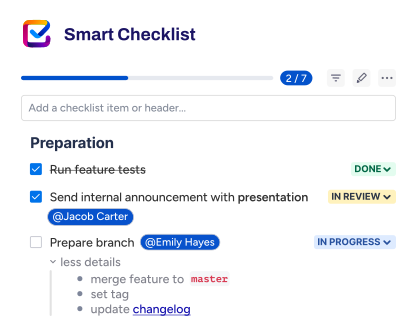
When you use Smart Checklist, it brings your audit plan directly into your Jira ticket for this task. It lists the instructions in an easy-to-follow, step-by-step format. As a result, your SEO audit template is actionable and is located exactly where you need it.
Here’s what it changes for an SEO team:
- Repeatable audits without re-writing the process. Save your audit plan as a checklist template and reuse it for every cycle. This reduces prep time and supports a faster kickoff.
- Clear progress at a glance. Checklist item statuses show what is done, in progress, blocked, or waiting. This makes it easier to track progress. You can also set custom statuses to better reflect your workflow.
- All context in one place. Links to internal guidelines and reports, notes, and additional instructions can be included in the expandable Detail section for each checklist step. Markdown formatting helps you keep all that readable.
- Less “tribal knowledge.” With an SEO audit template, you only need to document your process once, and then anyone on the team can reuse it multiple times. The audit becomes less dependent on who runs it and more consistent across cycles.
- Better-organized teamwork. Smart Checklist helps you structure work inside the Jira ticket. You can tag teammates in checklist sections or individual steps where you need their input. Due dates can also be added to specific steps. This makes ownership visible and reduces back-and-forth in comments.
- Consistency across teams and projects. If you need to scale the SEO audit process, you can save your template as Global. This will allow you to share it across multiple projects in your instance. This is especially useful when your company has several products with separate websites, or when you manage multiple websites for your clients.
An SEO Audit Template Organized as a Set of Jira Work Items
As previously noted, a checklist is not the only way to structure your SEO audit template within Jira. If your audit process involves many stages and steps, this template can be organized as a set of Jira work items.
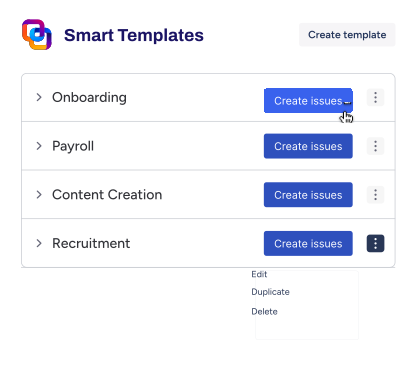
For example, this can be an epic “SEO audit” with tasks such as “Tracking settings”, “Technical checks”, and “Content audit”. Smaller steps can be included as checklists within those tasks or as subtasks, if necessary. This can be done with Smart Templates for Jira, which lets you save any work item or set of work items as a reusable template.
Here’s what it can look like:
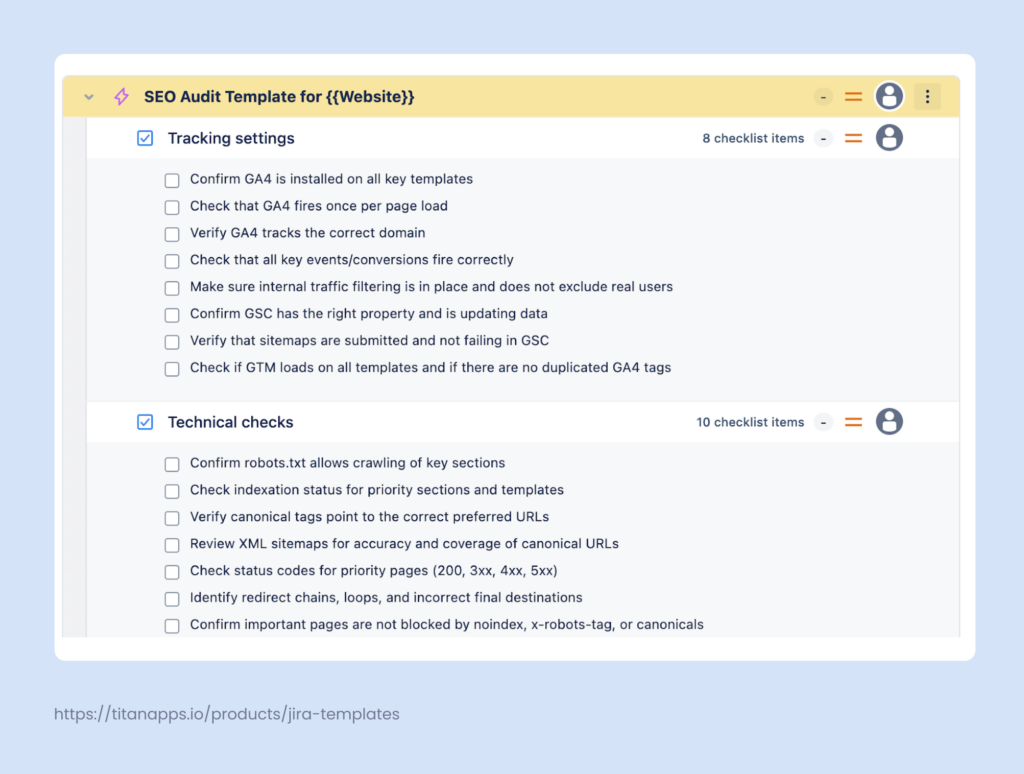
Once you have saved your template, you can generate the full pack of audit tasks in one click – as many times as you need. Alternatively, this can be done automatically on a schedule, which can be useful for regular audits.
As a result, your team will work with a pre-configured set of tasks, with all necessary details and audit steps already pre-filled. This saves time and helps you maintain consistency throughout multiple audit cycles.
How to Auto-Generate Your SEO Audit Work Items on a Schedule
Smart Templates include native automation functionality that lets you generate work items on a custom schedule. Let’s say your team decides to conduct an SEO audit every three or six months. You can prepare your SEO audit template as one or several work items, prefill all details, including assignees and dynamic deadlines, and set a schedule for auto-generation.
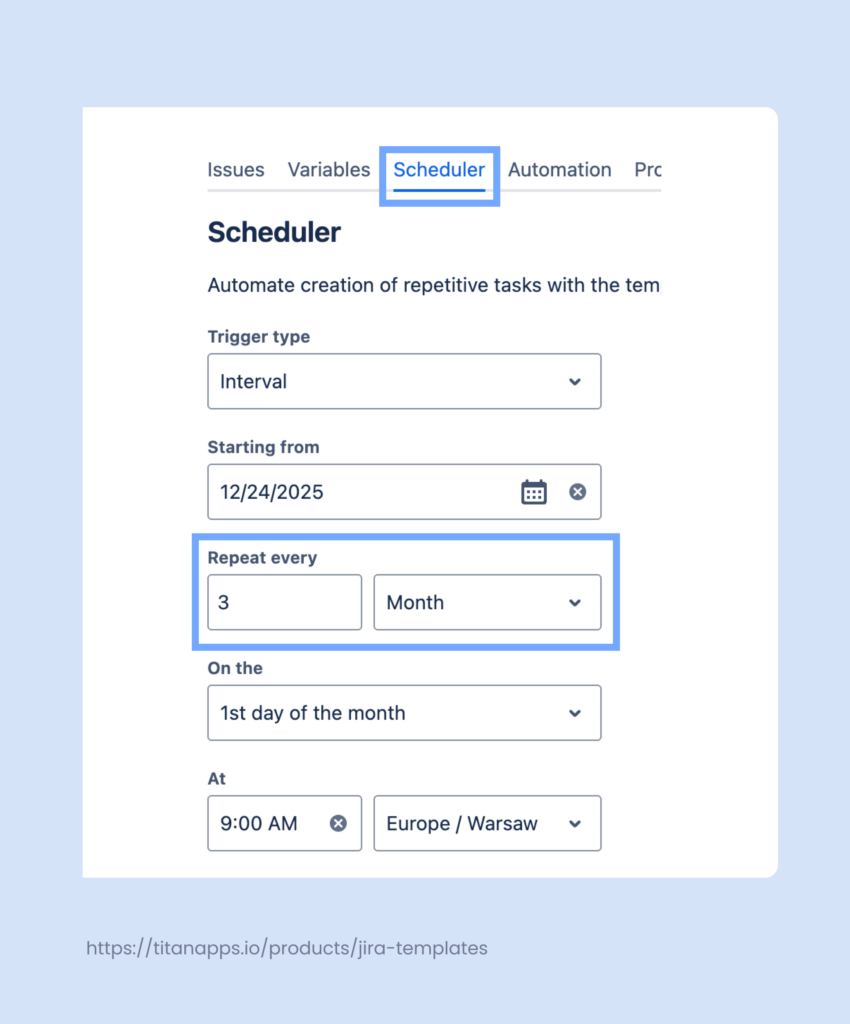
Smart Templates will automatically generate the required work items, so when it’s time for the next audit, the task will already be created and assigned to the right person. This saves time on repetitive actions and improves planning. With such an automation, you know that the next regular audit won’t be forgotten.
To configure a custom schedule, you first need to install Smart Templates for Jira and save a work item that you will use as a template. Then, please follow the instructions in this Scheduler Guide.
Best Practices for Conducting SEO Audits: Tips From our SEO Team
Audit for impact, not perfection
Focus your energy on fixing issues that affect high-traffic and high-conversion pages first. Achieving a “perfect” crawl report for low-value URLs won’t have much business impact. Instead, start by identifying which pages actually drive revenue or leads. Then, prioritize fixes for those pages to see meaningful results faster.
Look for patterns across templates
Before tackling individual page issues one by one, check if problems stem from site-wide templates. A single broken template can affect titles, pagination, or schema markup across hundreds of pages. Therefore, fixing it is far more valuable than addressing dozens of isolated single-page issues.
Use “top loss” and “top opportunity” views
Start by auditing pages that have recently seen a drop in clicks or impressions, as these signs indicate urgent problems. Also, check the “near win” pages ranking in positions 4–15 for high-intent keywords. This is where small improvements can make all the difference and push those pages higher, where they can get more exposure.
Use SEO dashboards to simplify audit
It’s easier to monitor the key parameters when they are always before your eyes. For example, you can use a Technical SEO dashboard for ongoing monitoring, so you can spot issues quickly without waiting for the next audit. There are also other free SEO dashboard templates you could try. As a result, you will get more control and day-to-day visibility into your website’s performance, while SEO audits can be reserved for deeper checks.
Keep track of the key metrics
In addition, dashboards or other regular reports allow you to monitor the key metrics. You will need to use them as benchmarks in your SEO audits, analysing changes over time. This will help you understand whether your fixes are working and demonstrate the value of your SEO efforts to stakeholders.
Double-check tracking on priority pages
If your conversion tracking is broken or misconfigured, you’ll end up prioritizing the wrong pages. Before diving into optimization work, verify that analytics and conversion tracking are accurately capturing data on your most important pages. This ensures your audit focuses on pages that truly matter to your business goals.
Put Your SEO Audit Template to Practice and Act on Your Findings
Regular SEO audits might not be the most exciting part of your job, but they’re essential for keeping your website visible and competitive. Using the templates I have shared in this article, you can set up a clear, actionable audit plan that works directly in Jira. This will help you conduct thorough checks and easily share best practices across teams and projects. This will make the process more efficient and impactful.
It’s crucial to remember that an audit is only valuable if it leads to action. Transform your findings into clear decisions: which pages should be indexed, which need canonical tags, which require redirects, and which should be excluded from search entirely. Create a concrete action plan with assigned owners and timelines. Then, your SEO audit will truly make an impact and improve your website’s results.