Tools for Jira
 Tools for monday.com





As organizations scale their use of Jira and other Atlassian tools, operational risk becomes harder to manage. Permissions expand, configuration changes increase, and user activity spreads across multiple projects and teams. Without clear controls, small issues can quickly turn into audit findings or security incidents.
Risk management tools help teams reduce this exposure by improving visibility, standardizing workflows, and tracking changes over time. In Jira environments, this often means combining native Atlassian capabilities with Marketplace apps and external platforms that support audit logs, automation, dashboards, and integrations.
We prepared a list of tools that encompass various approaches to risk management. They range from access control and audit log monitoring to configuration governance and enterprise oversight. Some operate directly within Jira, while others integrate through APIs and webhooks to provide broader capabilities.
Top Risk Management Tools for Jira at a Glance: a Comparison Table
| Tool | Primary Risk Focus | Key Jira / Atlassian Use Cases | Best For | Notable Integrations | Rating |
|---|---|---|---|---|---|
| Native Atlassian capabilities | Access control, audit log monitoring, and change risk | Jira Cloud, Jira Data Center, Jira administration, global permissions, Jira Service Management | Jira administrators and IT teams | Confluence, Automation for Jira | 4.3/5 |
| ScriptRunner for Jira | Configuration changes, automation risk | Jira Cloud, Data Center, complex workflows | Advanced Jira admins in large instances | GitHub, GitLab, Bitbucket | 4.4/5 |
| Admin Toolbox for Jira | Admin visibility, user management | Jira Cloud, Jira administration, audit preparation | Jira Cloud administrators | REST APIs | N/A |
| Advanced Audit Log for Jira | Audit log monitoring, configuration change tracking, and administrative activity | Jira Cloud, Jira administration, compliance audits | Jira administrators and compliance teams in regulated environments | REST APIs | N/A |
| Access Control Plus | Access control, user activity | Jira Cloud, project permissions, new user onboarding | Security and compliance teams | OAuth, REST APIs | N/A |
| Configuration Manager for Jira | Configuration tracking, change comparison | Jira Cloud, Data Center, admin governance | Jira admins managing large instances | GitHub, GitLab, Bitbucket | 4.1/5 |
| Splunk | Security analytics, audit log aggregation | Jira audit log ingestion, cross-tool monitoring | Enterprises with SIEM requirements | AWS, GitHub, GitLab | 4/5 |
| Datadog | Operational monitoring, configuration signals | Jira events, DevOps workflows | DevOps and SRE teams | AWS, GitHub, GitLab, webhooks | 4.4/5 |
| ServiceNow GRC | Enterprise risk management | Jira integrations, governance workflows | Large organizations | Microsoft, Jira | 4.4/5 |
| Confluence | Documentation and policy risk | Confluence, Jira issues, process documentation | Teams standardizing processes | Jira, Slack | 4.1/5 |
Setting the Context: What is a Risk Management Tool?
 Definition
A risk management tool is a system used to identify, document, assess, and monitor risks that could affect project delivery, security, or operations.
Such tools help teams move beyond informal notes or one-off discussions. They provide a structured way to capture risks, understand their potential impact, and track how they are addressed over time. Instead of treating risk as a one-time exercise, these tools support continuous awareness and decision-making throughout a project’s lifecycle.
In Jira, risk management tools work directly where teams already plan and execute their work. Risks can be linked to work items, releases, incidents, or service requests, making them part of everyday project management rather than separate documentation. This approach keeps risk information current, visible to stakeholders, and easier to act on, especially as priorities, timelines, and requirements change.
How We Selected Risk Management Tools for This Ranking
We based this ranking on a mix of practical experience and real-world feedback. First, we drew on our in-house experience using risk management tools in Jira across different projects and team setups, as well as insights shared by professionals in our extended network. This helped us focus on tools that work well in everyday conditions, not just in theory.
We also reviewed user feedback from public marketplaces and review platforms to understand how these tools perform over time. Finally, we evaluated each solution based on its features and overall usefulness, paying close attention to how well it supports risk identification, collaboration, and ongoing management without adding unnecessary complexity.
A Detailed Overview of the 10 Best Risk Management Tools You Can Use in Jira
1. Native Atlassian Risk Management Capabilities
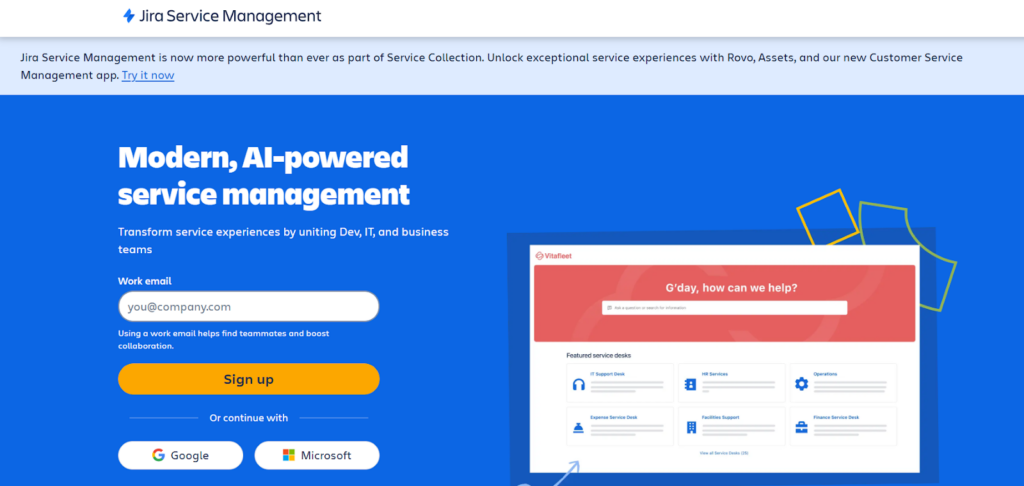
Atlassian provides several native features that form the foundation of risk management in Jira environments. These capabilities cover access control, audit logging, and operational risk without requiring additional plugins.
The Jira audit log tracks configuration changes, permission updates, authentication events, and key administrative actions. Global permissions and project permissions define who can administer Jira instances, manage users, and modify workflows. Project roles help control access at a granular level across teams and issue types.
Jira Service Management is also part of this native risk layer. It supports incident and change risk through structured workflows, approvals, automation rules, and dashboards. Change requests, risk assessments, and notifications remain visible inside Jira issues, which helps agile teams manage operational risk alongside delivery work.
Key features:
- Jira audit log for tracking user activity and configuration changes
- Global permissions, project permissions, and project roles
- Jira Service Management workflows for incident and change risk
- Native automation for enforcement and notifications
- Best for: Teams managing baseline access, change, and audit risk directly inside Jira.
- Pricing: Included with Jira Cloud and Data Center plans.
- Pros: Native integration, no additional setup, consistent workflows.
- Cons: Limited reporting depth and fewer advanced analytics options.
As an administrator, I find Jira Service Management easy to manage and configure. It allows me to create workflows and automation rules based on our team’s needs. – Customer review
2. ScriptRunner for Jira
ScriptRunner extends Jira administration by giving teams advanced control over workflows, permissions, and automation. It helps reduce configuration risk by enforcing rules that go beyond standard Jira options.
Jira administrators use ScriptRunner to manage complex workflows, custom fields, validators, and conditional logic across Jira Cloud and Data Center environments.
- Key Features:
- Workflow extensions and validators
- Permission conditions and rules
- Automation using APIs and scripts
- Support for custom fields and schemas
- Best for: Jira admins managing complex workflows and configuration changes.
- Pricing: Vendor pricing.
- Pros: Deep customization and powerful automation functionality.
- Cons: Requires scripting knowledge and ongoing maintenance.
It is easy to use with automating issue creation, updating fields, and assigning issues with Scriptrunner. Automation helps improve efficiency and integration in workflow execution for the implementation of tasks. That’s why I use it frequently with great customer support. – Customer review
3. Admin Toolbox for Jira

Admin Toolbox for Jira improves visibility into Jira configuration, permissions, and user management. It supports troubleshooting and audit preparation by exposing administrative data through reports and dashboards.
The app helps identify misconfigured permissions, inactive users, and undocumented changes across Jira Cloud instances. All this helps you optimize your Jira setup and streamline proactive risk management.
- Key Features:
- Configuration and permission reports
- User management insights
- CSV exports for audits
- Administrative dashboards
- Best for: Jira Cloud administrators needing better oversight.
- Pricing: Free tier available, paid plans offered.
- Pros: Easy setup and useful admin insights.
- Cons: Cloud-only and limited automation depth.
For me, as a Jira administrator, this is such an essential app. The advanced views of all the issue objects make it so much easier to find something you’re looking for. – Customer review
4. Advanced Audit Log for Jira
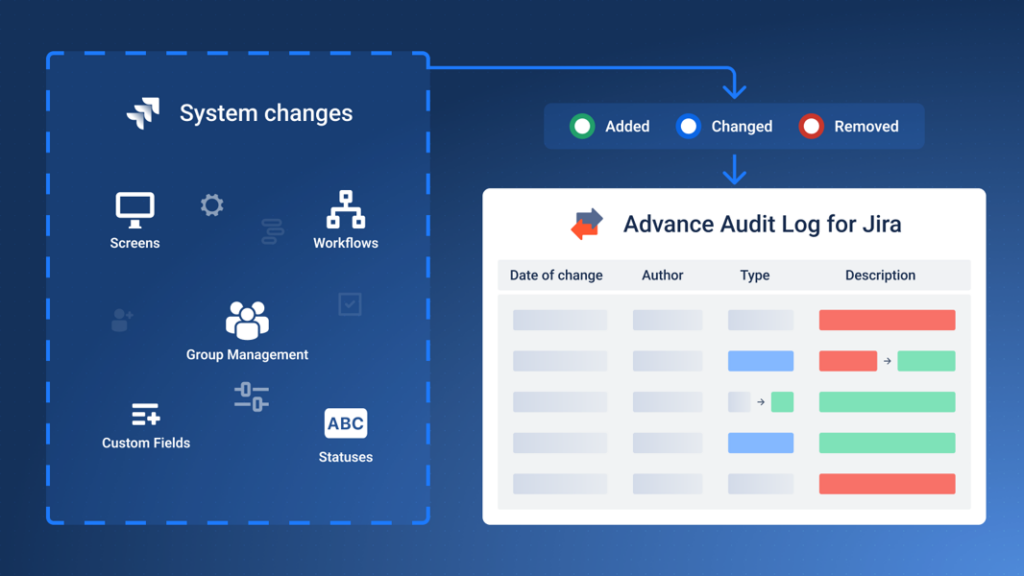
Advanced Audit Log for Jira extends Jira’s native audit capabilities by providing visibility into administrative actions and configuration changes. It helps teams understand how Jira instances change over time, which is important for compliance reviews and incident investigation.
The app records events related to workflows, schemes, custom fields, issue types, and user administration. These records include timestamps and user information, which support traceability during audits.
- Key Features:
- Logs changes to workflows, schemes, custom fields, and issue types
- Tracks user and group administration events
- Records configuration changes with timestamps and actor details
- Searchable audit history for Jira Cloud
- Best for: Jira administrators and compliance teams that need audit visibility beyond native Jira logs.
- Pricing: Vendor pricing.
- Pros: Clear traceability of configuration changes.
- Cons: Focused on audit data rather than workflow control.
5. Access Control Plus
Access Control Plus focuses on governing user access across Jira projects. It helps reduce risk by making permissions, project roles, and access changes easier to review and document.
Security and compliance teams use it to manage new users, review project permissions, and track access-related user activity.
- Key Features:
- Permission rules and access reviews
- Reporting on project roles and permissions
- User activity tracking
- Support for authentication and OAuth
- Best for: Teams managing Jira access governance.
- Pricing: Custom pricing.
- Pros: Strong focus on permissions and audit support.
- Cons: Narrow scope outside access control.
6. Configuration Manager for Jira
Configuration Manager for Jira helps teams track, compare, and control configuration changes across Jira instances. It is often used to reduce risk during migrations, upgrades, and environment changes.
By highlighting differences in workflows, custom fields, and issue types, the app supports controlled change and troubleshooting.
- Key Features:
- Configuration comparison and history
- Change tracking across environments
- Support for Jira Cloud and Data Center
- Administrative reporting
- Best for: Jira admins managing large or complex instances.
- Pricing: Vendor pricing.
- Pros: Strong visibility into configuration changes.
- Cons: Focused on admin governance rather than execution.
I appreciate Configuration Manager for Jira (CMJ) for its capability to project information in a document format and update newly developed products within the same timeline to meet our specific needs. – Customer review
7. Splunk

Splunk is a security and analytics platform used to monitor logs, metrics, and events across systems. In Jira environments, it is often used to ingest audit logs and track configuration changes alongside DevOps data.
By centralizing logs from Jira, GitHub, GitLab, Bitbucket, and AWS, Splunk supports incident investigation and enterprise monitoring. This level of visibility is crucial for identifying the sophisticated patterns used by the biggest ransomware in history, allowing security teams to detect and mitigate threats before they escalate into full-scale breaches.
- Key Features:
- Log ingestion via APIs
- Dashboards and alerts
- Metrics and event correlation
- Integrations with DevOps tools
- Best for: Enterprises with SIEM requirements.
- Pricing: Custom pricing.
- Pros: Powerful analytics and broad integrations.
- Cons: Complex setup and operational overhead.
What I like best about Splunk is how fast and powerful it is at turning raw machine data into something meaningful. – Customer review
8. Datadog

Datadog supports monitoring of infrastructure, applications, and workflows through metrics, logs, and alerts. Jira teams use it to correlate operational signals with configuration changes and deployments.
Dashboards and webhooks help surface risk indicators across cloud and DevOps environments.
- Key Features:
- Metrics and log monitoring
- Dashboards and alerts
- Webhooks and API access
- Integrations with AWS and DevOps tools
- Best for: DevOps teams monitoring operational risk.
- Pricing: Usage-based pricing.
- Pros: Strong visualization and real-time insights.
- Cons: Not Jira-native.
I like that Datadog shows issues in real time, and the filters help me quickly find the key errors without digging through everything. – Customer review
9. ServiceNow GRC
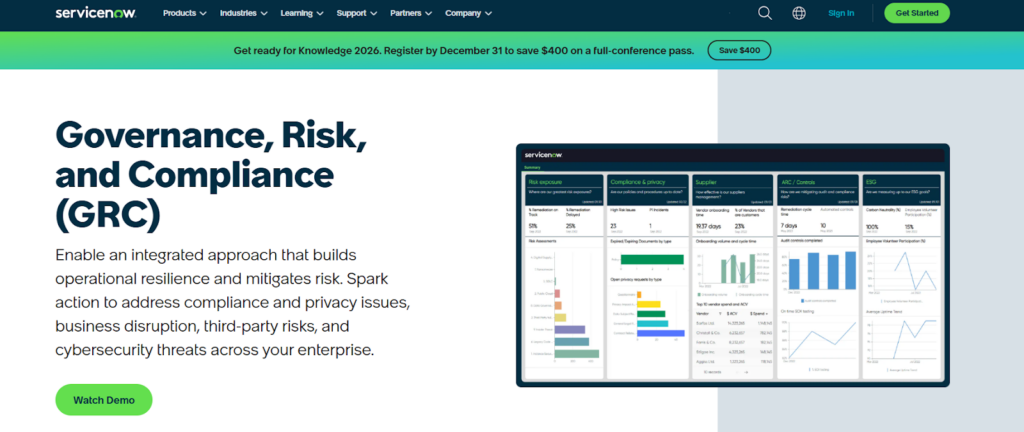
ServiceNow GRC provides enterprise-level risk management capabilities, including risk registers, controls, and reporting. It is commonly used to manage governance programs across large organizations.
When paired with Jira, execution often happens in Jira while oversight remains in ServiceNow.
- Key Features:
- Risk registers and controls
- Workflow-based reviews
- Dashboards and reporting
- Enterprise integrations
- Best for: Organizations with formal governance programs.
- Pricing: Custom pricing.
- Pros: Comprehensive risk coverage.
- Cons: Heavyweight platform with limited Jira execution.
What I love most is that you get to customize the solution and workflow! – Customer review
10. Confluence

Confluence helps manage documentation and policy risk by centralizing processes, guidelines, and approvals. Teams use it to document Jira administration practices, workflows, and troubleshooting steps. While you will likely need a dedicated tool for tracking risks, Confluence can still be a valuable addition to other risk management tools due to its integration with Jira and collaboration features.
Integration with Jira issues helps keep documentation aligned with execution.
- Key Features:
- Documentation and templates
- Approval workflows
- Jira issue integration
- Version history and retention
- Best for: Teams standardizing policies and processes.
- Pricing: Free tier available, then paid plans.
- Pros: Strong collaboration and native Atlassian integration.
- Cons: Not an execution or monitoring tool.
Confluence is generally considered user-friendly once you get used to its layout, though new users may find the interface slightly complex at first. Implementation is smooth for teams already using Atlassian tools like Jira, but it may take some setup time for those new to the platform. – Customer review
Before You Add Another Platform: Manage Risk Directly in Jira
Many teams already manage risk-related work inside Jira through workflows and approvals. What is often missing is a consistent way to control smaller steps, such as access reviews, configuration checks, and audit preparation. You can bridge this gap with the help of Jira-native Smart Tools by Titan Apps.
Document Risk Checks Step-by-Step With Smart Checklist
Many risk-related issues in Jira do not come from missing approvals or workflows, but from small execution steps that are skipped during routine work. These are often actions like reviewing permissions, validating configuration changes, or checking logs before a deployment. When such checks live in external documents or tribal knowledge, they are easy to miss under time pressure.
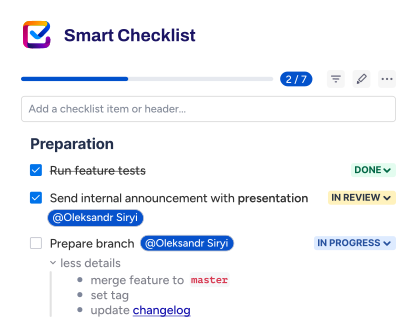
Smart Checklist helps teams document these risk checks directly inside Jira work items as clear, actionable checklists. Each step on the list can represent a specific action that must be completed as part of the task. As a result, risk controls are visible exactly where the work is done. This keeps risk management practical and tied to real execution rather than abstract rules.
For standard or recurring risk-related tasks, teams can save checklists as templates. For example, this can be useful for tasks such as configuration updates, access reviews, or audit preparation. This brings consistency to how risks are handled, even when different team members perform the work.
For example, a “Jira configuration change” checklist template might include steps like reviewing global permissions, checking the audit log, and verifying recent user management updates. By applying this checklist whenever a configuration change is made, teams reduce human error and keep risk controls consistent without adding another platform or complex process.
Smart Checklist for Jira | Getting Started
Standardize risk workflows with Smart Templates
While Smart Checklist helps teams control execution at a granular level, Smart Templates focus on organizing more complex risk-related processes. The solution lets you turn any work item or a whole set of work items into a reusable template. Then, you can generate new work items from your template automatically. Each template can include predefined fields, descriptions, assignees, due dates, checklists, and more.
For example, you can create a “Quarterly Jira audit log review” template. This can be a parent task with child issues for reviewing permissions, analyzing audit logs, and documenting findings. Then, with the help of Smart Templates’ native Scheduler feature, the solution can generate the required work items on a schedule – in this case, every three months, in time for the quarterly review. This reduces setup time, lowers the risk of missed risk reviews, and helps teams consistently follow the same risk workflow over time.
The same approach works for other use cases, such as “New Jira instance onboarding” or “User access review,” where multiple checks need to happen in a specific order.
Smart Templates for Jira | Getting Started

With Smart Checklist and Smart Templates working together, risk-related work stays transparent and traceable inside Jira. Smart Checklist keeps detailed change logs for every update or edit, while Smart Templates provide a separate History tab showing a list of all issues created from a template, as well as their owners and statuses.
This makes it easy for auditors to see which checks ran, when they were completed, and who was responsible. So, you can support retention requirements and audit log use cases without relying on external systems. This approach keeps execution and evidence inside Jira. Although it does not replace enterprise GRC or SIEM platforms, it supports them by improving traceability and audit readiness.
How to Choose Risk Management Tools for Jira Environments
Start by identifying where risk exists in your Jira instance. This may include permissions, user management, configuration changes, or workflows shared across teams.
Native Jira features often cover baseline needs. Marketplace apps and external platforms become more important as reporting, retention, automation, or integration requirements grow.
Consider the differences between Jira Cloud and Data Center, especially around APIs and authentication. Integration needs also matter for teams using DevOps tools, dashboards, or Slack notifications.
Prioritize usability. Clear dashboards, templates, and tutorials help ensure tools are used consistently, which is critical for effective risk management.
The Role of Risk Management Tools for Security and Compliance
Security and compliance risks often sit across projects, teams, and systems, which makes them easy to miss when they are tracked informally. Risk management tools help teams capture security-related risks early, document their potential impact, and connect them to real work items where controls or fixes are applied. This creates a clear trail from identified risk to action taken, which is critical for audits and internal reviews.
For compliance, these tools act as a shared source of truth. Teams can document policies, required checks, and approval steps directly in Jira, keeping everything visible and current as projects change. Instead of relying on static documents or scattered spreadsheets, risk information stays close to delivery work, making it easier to review decisions, show accountability, and respond quickly when requirements or regulations change.
Key Benefits of Adopting Risk Management Tools in Your Organization
- Earlier visibility into potential risks. Risk management tools support structured risk identification and ongoing risk tracking. This helps teams surface potential risks early instead of reacting after issues escalate. As a result, risks become visible while there is still time to act.
- Clearer prioritization and focus. Collecting all risk data in one place allows teams to easily compare impact and urgency. This makes it easier to prioritize risks and focus risk management efforts where they matter most.
- Better decisions based on real context. With built-in risk analysis and links to real work items, teams gain a clearer understanding of potential impact and dependencies. This supports informed decision-making based on actual project conditions.
- More effective mitigation and response. Risk management software helps teams define mitigation strategies, assign ownership, and follow through on risk response actions. As a result, risk discussions lead to concrete outcomes rather than static notes.
- Consistent and repeatable processes. A shared risk management framework creates a systematic approach that teams can reuse across projects. A clear risk management plan brings consistency as teams grow or change.
- Improved collaboration across teams. Customizable setups allow different teams to contribute without friction. Shared visibility helps stakeholders stay aligned around the organization’s risk and reduces communication gaps.
- Stronger support for security and continuity. Risk management tools help teams address vulnerabilities related to cybersecurity and operational disruptions. This supports business continuity by keeping critical risks actively managed.
- Scalability as the organization grows. As projects expand, risk management software scales with them. Teams can maintain a clear risk profile across multiple initiatives without losing structure or clarity.
Creating Transparency and Resilience With Risk Management Tools
Risk management in Jira rarely relies on a single tool. Most teams use a combination of native Atlassian capabilities, Marketplace apps, and external platforms to manage access, track changes, and support audits.
By choosing tools that align with existing workflows and Jira administration practices, teams can reduce risk without slowing delivery. With clear audit logs, consistent workflows, and embedded controls, organizations can scale Jira with greater confidence.
The FAQs About Risk Management Tools for Jira
Can Jira be used for risk management without additional tools?
Yes, Jira can handle basic risk management by using issues, fields, and workflows to record project risks and assign responsibility. Teams can identify risks, link them to ongoing work, and track status changes as part of everyday project management. However, as the number of risks grows, it becomes harder to maintain a clear risk management process or assess potential impact without more specialized support.
What features should a good risk management tool for Jira include?
It should help teams capture and manage risks in a structured way while keeping everything close to day-to-day work. Clear ownership, simple prioritization, and well-defined mitigation strategies are essential, along with the ability to link risks to related tasks. This keeps risk tracking actionable and supports better decision-making without adding extra process overhead.
Do risk management tools work with both Jira Software and Jira Service Management?
Most modern solutions work with both, allowing teams to manage delivery and operational risks in one place. This makes it easier to connect incidents, service requests, and project work while giving stakeholders a broader view of how risks affect the organization.
Can non-technical teams work with risk management tools in Jira?
Many such tools are designed for non-technical users and focus on clarity rather than configuration. Simple forms, clear fields, and guided inputs make it easy for team members to document risks and update their status. This supports collaboration without requiring deep Jira knowledge.
Are risk management tools worth it for smaller Jira teams?
They can be useful once risks start repeating or impacting delivery. Instead of tracking everything in spreadsheets, smaller teams can keep risks visible inside Jira and respond faster. Even lightweight tools help teams spot problems early and avoid surprises later.
Can risk management tools support audits and compliance requirements?
Yes, they can, by keeping risk information consistent, traceable, and easy to review. Documented risks, actions, and decisions stay in one place, which helps teams explain how issues were identified and handled. This is especially helpful during audits that require clear ownership and accountability.
What are the 10 best risk management tools for Jira and Atlassian teams?
Choosing the right solution depends on how closely risk tracking is tied to your day-to-day project management and decision-making. Some teams focus on delivery and release risks, while others need stronger support for operational, compliance, or security-related risks. The most effective tools help teams identify risks early, link them to real work, and update mitigation actions as projects evolve, without turning risk management into a separate, manual process.
Here’s our ranking of the 10 best risk management tools for Jira:
- Native Atlassian capabilities
- ScriptRunner for Jira
- Admin Toolbox for Jira
- Advanced Audit Log for Jira
- Access Control Plus
- Configuration Manager for Jira
- Splunk
- Datadog
- ServiceNow GRC
- Confluence