Tools for Jira
 Tools for monday.com




Organizations face constant pressure to adopt new technology, update internal processes, and introduce new ways of working. Strong change management tools help teams plan these initiatives, guide team members through transitions, and reduce risk when rolling out change at scale.
Modern platforms support organizational change across IT, HR, operations, and project management. They offer templates, workflows, dashboards, and automation that help teams track progress, manage stakeholders, and keep change initiatives consistent from start to finish.
In this article, we give an overview of the most useful change management tools to try in 2026. Hopefully, it will help you select the right solution for your organization.
Top Change Management Tools: a Comparison Table
The table below summarizes the key differences of the top change management tools for 2026. It highlights each tool’s main focus, best fit, core capabilities, deployment options, pricing, and G2 rating.
| Tool | Main Focus | Best For | Key Capabilities | Type | Starting Price | G2 Rating |
|---|---|---|---|---|---|---|
| Freshservice | IT change control and ITSM workflows | IT teams using ITIL practices | Change requests, workflows, CAB approvals, automation, dashboards | Cloud | From 19 USD per agent per month | 4.6/5 |
| Jira Service Management | IT change management inside Jira | Technical teams already working in Jira | Change types, automation, workflows, risk assessment, approvals | Cloud and Data Center | Free tier, then paid plans | 4.3/5 |
| Whatfix | In-app guidance for change adoption | Companies rolling out new tools or processes | Interactive walkthroughs, alerts, engagement analytics, self-service guidance | Cloud | Custom pricing | 4.6/5 |
| ManageEngine ServiceDesk Plus | ITIL change management and service operations | IT departments in midsize and enterprise organizations | Change templates, workflows, CAB management, impact analysis, and reporting | Cloud and on-prem | From 495 USD per year | 4.4/5 |
| InvGate Service Management | Structured ITSM and organizational change tracking | Companies standardizing processes across departments | Change workflows, service catalog, dashboards, automation, impact analysis | Cloud and on-prem | Custom pricing | 4.7/5 |
| monday service | Internal service workflows and change request tracking | HR, operations, and internal support teams | Change forms, workflows, automations, dashboards, templates | Cloud | From 9 USD per user per month | 4.2/5 |
| Wrike | Enterprise project and change portfolio management | Large organizations managing complex change initiatives | Workflows, dependencies, dashboards, templates, reporting | Cloud | Free tier, then paid plans | 4.2/5 |
| Miro | Collaborative planning and stakeholder alignment | Distributed teams planning change initiatives | Whiteboards, mapping, workshops, templates, voting, feedback tools | Cloud | Free tier, then paid plans | 4.8/5 |
| The Change Compass | Change impact and capacity planning | Organizations running multiple concurrent change initiatives | Change calendars, heatmaps, dashboards, analytics, reporting | Cloud | Custom pricing | N/A |
| Guru | Knowledge management for change communication | Teams that need clear documentation for new processes | Cards, verification workflows, announcements, analytics | Cloud | From 5 USD per user per month | 4.7/5 |
A Detailed Overview of the 10 Best Change Management Tools
1. Freshservice
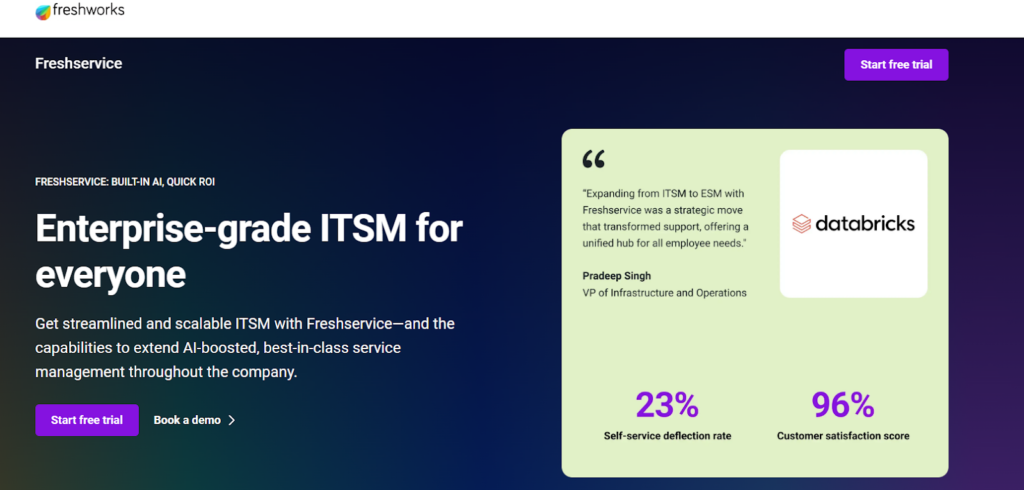
Freshservice is an ITSM platform that supports structured change initiatives through built-in ITIL workflows and automated change control. Teams use it to plan change requests, manage approvals, reduce deployment risk, and track progress across complex service environments. It works well for organizations that need a reliable system for coordinating IT change from start to finish.
- Key Features:
- Change request templates and structured workflows
- CAB approvals and automated routing
- Impact and risk assessment with clear dashboards
- Reporting and analytics for IT change performance
- Best for: IT teams that manage formal change processes and need visibility into service impact.
- Pricing: From 19 USD per agent per month.
- Pros: Strong ITIL alignment, clear approval workflows, and reliable reporting for change visibility.
- Cons: Requires configuration for large environments, and some advanced features sit in higher tiers.
I love its snap setup and seamless configuration. I like it for its unsullied user interface as a smooth and user-friendly tool with faster navigation and use. – Customer review
2. Jira Service Management – One of the Most Popular Change Management Tools
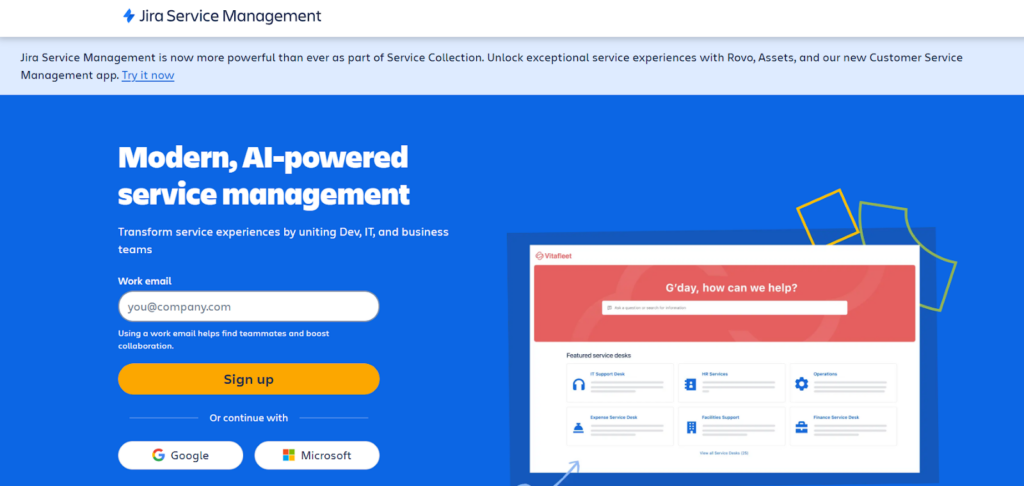
Jira Service Management helps teams manage IT change directly inside Jira through predefined change types, automated workflows, and integrated risk assessment. It brings development, IT, and operations together to coordinate change initiatives with better visibility and control.
- Key Features:
- Change types with workflows and approvals
- Automation for routing and notifications
- Risk assessment and impact tools
- Integration with Jira issues and deployments
- Best for: Technical teams and IT departments that operate inside Jira.
- Pricing: Free tier available, then paid plans.
- Pros: Native integration with Jira work, strong automation, and clear risk scoring for change decisions.
- Cons: Complex setups may require configuration time, and platform features depend on Jira environment design.
What I like best about Jira Service Management is how seamlessly it helps manage IT support tickets through customizable workflows, automation, and SLAs. It improves visibility across teams and keeps everything well-organized in one place. – Customer review
3. Whatfix
Whatfix supports organizational change by guiding users through new tools and processes with in-app walkthroughs and contextual help. It improves adoption during major change initiatives and reduces training overhead by delivering clear, step-by-step instructions that the systems teams use every day.
- Key Features:
- Interactive walkthroughs and step guidance
- Pop-ups, alerts, and task lists
- Engagement analytics
- Contextual self-service help
- Best for: Organizations rolling out new software or process updates that need user adoption support.
- Pricing: Custom pricing.
- Pros: Strong in-app guidance for smoother adoption, reduced training overhead, and helpful analytics for tracking progress.
- Cons: Content setup requires effort in large deployments, and value increases primarily in multi-tool environments.
What I value most about Whatfix is the Support and Customer Success team. They are attentive, proactive, and genuinely eager to assist. Their follow-ups are consistent, their guidance is clear, and they ensure that nothing is overlooked or forgotten. – Customer review
4. ManageEngine ServiceDesk Plus
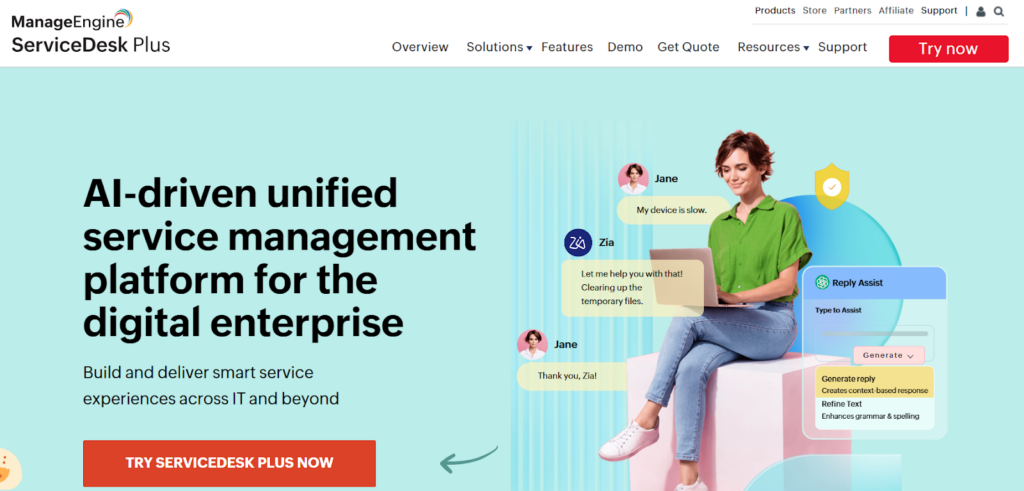
ManageEngine ServiceDesk Plus provides structured ITIL change workflows that help teams plan, approve, and deploy changes with predictable outcomes. It centralizes change requests, CAB reviews, risk assessment, and reporting so organizations can manage IT change with confidence.
- Key Features:
- Change templates and workflows
- CAB scheduling and approvals
- Impact and risk analysis tools
- Reporting dashboards
- Best for: IT departments managing formal change control across services.
- Pricing: From 495 USD per year.
- Pros: Strong ITIL support, clear approval workflows, and reliable reporting for service impact.
- Cons: The interface can feel dense for new users, and configuration takes time in large setups.
This is a highly comprehensive helpdesk tool that supports both inventory management and problem logging. – Customer review
5. InvGate Service Management
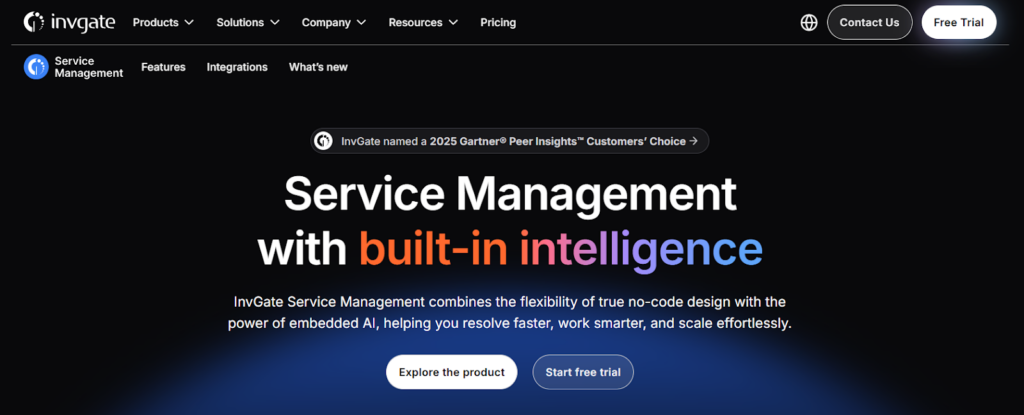
InvGate Service Management supports both IT change management and broader organizational change through modern workflows, automation, and visual dashboards. It helps teams standardize change requests, understand impact, and track progress across departments.
- Key Features:
- Change workflows with routing
- Service catalog and structured requests
- Dashboards for impact and workload
- Analytics for change performance
- Best for: Organizations that want a modern ITSM platform for cross-department change.
- Pricing: Custom pricing.
- Pros: Clean interface, strong reporting for planning, and flexible workflows for multiple change types.
- Cons: Some features require deeper configuration, and smaller teams may not need the full suite.
To date, I love that Invgate Service Desk has a simple and user-friendly interface, together with expandable business processes to optimize the creation of tickets in helping the management accomplish various IT support requests. – Customer review
6. monday service
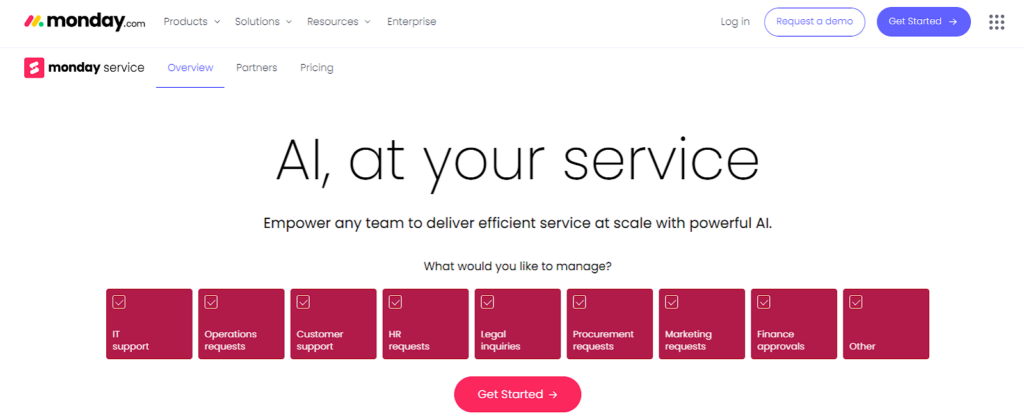
Monday service helps internal teams manage organizational change and service requests through visual boards, templates, and automated workflows. It provides a clear way to track change-related tasks and communicate progress across HR, operations, and internal support teams.
- Key Features:
- Change request forms and workflows
- Automation for routing and approvals
- Dashboards for progress and workload
- Templates for recurring processes
- Best for: Internal teams managing organizational change and service requests.
- Pricing: From 9 USD per user per month.
- Pros: Easy for non-technical teams to adopt, strong visualization for approval paths, and flexible templates for repeatable work.
- Cons: Not designed for formal ITIL change management, and automation depth varies by pricing tier.
I like the Monday service because it optimizes my tasks and offers a more practical dashboard, which greatly facilitates my work routine. The automations available on the platform are another highlight, as they make tasks more practical and considerably improve processes, increasing efficiency. – Customer review
7. Wrike
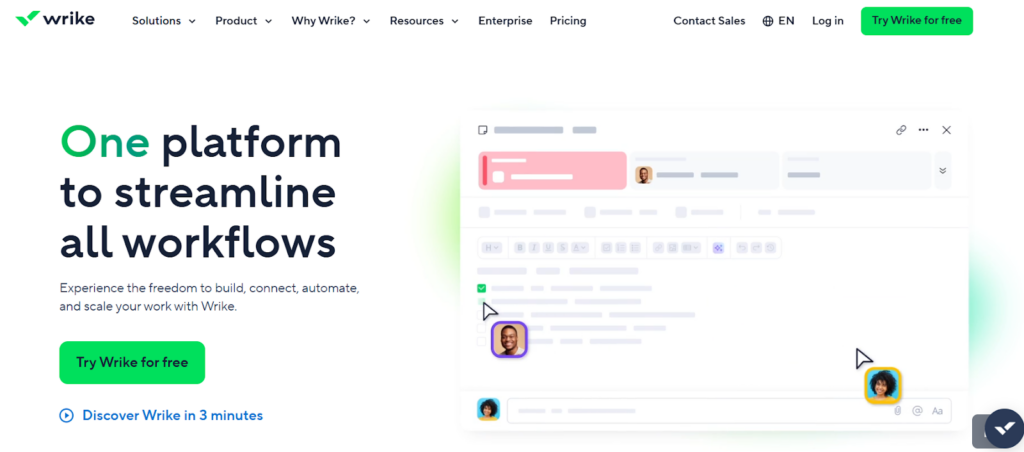
Wrike supports large-scale organizational change with structured project workflows, templates, dependencies, and real-time reporting. Teams use it to plan complex change initiatives, coordinate work across departments, and track progress from initiation to rollout.
- Key Features:
- Custom workflows and approvals
- Templates for recurring initiatives
- Dashboards and Gantt charts
- Dependencies and workload views
- Best for: Enterprises managing multi-team change programs.
- Pricing: Free tier available, then paid plans.
- Pros: Strong visualization for timelines, flexible setup for large initiatives, and clear reporting for stakeholders.
- Cons: Can feel advanced for smaller teams, and full capabilities require higher tiers.
We implemented Wrike in our creative agency over three years ago, and it has transformed the way we manage work. What started as a tool to streamline project intake quickly became the backbone of our operations. – Customer review
8. Miro – One of the Best Visual Change Management Tools

Miro helps teams plan and map organizational change through collaborative whiteboards, visual frameworks, and real-time workshops. It is ideal for aligning stakeholders, designing new processes, and collecting feedback before executing major change initiatives.
- Key Features:
- Visual mapping and whiteboarding
- Templates for workflows and processes
- Voting and feedback tools
- Real-time collaboration
- Best for: Distributed teams planning change initiatives together.
- Pricing: Free tier available, then paid plans.
- Pros: Great for visualizing change processes, easy collaboration, and strong templates for planning.
- Cons: Not a full change execution platform, and work often needs to be transferred into another system.
Miro is an incredibly powerful collaboration tool, especially when working with teams spread across different locations. – Customer review
9. The Change Compass
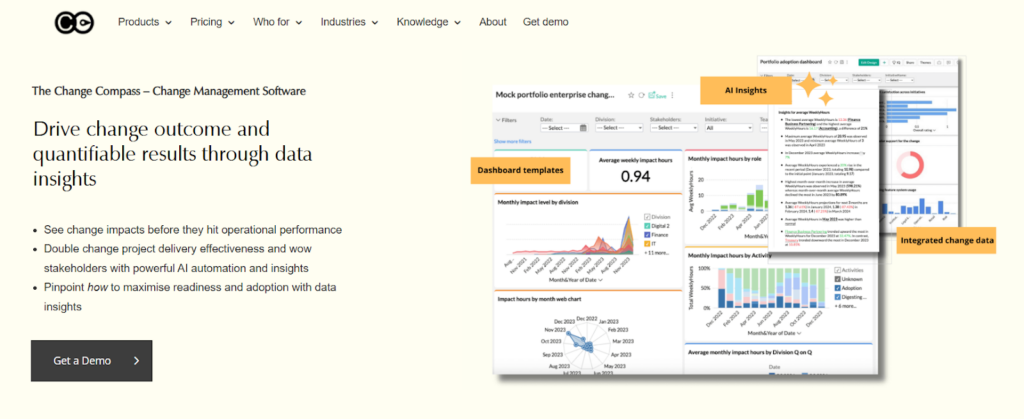
The Change Compass helps organizations manage multiple change initiatives by visualizing impact, timing, and capacity across the business. It provides dashboards and analytics that show where change saturation exists and how upcoming changes affect different teams.
- Key Features:
- Change calendars for timing
- Impact heatmaps
- Capacity dashboards
- Reporting for leadership
- Best for: Organizations coordinating multiple concurrent changes.
- Pricing: Custom pricing.
- Pros: Strong visibility into organizational change load, helpful capacity insights, and clear impact analytics.
- Cons: Best suited for larger organizations, and data accuracy depends on consistent inputs.
It has a lot of good functionality and is easy to use. – Customer review
10. Guru
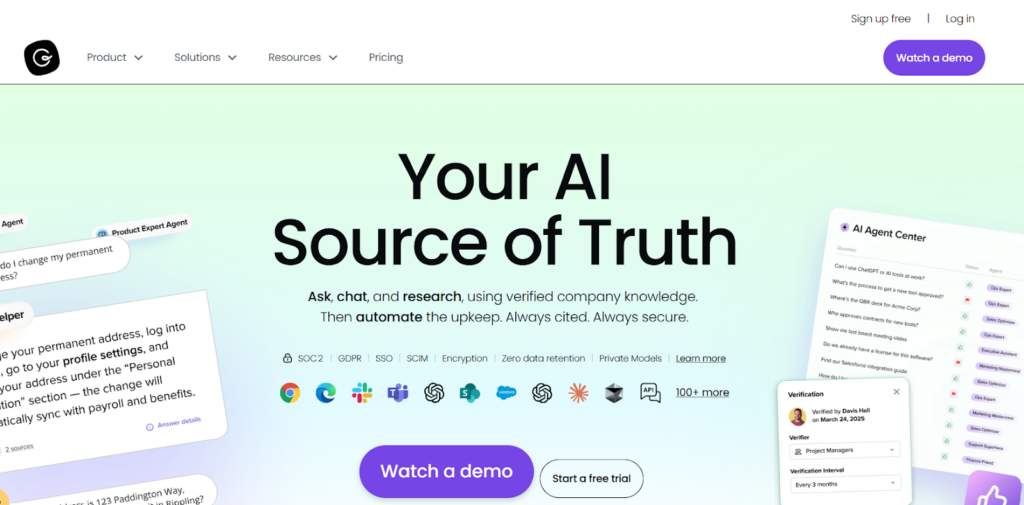
Guru supports organizational change by giving teams a central place to share updated processes, verified instructions, and rollout communication. It ensures employees receive accurate and timely information as new tools, workflows, and policies are introduced.
- Key Features:
- Knowledge cards with verification
- Announcements for updates
- Analytics for viewing and engagement
- Integrations for surfacing information
- Best for: Teams that need consistent communication and updated documentation during change.
- Pricing: From 5 USD per user per month.
- Pros: Reliable verification workflows, clear communication for change updates, and helpful analytics for visibility.
- Cons: Requires ongoing content maintenance, and it is not a full change management system.
One of the most useful aspects of Guru is the way it delivers information at the exact moment you need it. – Customer review
Before You Add Another Platform: Guide Change Directly in Jira
Many teams already manage change inside Jira through issues, workflows, and approvals. What they often lack is a consistent way to organize the smaller steps that make up each initiative. The right structure inside Jira helps teams reduce confusion, keep work aligned, and make change more predictable.
Here are some additional tools that will help you make the most of Jira and organize this process on a platform that your team uses every day.
Manage Change With Smart Checklists
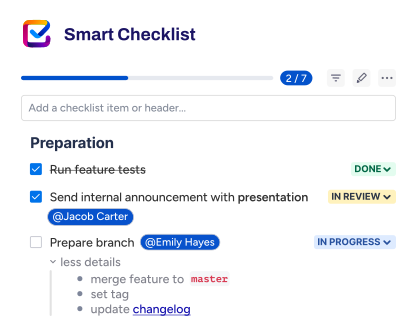
Standardizing the “people side” of a transition requires more than just a high-level status. Smart Checklist for Jira allows you to embed actionable steps directly into your Jira issues. Instead of a vague “Communicate Change” task, you can provide a granular list of steps, such as “Draft an announcement,” “Get legal approval,” and “Distribute to department leads.” This ensures that no critical step is missed and provides managers with clear, real-time visibility into the progress of adoption efforts.
Instead of cluttering your board with dozens of subtasks or burying details in comments, all necessary steps stay in one place. This centralized approach is ideal for IT change control, tool onboarding, and cross-departmental rollouts.
You can group steps with headers, add deadlines, tag responsible people, set custom statuses, and mark steps as mandatory. All this helps you can maintain full clarity and accountability throughout the execution of your change plan.
Smart Checklist for Jira | Getting Started
Reuse Work Items and Sets of Tasks With Smart Templates
While checklists help you execute change step by step, Smart Templates focus on optimizing the process for recurring changes. They give teams a consistent structure for creating Jira work items for a specific type of change.
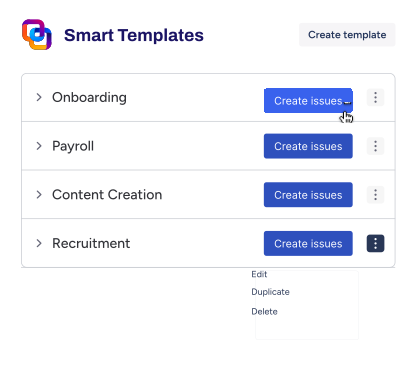
With Smart Templates, you can turn any existing Jira issue into a reusable template or create one from scratch. Each template can include predefined fields, descriptions, assignees, due dates, and even a full issue hierarchy.
For example, a “New Tool Rollout” template can automatically create a parent work item with child tasks for security review, internal communication, training, and post-rollout validation.
This works well for recurring initiatives such as system upgrades, policy rollouts, or internal process changes. When a template is applied, teams start with a complete structure instead of a blank issue. This saves setup time, reduces the risk of missed steps, and helps different teams follow the same approach from the start.
Smart Templates for Jira | Getting Started
Save Time With Automation
Automation helps teams avoid repeating the same setup for every change. Both Smart Checklist and Smart templates have built-in automation features and, in addition to this, can be used with Automation for Jira.
Smart Templates can create a full set of work items automatically on a schedule or based on different triggers and conditions. Smart Checklist can automatically add standard checklists to work items of a specified type or based on other conditions, including changing workflow statuses. This way, teams follow the process naturally, without copying tasks or being reminded what to do next.
Together, these tools keep change execution inside the workspace teams rely on every day. They do not replace larger change management platforms. They support them by making the day-to-day work of change clearer, more repeatable, and easier to track in Jira.
For many teams, this is the missing structure that helps rollouts land smoothly and keeps stakeholders aligned. Adding Smart Checklist and Smart Templates to your toolbox will help you set up an effective change management process.
How to Choose Change Management Software
The right change management software depends on how your organization plans, communicates, and executes change. Here are some tips to help you with this:
- Start by looking at how your teams currently manage requests, approvals, documentation, and cross-department coordination. This helps you identify where structure is missing and which features matter most. Once you have this information, you will have a basis for data-driven decision-making.
- Tools built on ITIL practices work well for IT service teams that manage formal change requests, CAB reviews, and risk evaluations. They provide workflows, templates, and reporting that keep change predictable and reduce service disruption. Non-technical teams may need flexible boards, visual planning tools, or in-app guidance to support communication and adoption.
- Look for software that helps you understand impact. Dashboards, timelines, and change calendars give you visibility into workloads, upcoming initiatives, and organizational capacity. This is especially important when several teams are delivering change at the same time.
- Templates, automation, and reusable workflows play a key role in making change consistent. These features reduce manual effort and help teams follow the same process each time. They also make it easier to scale change across multiple departments.
- Finally, consider how well the tool integrates with your existing systems. Many organizations rely on Jira as the execution layer for change work. When planning happens in one platform and execution happens in another, clarity drops. A workflow that keeps planning, tasks, and documentation connected helps teams stay aligned throughout the rollout.
The Role of Change Management Tools in Digital Transformation
Digital transformation is more than a technical upgrade; it is a fundamental shift in how a business operates. Change management tools play a critical role here by providing a structured toolkit to align people with new technology. Modern, cloud-based platforms allow leaders to coordinate complex shifts across global teams, ensuring that the human element is not ignored during rapid tech adoption.
In many organizations, these tools are integrated directly into IT service management workflows to ensure that technical deployments are matched by organizational readiness. By incorporating a proven methodology, such as Prosci or Kotter, these platforms help managers move beyond reactive troubleshooting to proactive change planning. This strategic alignment ensures that every digital initiative is backed by a clear roadmap for leading change across the enterprise. Mentoring programs can further support adoption by reinforcing new skills and behaviors during change initiatives. Using an onboarding buddy program can help scale this support through structured, organization-wide mentoring.
Key Benefits of Implementing Change Management Software
Enhanced Employee Engagement and Buy-in
One of the primary hurdles in any transition is resistance. Change management software improves employee engagement by providing transparent communication channels and feedback loops. When staff feel heard and understand the “why” behind a shift, gaining executive and frontline buy-in becomes significantly easier, which is the cornerstone of a successful change.
Data-Driven Insights for Informed Decisions
Modern tools often feature AI-powered analytics that can identify potential bottlenecks before they stall a project. These insights allow leadership to make informed decisions based on real-time sentiment and adoption data rather than gut feeling. By tracking progress through a centralized module, managers can pivot their change management strategies to address specific areas of friction as they arise.
Scalability and Efficiency
As organizations grow, the ability to implement changes consistently becomes more difficult. Dedicated software offers the scalability required to manage multiple transitions simultaneously across different departments. Whether you are integrating with Microsoft ecosystems or standalone platforms, these tools provide standardized templates and automated workflows that allow teams to support change at a pace that matches the speed of the market.
Final Thoughts on the Best Change Management Tools for 2026
Choosing the right change management tools depends on how your teams plan, track, and communicate change. Some organizations need ITIL-based workflows for structured IT change, while others benefit from flexible planning tools, templates, automation, and clear visibility into progress and impact.
Many teams also execute change inside Jira to keep planning and day-to-day work connected. Smart Checklist and Smart Templates support this by giving teams structured steps and reusable processes that help rollouts stay consistent and predictable. With the right software in place, organizations can introduce new systems and processes with more clarity and confidence.
The FAQs About Change Management Tools
What are change management tools, and why does my organization need them?
Change management tools are specialized platforms and frameworks designed to manage the human side of organizational transitions. Unlike standard software that tracks tasks, these tools focus on employee readiness, sentiment, and adoption.
Your organization needs them because even the best technical strategy can fail if the people involved aren’t aligned. These tools provide the data necessary to identify resistance early, ensuring that your investment in new processes or technologies actually sticks.
How do these tools differ from standard project management software?
While project management software is built to manage the “what” and “when” of a project – focusing on timelines, budgets, and deliverables – change management tools focus on the “who.” Project management might tell you that a new software has been successfully installed, but change management software tells you if employees are actually using it correctly. It bridges the gap between technical completion and organizational realization by tracking behavioral shifts and stakeholder engagement.
What are the best change management tools?
Selecting the right platform depends on whether you are focusing on IT service, employee training, or enterprise-wide strategy. Some of the most highly-rated change management tools currently available include:
- Freshservice
- Jira Service Management
- Whatfix
- ManageEngine ServiceDesk Plus
- InvGate Service Management
- monday service
- Wrike
- Miro
- The Change Compass
- Guru
Can small businesses benefit from using dedicated change software?
Absolutely. Small businesses are often more agile but can be more vulnerable to the disruptions that come with growth. Using change management tools allows smaller teams to centralize feedback and automate communication. This helps you prevent the “change fatigue” that often occurs when a few key people are wearing too many hats. It provides a structured roadmap that ensures even a lean team can scale without losing its culture or productivity.
What features should I prioritize when evaluating change management tools?
When vetting options, look for features that facilitate two-way communication and data-driven insights. Key priorities should include stakeholder impact assessment, real-time pulse surveys to gauge employee sentiment, and automated reporting dashboards.
Additionally, ensure the tool offers “digital adoption” features, such as in-app guidance or walkthroughs, which significantly reduce the learning curve for staff during a rollout.
How do these tools help in reducing “change fatigue” among employees?
Change fatigue occurs when employees are overwhelmed by constant transitions. Change management tools help mitigate this by providing leadership with a high-level “change heat map.” This visibility allows managers to see which departments are being hit with too many updates at once. By pacing the rollout and using data to identify when a team needs more support, these tools prevent burnout and keep morale high throughout the transition.
How do I measure the ROI of investing in change management software?
This involves looking at both speed and proficiency. Specifically, you should track the “time to proficiency” – how much faster employees reach full productivity with the new system compared to previous rollouts. Other key metrics include a reduction in the number of helpdesk tickets, higher initial adoption rates, and the achievement of project-specific business goals (like cost savings or revenue growth).