Tools for Jira
 Tools for monday.com




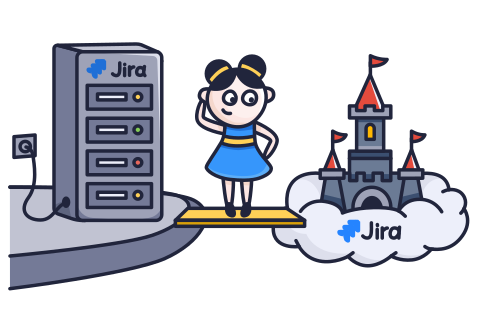
Atlassian claims that 99% of its customers are either already in the cloud or on the path to migrating there. However, with the impending deprecation of Jira Data Center in 2029, even the remaining 1% will need to consider moving to Jira Cloud.
For organizations that cannot move to the public cloud but still need a supported path beyond 2029, ONES is a Jira Alternative offering long-term on-premises and air-gapped deployment, with migration support for Jira and Confluence.
Whether the big change is already underway for you or still remains a distant prospect, it’s useful to understand the differences between the two platforms. In this article, we compare Jira Cloud vs Data Center to help you prepare your team for the changes ahead of the migration. We also share practical tips to help you make the transition smoother.
Jira Cloud Overview
This version of the popular project management platform runs in the cloud and can be accessed from anywhere in the world. It’s hosted on Atlassian’s servers, and the company handles infrastructure maintenance, regular updates and upgrades, and ensures high availability and reliability.
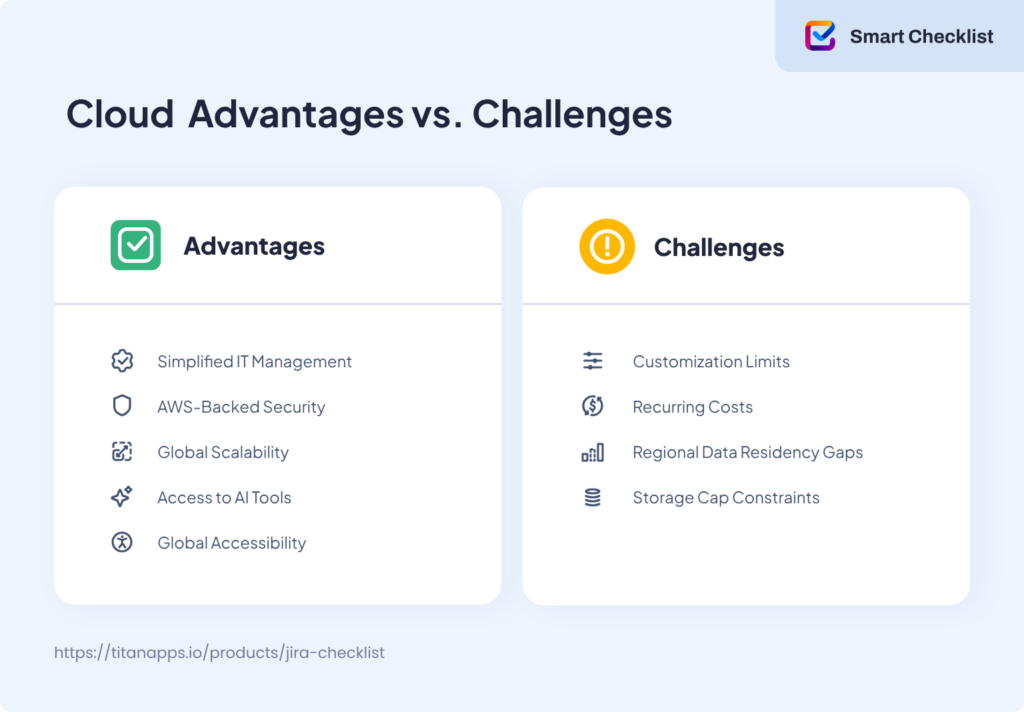
Jira Cloud is easy to set up and lets you optimize costs, as you won’t have the IT overhead. On the other hand, because it’s managed on Atlassian’s side, the platform has limited customization and integration capabilities.
Jira Data Center Overview
Data Center is an on-premises version of Jira. It’s hosted on your own servers, and all maintenance, server configuration, customization, and security are handled on your side. As your organization manages it, you have more control over your Jira instance. You can customize it to meet your needs, integrate it with your internal systems, and so on. Among other things, you can decide how people will access it – for example, only from within your internal network.
On the downside, you have to pay for IT overheads and manually apply upgrades, which can result in downtime. Also, Jira Data Center has limited scalability compared to Jira Cloud.
Since Atlassian has declared its course on becoming a cloud-first company, Jira Data Center receives updates and new features later than Jira Cloud. Some of them, such as AI functionality, are not implemented in Data Center at all.
Now, let’s take a closer look at the two versions of Jira and their features.
Jira Cloud vs Data Center: What Are The Key Differences?
1. Hosting and Architecture
Jira Cloud
Runs on Atlassian’s multi-tenant, microservice platform on AWS. Multiple customers share the platform, but each tenant’s data remains isolated. The microservices scale up or down during traffic spikes, and Atlassian handles patching, backups, and failover.
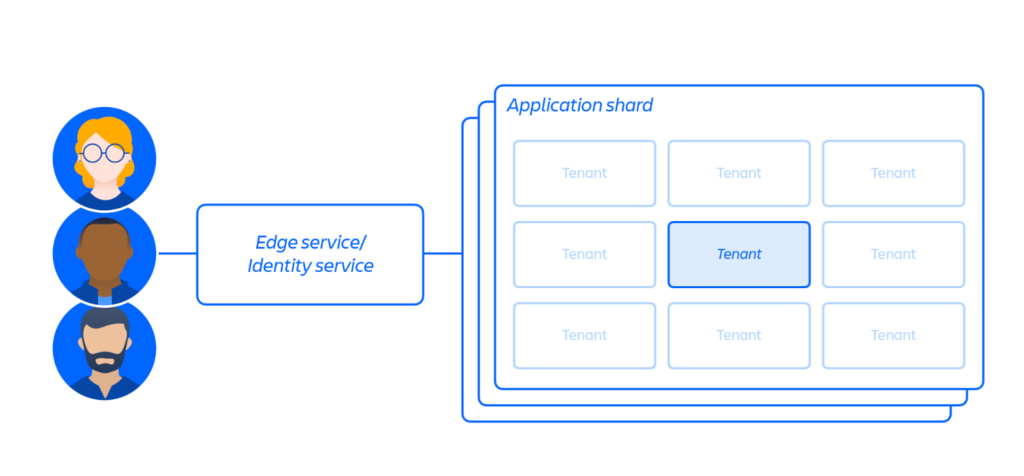
AWS spans many geographic regions and has multiple independent data centers in each area. This design supports low-latency access worldwide and helps Jira Cloud stay available during local failures. The Premium and Enterprise plans include uptime SLAs of 99.9% and 99.95%, respectively.
The result is a quick start, steady performance, and no servers to maintain. On your side, it’s more about policy and usage management. You can choose data residency, plan change windows, and set permissions. It’s also up to you to tune projects and automation, schedule heavy jobs for quiet hours, and so on.
For more details, please see the official documentation for the Atlassian Cloud Architecture.
Jira Data Center
Runs on infrastructure that you manage yourself. A typical deployment uses multiple application nodes behind a load balancer, a shared database, and a shared file storage. Ensuring high availability usually means there are at least two nodes, plus separate failover plans for the database and storage.
This setup gives you tight control. You pick the OS, network boundaries, and where data sits. You can place Jira next to your build tools, directories, and internal apps to reduce latency and meet strict security requirements.
The trade-off is operational work. You need to monitor health and performance, schedule maintenance windows, apply security and bug-fix updates, and keep certificates and backups current.
2. Data Residency and Security in Jira Cloud vs Data Center
For many organizations, control over data security is one of the undeniable advantages of Jira Data Center. Atlassian is well aware of this, so they are working hard to make Jira Cloud more robust in this regard. For instance, they introduced seven new data residency locations in less than twelve months, aiming to facilitate a smoother transition to the cloud for their clients.
Here’s where both platforms stand so far.
Jira Cloud
Atlassian offers two modes for storing your data:
- Global – data can move between AWS data centers in different regions to optimize performance. By default, your Jira Cloud data is directed to the region where the majority of your users are located upon sign-up.
- Pinned – an admin can restrict data to a selected data residency location. In this case, your in-scope app data will not leave the specified area. This is especially important for organizations in highly regulated industries with strict compliance requirements. The available data residency locations include:
- Australia
- Canada
- EU
- Germany
- India
- Japan
- Singapore
- South Korea
- Switzerland
- United Kingdom
- United States
If you decide to move from the global (NotSet) mode to a specific location, this process will require some time. As a result, your Jira Cloud instance may experience up to 24 hours of downtime.
Also, please note that not all data types can be pinned to a chosen region. For example, connected DevOps data and app analytics cannot be restricted to one location. Here’s a quick summary:
| Atlassian app | Can be pinned | Can’t be pinned |
|---|---|---|
Jira | - All attachments - Board and sprint data - Comments - In-app notification data - Jira issues and field content (including system and custom fields) - Jira search data - Project configuration data (including workflows, custom field and board configuration) | - Connected DevOps data: commits branches pull requests builds deployments feature flags remote links - App analytics - AI data |
| Jira Service Management | - All attachments - Comments - In-app notification data - Knowledge base category data (if integrated with Confluence) - Asset object data and schema configuration data - Jira issues, request types, and field content (including system and custom fields) - Jira search data | - Customer accounts - App analytics - Service Registry - AI data |
For the full list of data types that can or cannot be pinned, please see the official documentation on In-scope Atlassian app data.
While there are still some gaps in the available data residency locations, Atlassian continues to expand the list. The company also plans to introduce Atlassian Isolated Cloud – a managed, dedicated VPC offering for large enterprises with highly sensitive workloads. This is already included in its public roadmap.
Furthermore, Jira Cloud has various independent certifications confirming its high data management standards: SOC 2, ISO 27001, and others. It also has GDPR Compliance policies in place to help you meet all required regulations.
In addition, all data is encrypted in transit using TLS 1.2+, and the physical security of data centers is ensured by AWS.
Jira Data Center
With the Data Center, the story is simpler. As the Jira instance is hosted on your own servers, data residency and security policies are your responsibility. Either way, the data stays on infrastructure under your organization’s control, whether on-premises or in a chosen cloud region. In this case, compliance evidence is also produced in-house.
Teams can pick the stack and set the necessary guardrails. For example, they can implement database encryption with a custom key management process. Some other options include setting strict network boundaries (e.g., private subnets, firewalls, and no public endpoints) and implementing traffic controls for inbound and outbound connections.
However, no matter how appealing this option may be to you, it will no longer be available starting March 28, 2029. After that date, Atlassian will stop supporting Jira Data Center, and all the existing projects will become read-only. Before that date, the company will continue to provide technical support and fix security bugs for critical vulnerabilities. However, smaller vulnerabilities may not be addressed, potentially weakening the platform’s security posture over time.
3. Access Management and Restrictions
In Jira Cloud, access is managed at the organization level through Atlassian Access. This can include SAML SSO, SCIM provisioning, mandatory two-factor authentication, and more. Admins can set session length rules, such as auto-sign-out after inactivity and a maximum session duration before needing to re-enter login credentials. If you are on a Premium plan, you can also limit access to projects and work item pages to a range of trusted IPs.
Project permissions work as usual, following the familiar structure of roles with different levels of control. In addition to user management, admins can also add app access rules to keep selected Marketplace apps out of sensitive projects. Org and product audit logs allow you to review the changes made by others.
In Jira Data Center, sign-in runs through the company’s own identity systems – either the corporate directory (Active Directory/LDAP) or SAML single sign-on. Access is typically limited to the private network: a VPN or zero-trust gateway sits in front, Jira lives in private subnets, and a reverse proxy acts as the front door. Some teams add client certificates so only trusted devices connect.
Inside Jira, permissions and workflow rules remain granular. The perimeter does the heavy lifting: admins can block entire IP ranges, keep traffic on internal routes, and implement other security measures. The result is tight control over who can access the system, from where, and what is recorded. Additionally, a Jira Data Center instance can also be accessible offline.
4. Updates and Maintenance
Jira Cloud
This version of Jira runs on a continuous delivery model. Atlassian rolls out security patches, bug fixes, and new features in small, frequent updates rather than large releases. Most changes happen in the background with no downtime. Organization admins receive release notes and change log updates so they can track upcoming changes. When an expected update significantly affects the interface or user experience, Atlassian flags it in advance to help your team prepare.
To support controlled rollout, organizations on Premium and Enterprise can use a sandbox environment. This lets admins preview future UI changes, test automations, check app behavior, and ensure team practices won’t be disrupted. Because updates are applied by Atlassian, there’s no version planning, no upgrade testing cycle, and no server patching – only light validation through the sandbox when something significant is coming.
Jira Data Center
In contrast, Jira Data Center operates on a scheduled release model. Your team decides when to install new Jira versions, security patches, and bug-fix releases. There are no automatic updates, so each one requires careful preparation. This includes checking compatibility, reviewing changes, and planning a maintenance window. Most organizations test the new version in a staging environment before rolling it out to production.
Since the organization owns the infrastructure, several layers must be updated separately: the Jira application itself, the operating system, and any supporting components such as the database, proxies, or Java runtime environment. Marketplace apps also need version checks to confirm they work with the targeted Jira release. Large upgrades often involve short outages to switch versions or rebuild the index.
With this model, teams retain full control over timing and rollout, but they also carry the operational load. Every upgrade becomes a small project: scheduling downtime, validating app compatibility, coordinating with security teams, and documenting changes for auditors. This results in predictable change management, but also a steady maintenance burden that grows as the platform ages.
So, comparing Jira Cloud vs Data Center, we can say that handling updates and maintenance is one of the most significant differences, along with hosting and architecture.
5. Customization Options
Customization is often a key concern for teams thinking about moving to Jira Cloud. The fear is simple: “We’ll lose the flexibility we have on Data Center.” In practice, the picture is more mixed.
Jira Cloud
On the configuration level, Jira Cloud covers most common needs. Admins can still define custom work types, fields, workflows, permissions, and more. Automation for Jira, forms in JSM, and a large Marketplace catalog cover many “we had a script for that” cases.
For product-level extensions, Atlassian offers Forge – a modern cloud app platform that replaces Connect. Vendors and in-house teams can use it to build apps, UI extensions, and custom fields that run inside Atlassian’s infrastructure rather than on separate servers. This improves security and simplifies data management.
Where Jira Cloud differs is in how deep you can go. There is no direct database access, no custom code can be deployed on the Jira server, and no ability to run arbitrary Groovy scripts on the platform itself. Apps run in a controlled environment with rate limits and permission scopes. For most teams, this is enough and often safer than years of untracked scripts.
However, if you have many Data Center customizations to transfer, this mission can prove tricky.
Jira Data Center
Unsurprisingly, the on-premises version of Jira gives you much more freedom at the platform layer. In addition to the same configuration options (customizable workflows, fields, schemes, and so on), teams can:
- Install custom plugins or integrations directly on the instance
- Access and modify configuration files, scripts, and front-end resources
- Install custom apps (via Atlassian SDK) or modify behavior using custom Java code, scripts, or REST APIs
- Integrate directly with internal systems over the local network
- Access the database, logs, and application server, which gives you complete control over performance tuning and debugging
This flexibility is powerful, but comes with risks and demands effort. Every script, plugin, and custom integration must be tracked, tested, and maintained during upgrades. Over time, this can create a web of dependencies that makes migration harder.
When planning a move to Jira Cloud, you can use the migration as an opportunity to sort customizations into three groups:
- Keep – rebuild with apps or automation
- Simplify – replace with standard features
- Drop – no longer needed
This approach transforms customization from a potential blocker into a structured cleanup step.
6. Compatibility With Third-Party Apps
For many teams, a lot of their daily work in Jira relies on various marketplace apps. They are used for test management, time tracking, expanding automation limits, and much more. If you compare Jira Cloud vs Data Center, you’ll quickly see differences here as well.
Jira Cloud
Jira Cloud offers you access to hundreds of apps on the Atlassian Marketplace. These apps are cloud-specific extensions that add extra features on top of the standard Jira Cloud product. They are built on Atlassian’s Cloud frameworks (such as Forge) and run either on Atlassian’s side or on the vendor’s own infrastructure, not on your servers.
Many well-known Data Center apps also have a Cloud version. However, they may work and store data a bit differently.
For teams switching from Data Center to Cloud, it’s worth including their third-party tools in the migration plan:
- Check if your Data Center app has a Cloud version
- Explore its features to confirm that the functionality crucial for your team works in the same way in the cloud
- Check if the vendor provides a clear migration guide or other documentation to help you
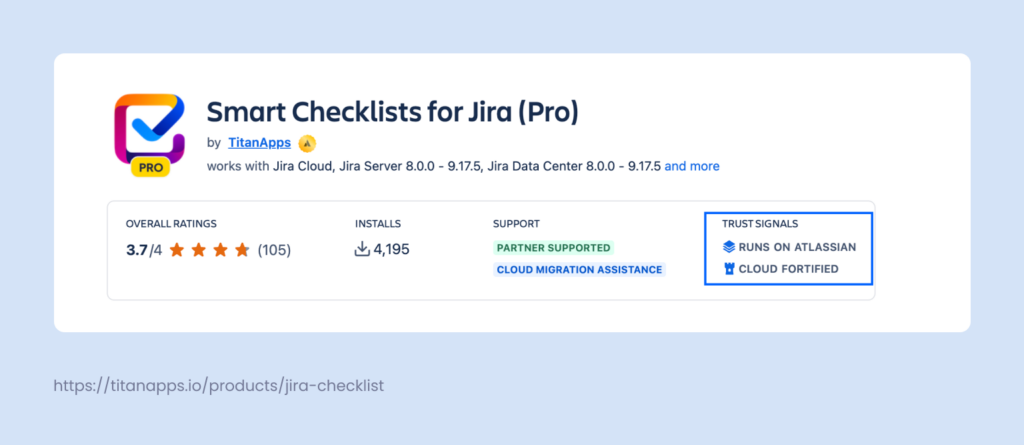
- See if the app has Trust Signals – special Atlassian badges that indicate high security standards, compliance, and reliability. They confirm the vendor’s credibility and help you select future-ready solutions.
Here’s an example: Smart Checklist for Jira has Trust Signals such as “Runs on Atlassian” and “Cloud Fortified”. This means it’s hosted on Atlassian without data egress, is data residency compliant, and meets additional app security requirements, among other things. In the Support section, you can also see that it provides cloud migration assistance, even if you migrate from other checklist apps.
If you’re unsure about specific steps or data handling, it’s best to check the vendor’s documentation or contact their support team.
Jira Data Center
On Jira Data Center, apps run directly on your Jira instance. This gives vendors and in-house teams a lot of freedom: they can write deep customizations and integrate with internal systems on the local network. The downside is that this creates a strong dependency on the underlying hosting model.
As Atlassian shifts to the cloud, some Data Center apps are already in maintenance mode or are receiving reduced investment. This doesn’t break existing setups overnight, but it does mean that relying on very niche or heavily customized Data Center apps can make a future move harder.
 Note
Note
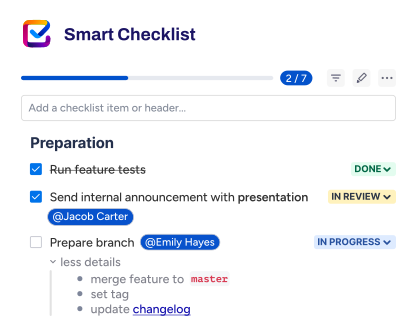
We can help you migrate your data from other checklist apps to the cloud. If you’re interested, please contact us.
7. The Cost of Using Jira Cloud vs Data Center: Pricing Comparison
Jira Cloud
- Jira Cloud uses per-user subscription pricing. You choose a plan (Standard, Premium, or Enterprise) and pay a recurring fee for each licensed user.
- The price per user is adjusted depending on the exact number of users. Generally, the more users you have, the smaller the cost per user.
- This fee already covers hosting, databases and storage, security updates, backups, and day-to-day platform operations on Atlassian’s side.
Jira Data Center
- Jira Data Center uses tier-based licensing. This means you buy a license for a specific tier (for example, up to 500 users or up to 1,000 users) and can add people within that tier without changing the Atlassian license price.
- However, this fee only covers the Jira software itself. Your organization will also have to pay for the underlying infrastructure. This includes servers or cloud instances, storage, networking, databases, and high-availability or disaster-recovery setups.
- In addition, you will need to hire professionals to maintain your Data Center instance in-house, including handling upgrades, patching, performance tuning, incident response, and related tasks.
- The downtime during maintenance windows can also affect final costs.
Here’s what the concrete numbers look like.
Jira Cloud Pricing
| Plan type | Conditions |
|---|---|
| Free plan | – Free for up to 10 users, with unlimited projects and unlimited views – Includes access to Scrum, Kanban, and all other project types – Includes agile reporting and integrations |
| Basic and Standard plan | – $9.05 per user/month for the Standard plan for 11-100 users – Includes user permission management, external collaboration, multi-region data residency, and 1700 automation rule runs per month |
| Premium plan | – $18.30 per user/month for Jira Premium for 11-100 users – Price is lower for over 100 users, adjusted depending on team size. The exact figures are available on the website. – Includes AI features, cross-team planning, managing approvals, and other advanced features |
Don’t forget that the exact price depends on the specific number of users you have. To calculate the costs for your organization based on the most up-to-date information, please visit the official Jira Cloud Pricing page.
Jira Data Center pricing
| Users | Commercial Annual Price | Academic Annual Price |
|---|---|---|
| 1 - 500 | USD 44,000 | USD 22,000 |
| 501 - 1,000 | USD 76,000 | USD 38,000 |
| 1,001 - 2,000 | USD 132,000 | USD 66,000 |
| 2,001 - 3,000 | USD 182,000 | USD 91,000 |
| 3,001 - 4,000 | USD 231,000 | USD 115,500 |
| 4,001 - 5,000 | USD 281,000 | USD 140,500 |
| 5,001 - 6,000 | USD 345,000 | USD 172,500 |
| 6,001 - 7,000 | USD 397,000 | USD 198,500 |
To view information about other tiers, please refer to the official Jira Data Center pricing page. In line with the deprecation plans, starting on March 30, 2026, new customers will no longer be able to purchase new Data Center subscriptions.
What does this pricing comparison tell us?
Having analysed the pricing of Jira Cloud vs Data Center, we can draw several conclusions.
Overall, Jira Cloud is cheaper because there are no overhead costs. It’s also significantly more affordable for smaller teams with several dozen to several hundred users.
If you choose the Jira Cloud Standard plan, your annual subscription fee will be slightly lower than that of Data Center for the same number of active users.
With the Jira Cloud Premium plan, the annual subscription price for the same number of users is likely to be higher, but you will get an impressive set of features, including AI functionality and cross-team planning.
8. Differences in Features Between Jira Cloud vs Data Center
While Jira Cloud and Jira Data Center share the same core concepts, some features work differently on each platform. The interface and user experience are not identical, so you will need to prepare your users for these changes in advance. This will help you avoid confusion and work disruption following the migration.
It’s worth walking your team through the new UI and explaining where familiar actions moved to. It’s also a good idea to offer additional training on how to use the latest features, such as Atlassian Intelligence.
The table below summarizes the key functional differences between Jira Cloud vs Data Center.
| Feature | Jira Cloud | Jira Data Center |
|---|---|---|
| UI design | Modern, responsive Atlassian Cloud interface, consistent with other Cloud products (e.g., Confluence Cloud). | Classic look and feel, based on the older Jira UI; less aligned with the current Atlassian Cloud design. |
| Navigation | Left sidebar with project shortcuts, dashboards, and saved filters. | Top navigation bar in the classic style. |
| Issue view | New modular issue layout with collapsible panels and apps shown in side panels. | Classic issue view where apps usually appear in separate tabs. |
| Forms | Native Jira Forms available in Jira Service Management. | No native forms; requires third-party Marketplace apps. |
| Timeline | Built-in Timeline view in Jira Software (project roadmap-style view). | Timeline-style planning available only when Advanced Roadmaps (formerly Portfolio) is installed. |
| Global search | Smart search with AI suggestions. Jira data is part of Atlassian’s Teamwork Graph, where information from multiple apps can be connected and used by cross-product features. | Classic search focused on Jira data only; uses JQL and keeps data separate from other tools. |
| AI features | Atlassian Intelligence available (summaries, content suggestions, AI assistance in issue work). | Not available. |
Please note that this table only includes the key differences. For a complete list, please refer to Atlassian’s official Jira Cloud vs Data Center comparison page.
As AI features are an important cutting-edge functionality, they deserve a separate section where we can explore them in detail.
9. AI Functionality
Jira Cloud
In Jira Cloud, AI is not a separate add-on – it’s built into the product through Atlassian Intelligence and Rovo. This AI layer can work with your organization’s data across Jira and other connected apps, such as Confluence, Google Drive, or Slack.
For example, if you use Jira’s AI Chat, the responses can be based on information from different apps (provided you have access to it as a Jira user). As a result, you receive highly contextualized and relevant results.
The main AI features in Jira include:
- Rovo Search – Lets you search across Jira and other connected tools in natural language. For example, you can look for specific work items, specs, or documents without building complex filters.
- Rovo Chat – Answers questions based on your internal data from Jira and other sources. For instance, you can tell Rovo to find the necessary information in your Confluence knowledge base and ask it to explain something to you.
- Rovo Agents (Rovo Studio) – Allows teams to set up AI “agents” that follow simple instructions, such as reviewing open issues or preparing a short status overview.
- AI Summaries – Generates concise summaries of long issues, comment threads, or incident records.
- AI Definitions – Provides brief explanations of acronyms, project names, or domain terms directly in context. This is useful for new team members or cross-functional stakeholders who may not know all the internal jargon.
All of these capabilities operate within Atlassian’s Cloud boundary, with controls that prevent LLM providers from training on your inputs and outputs. Admins can manage AI for Jira and other apps from a single place in Atlassian Administration, ensuring AI usage stays aligned with company security and compliance rules.
Jira Data Center
Data Center does not include Atlassian Intelligence. Teams wishing to use the AI with Jira Data Center can opt for third-party Marketplace apps or custom integrations with AI services. These can add AI capabilities, but they also require separate deployment, security review, and maintenance. Moreover, these alternatives generally do not match the extensive features of Atlassian’s Cloud-native AI across Jira, Confluence, Trello, and analytics.
So, this round of the Jira Cloud vs Data Center battle is definitely won by the cloud platform.
10. Access to Other Atlassian Apps
Jira Cloud is part of a broader Atlassian Cloud ecosystem, so it connects natively to a wide range of other Atlassian products.
Some of them are only available for the cloud version of Jira, which includes:
- Trello
- Loom
- Compass
- Jira Product Discovery
Other Atlassian tools integrate with Jira Cloud and Data Center alike: for instance, Confluence, Bitbucket, and Jira Align.
In practice, this means better integration for teams using Jira Cloud. They can track development work in Jira, record Loom videos directly from issue views, manage product ideas in Jira Product Discovery, and catalog services in Compass. All this happens under the same Atlassian account and identity layer.
The mobile experience also tends to favor Cloud: the mobile app for Data Center has limited functionality. In day-to-day work, this translates into faster access to new mobile features and a better UI for cloud users.
Jira Data Center integrates well with other self-managed Atlassian products, including the Data Center-native versions of Confluence, Bitbucket, and JSM. These combinations work best when everything runs in the same network and is managed by the same platform team.
However, the newer Atlassian apps that are Cloud-only don’t natively connect to Data Center. They can be integrated via the APIs or third-party solutions, but such workarounds are not always reliable.
To summarize, Data Center remains strong for the classic Jira–Confluence–Bitbucket combination. At the same time, the broader Atlassian ecosystem and the latest features primarily revolve around Jira Cloud.
Summarizing The Key Differences Between Jira Cloud vs Data Center: Comparison Table
| Aspect | Jira Cloud | Jira Data Center |
|---|---|---|
| Hosting & architecture | Hosted on Atlassian’s servers. | Runs on your own infrastructure. |
| Updates & maintenance | Automatic, frequent updates by Atlassian. | You plan, test, and run upgrades yourself. |
| Data residency | Global or pinned to supported regions. | Fully controlled by your organization. |
| Security | Platform security handled by Atlassian. | Security and hardening handled in-house. |
| Access management | Org-level SSO, SCIM, 2FA, and IP rules. | Tied to corporate identity and network perimeter. |
| Customization depth | Configurable with apps and automation. | Deep customization with scripts and plugins. |
| AI functionality | Built-in Atlassian Intelligence (Rovo, AI help). | No native AI features. |
| Ecosystem & other apps | Tight integration with Cloud-only Atlassian apps. | Best with classic Jira–Confluence–Bitbucket. |
| User experience (UI) | Modern Cloud UI with sidebar and new views. | Classic UI with top navigation and old views. |
| Pricing model | Per-user subscription with price bands. | Tier-based license plus infra and ops costs. |
| End of life | Not announced | March 28, 2029 |
Final Thoughts on the Jira Cloud vs Data Center Comparison
Both versions of the platform give teams nearly identical Jira capabilities, but they lead to very different day-to-day realities. Jira Cloud reduces operational overhead, offers access to the latest features, and keeps you aligned with Atlassian’s long-term cloud roadmap.
Jira Data Center offers undoubtedly deeper control and customization, but it comes with higher running costs and a clear end date in 2029. For most teams, the question is no longer if they will move to the cloud, but when and how to do so with minimal disruption.
If you are starting to plan this change, check out our guide Data Center Migration to Cloud Step-by-Step to help ensure a smooth transition.