





 Tools for Jira
 Tools for monday.com





Company: Untis
Team: Software Development, Atlassian Administration
Customer: Atlassian Application Owner and Product Owner
Industry: EdTech
Employees: 100+
Problem
Untis develops software that helps schools digitize their working day, including timetabling tools and web and mobile applications for teachers and students. All software development runs in Jira.
Every team in Untis has its own company-managed Jira project and shapes it however it likes. The Atlassian Application & Product Owner supports the teams and sets only a few global rules.
“Every team has its own project. We use company-managed projects, but still on a team basis. They can structure their whole project however they like, and I’m mostly here for enabling.”
This freedom produces very different workflows. Some teams use three statuses: To Do, Development, and Done. Others run about ten statuses on their boards. That range created a few challenges:
- Different levels of rigor: Some teams prefer a light process. Others want clear entry and exit criteria for every issue.
- Readiness and completion criteria: Stricter teams need a definition of ready and a definition of done inside each issue.
- Enforcement at transitions: These teams also want to block issues from moving forward until the criteria are met.
- Team autonomy: Any process tool has to fit each team’s own workflow instead of forcing one global process.
For teams that prefer more structured processes, this flexibility came with a practical requirement: they needed a way to apply their Definition of Ready and Definition of Done within their workflows.
Displaying a checklist was only part of that requirement. These teams also wanted transition restrictions based on checklist completion. The challenge was to support those controls while allowing other teams to retain their own approach.
Solution
Around four years ago one of the company’s teams started to use the Smart Checklist free version. That team wanted shared notes that everyone could check off, shown in a clear visual way. With time the processes became more complex and Smart Checklist application developed with them.
“Our primary use case right now is more process-oriented. Some teams use Smart Checklist to enact a definition of ready and a definition of done in their workflow.”
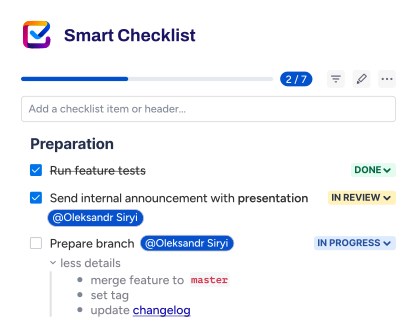
The teams now combine three capabilities: reusable checklist templates, automatic application to new issues, and workflow validators. Together, these make their Definition of Ready and Definition of Done part of how work moves through Jira.
Reusable templates for each team’s process
Rather than creating a new checklist for each ticket, teams use templates for their recurring criteria. Their setup generally needs no more than two templates per project: one for Definition of Ready and one for Definition of Done.
Most templates are project-specific, with only a small number maintained globally. This matches the organization’s approach to Jira: teams can structure their own processes rather than inherit an identical checklist across the company.
Automatic template import when issues are created
Templates are automatically added when Jira issues are created. This places the recurring checklist directly in the ticket without requiring someone to import it manually each time.
“So it’s mostly templates we use, it’s mostly automatically putting the templates into the issue when it’s created, and then using that for definitions of ready and definitions of done.”
The team manages this automatic template application within Smart Checklist itself.
“So we do everything in the app itself.”
Workflow validators to enforce completion
For teams that want stricter controls, Florian configures workflow validators based on the Smart Checklist custom field. These restrictions tie the relevant Jira transitions to checklist completion, making the checklist more than a visual reminder.
The everyday interaction remains straightforward: team members mark items as checked or unchecked, without using custom checklist statuses.
Results
With Smart Checklist Untis teams built:
- Repeatable process checks. Project-specific templates give participating teams a reusable Definition of Ready and Definition of Done, rather than a collection of one-off checklists.
- Automatic checklist setup. Templates appear as issues are created, bringing the recurring criteria into the ticket without a separate manual import.
- Enforceable workflow requirements. Validators connect checklist completion to transition restrictions for teams that want more structured controls.
- Team autonomy. More structured checks do not require a company-wide workflow redesign. Teams continue to use their own project structures and adopt Definition of Ready and Definition of Done where these support their way of working.
What’s next
The setup keeps growing one team at a time. Untis plans to keep developing its processes the same way, with each team adding structure when it needs it.
For Untis, Smart Checklist provides a practical way to implement team-specific process requirements. Teams that want strict control get it, and teams that prefer a lighter process keep their freedom.
Reusable templates, automatic application, and workflow validators work together to make Definition of Ready and Definition of Done part of the workflow—while preserving the flexibility of the teams using them.