





 Tools for Jira
 Tools for monday.com





Websites lose visitors for reasons that are often easy to fix – but they are also easy to miss. A page loads too slowly, a form breaks on mobile, or an important article never gets indexed. Each issue costs you traffic, and together they can hold back everything else you do in marketing. A regular structured audit helps you avoid this situation.
In this blog post, we share a website optimization checklist for 2026 covering technical health, SEO, content, and user experience. You will also learn how to prioritize fixes and turn the audit into a repeatable process.
TL;DR: The Key Takeaways
- Website optimization covers everything that decides whether your site earns visits, citations, and conversions. It reaches beyond search rankings alone.
- Four areas matter most: technical optimization, content and on-page SEO, AEO, and UX and CRO. Each one supports the next.
- AEO and AI agent optimization are the newest and most quickly evolving part. AI answer engines now handle a growing share of user questions, and being cited by them can matter as much as ranking.
- We prepared a practical website optimization checklist that breaks the key areas into concrete steps. Run it quarterly, or before any major site change, to catch issues while they are still small.
- You can also use this checklist as a template in Jira with our solution, Smart Checklist for Jira. It allows you to structure and automate processes, assign checklist items to teammates, set deadlines, and keep these reviews consistent across teams.
What Is a Website Optimization Checklist and Why Every Marketing Team Needs One
 Definition
A website optimization checklist is a working list of actions that keep your site performing well for search engines, AI answer engines, and real visitors. It covers technical health, on-page SEO, AEO, and user experience in one place.
4 Areas Where You Need to Run Website Optimization
There are many areas that can shape how your website performs. In our opinion, these four deserve the most attention from every team – that’s why we based our website optimization checklist on this approach.
Technical optimization comes first, because nothing downstream matters if search engines and AI agents cannot reach your content. Once your site is reachable, content and on-page SEO earn the ranking that gets you on the results page.
AEO is the newest layer, and it influences whether AI answer engines cite and recommend you when a user asks a related question. UX and CRO close the loop, because a visitor who lands on your page thanks to good SEO or an AI citation still needs to perform the target action – sign up for your service, fill out a form, or complete a purchase.
Let’s explore these four key areas in more detail.
Note
If you need an SEO-specific deep dive rather than the broader framework, our SEO audit template article covers that narrower layer in detail.
1. Technical Optimization
This is the foundation everything else stands on. It covers site speed, Core Web Vitals, mobile rendering, crawlability, indexation, structured data, and site architecture. Search engines and AI crawlers need to reach your pages, read them, and understand how they relate to each other. If a page loads slowly or blocks crawlers, no amount of good writing will save it.
Implementing technical fixes can have a significant impact. For example, research shows that a 0.1-second improvement in page load can increase conversion rates by 8.4% and average order value by 9.2%. These results come from the Milliseconds Make Millions study, commissioned by Google and conducted by Deloitte.
Core Web Vitals Benchmarks
Google also publishes clear targets for how fast a page should be. Its Core Web Vitals guidance sets the good thresholds at LCP under 2.5 seconds, INP under 200 milliseconds, and CLS below 0.1, measured at the 75th percentile of real-user page loads. Meeting all three benchmarks is what search engines and users reward.
How often you should run technical SEO checks depends on the website size. A relatively small website consisting of a few thousand pages can require a full audit only at its launch and when there are some major changes. If those audits keep flagging speed issues regardless of how often you check, the root cause is often hosting infrastructure rather than front-end code, so it’s worth learning how to fix a slow website before assuming the problem lies elsewhere.
At the same time, large marketplaces and platforms with millions of dynamic pages need regular attention. At that scale, even small errors or downtime can cause a significant traffic and revenue drop.
Another factor to consider is how often your development team ships changes to your website. If you deploy big updates weekly – you’d need to run tech audits weekly, because something may go wrong after a random update or release

2. Content and On-Page SEO
Once your pages are reachable, they need to answer real queries better than the alternatives. On-page SEO covers keyword targeting, titles and meta descriptions, heading structure, internal linking, content depth, and freshness. It also covers what to do with pages that no longer perform: update them, merge them, or remove them.
The bar keeps rising here. AI Overviews take clicks from informational queries, so thin content that once ranked now earns nothing. Teams that win focus on original data, first-hand experience, and clear topical coverage rather than volume. Off-page signals feed back into the same equation. Getting the variety and balance right with anchor text in SEO is what keeps a backlink profile from looking manipulated to search engines.
3. Answer Engine Optimization (AEO / GEO)
Readers now get answers from ChatGPT, Perplexity, and Google AI Overviews without opening a single link in search results. To be part of those answers, your content has to be easy for an AI model to read and worth citing. That means clear question-shaped headings, real numbers with sources, and structured data that matches what is on the page. The first thing to check is access. If your robots.txt blocks AI crawlers, everything else in this area does nothing.
Your website should also be optimized for a second audience: AI agents. They browse, read, and act on websites on behalf of users, and they parse pages differently than people do. Clean markup, machine-readable content, and files like llms.txt help them work with your site instead of around it.
This part of website optimization is worth prioritizing now. AI answer engines already handle a growing share of the questions your buyers ask, and the sites that get cited today build the authority and get recommended to users by AI assistants.
Note
Another factor to consider is how often your development team ships changes to your website. If you deploy big updates weekly – you’d need to run tech audits weekly, because something may go wrong after a random update or release
4. UX and Conversion Rate Optimization (CRO)
Traffic only matters if visitors can act on what they find. UX and CRO cover navigation, page layout, form design, mobile usability, accessibility, and the clarity of your calls to action. This is where you need to check that the path from landing page to conversion actually works on every device.
The common problem is that UX and CRO are treated as design topics rather than growth topics. Small friction points, like a slow form or a hidden pricing link, can quietly cost you conversions on every visit. However, regular testing and session reviews can turn those invisible losses into fixable items.
Website Optimization Checklist in Copyable Format
Here is the free checklist prepared by our team. You can use it as a base and customize it to match your processes better. We built this website optimization checklist with the help of Smart Checklist for Jira – a solution that allows you to add feature-rich checklists directly to Jira work items and save them as templates.
Please note that the optimization areas covered in this checklist are interconnected, and many steps may fall into more than one category. We grouped the items in the way that made the most practical sense for running an audit, but you can rearrange them if a different structure suits your team better.
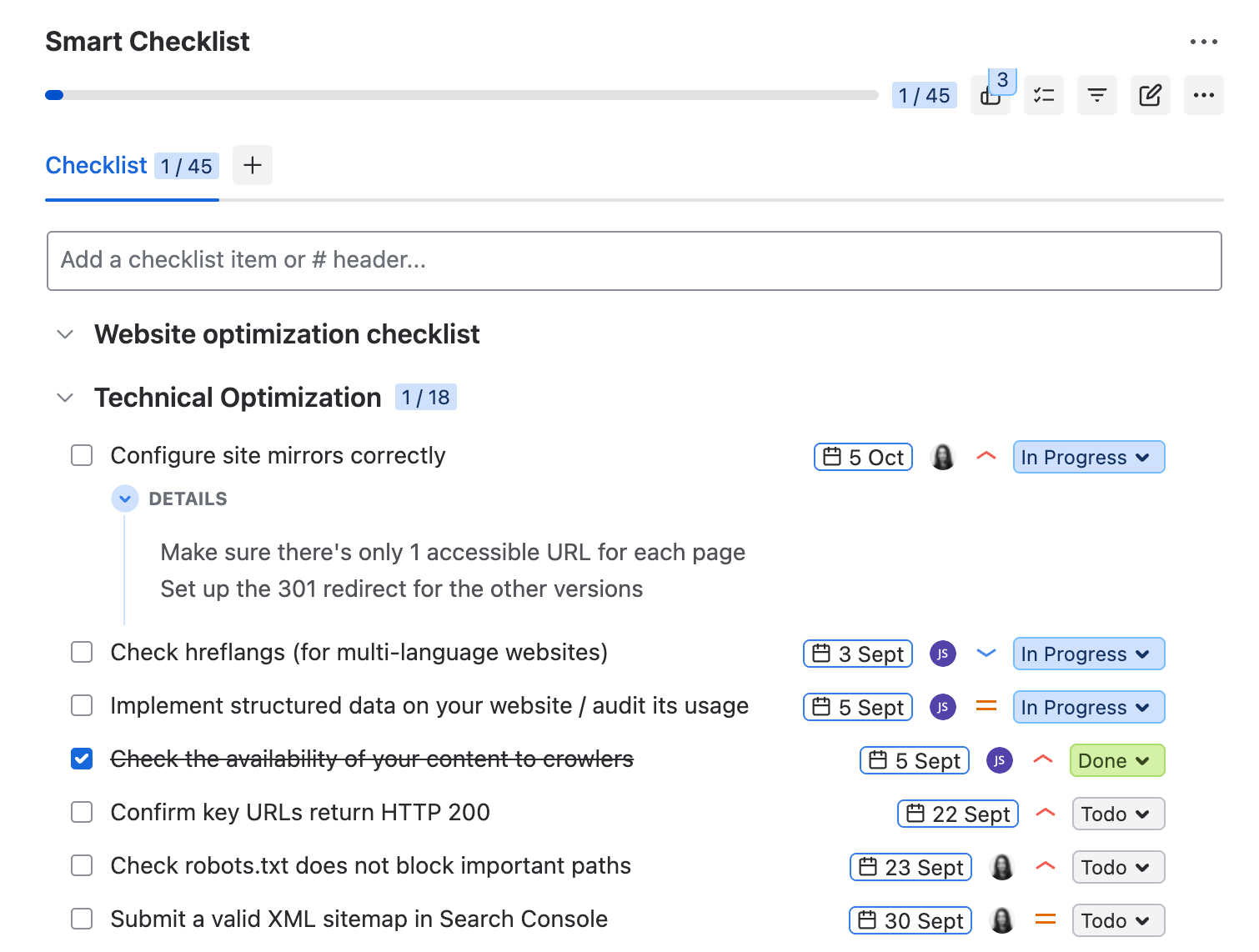
# Website optimization checklist
## Technical Optimization
- Configure site mirrors correctly
> Make sure there’s only 1 accessible URL version for each page
> Set up the 301 redirect for non-canonical versions
- Check hreflangs (for multi-language websites)
- Implement structured data on your website / audit its usage
- Check the availability of your content to crawlers
- Confirm key URLs return HTTP 200
- Check robots.txt does not block important paths
- Submit a valid XML sitemap in Search Console
- Remove multi-hop redirect chains
- Point canonical tags to the right master URL
- Test key templates for JavaScript rendering issues
- Fix orphaned pages and high-value 404s
- Review the SILO structure of your website and make updates, if needed
> Group pages into categories and interlink related pages to tell Google and agents how they are connected
- Optimize Performance Speed and Core Web Vitals
> These metrics are measured on real mobile users at the 75th percentile
> * Check that LCP is under 2.5 seconds
> * Check that INP is under 200 milliseconds
> * Check that CLS is below 0.1
- Remove unused third-party scripts
- Configure OpenGraph tags
- Confirm SSL is valid and applied site-wide
- Test on real devices and set regression alerts
- Set up a Technical SEO dashboard for further monitoring
> https://www.coupler.io/dashboard-examples/technical-seo-dashboard
## Content and Technical On-Page SEO
- Check that all publications have unique title tags within the 40-60 characters range
- Check that they have unique meta descriptions within 140-160 characters
- Use one H1 and keep H2/H3 levels in order
- Fix broken links and vague anchor text
- Add descriptive alt text to every image
- Check that each page has a specific semantic intent that is not duplicated
- Refresh content older than 3 months (may vary depending on niche)
> You can adjust your content update schedule depending on competitor activity / accepted practices in your niche. Content may age faster or slower depending on your industry and audience.
## AEO
- Allow AI bots in robots.txt
> Such as GPTBot, ClaudeBot, and PerplexityBot
- Add a link to your XML sitemap in robots.txt and keep the sitemap current
- Add Content-Signal preferences to robots.txt
> Example:
> Content-Signal: ai-train=yes, ai-input=yes, search=yes
- Publish an llms.txt file with your key pages and key facts about your product
- Set up automatic Markdown conversion at your CDN, server, or CMS level
> When an AI agent asks for your page, it should get a clean Markdown version instead of heavy HTML. This makes your content easier to process and increases citation accuracy.
- Confirm each article shows a visible last-updated date
- Audit your server logs to understand which pages are crawled by LLMs and how
> * Which content is the most interesting to AI bots
> * Which pages are used for training
> * Where AI bots hallucinate and try to access links that do not exist
### Content AEO
- Open with a direct answer or TL;DR in the first 100 words
- Phrase headings as user questions
- Back key claims with a specific number and a link to the source
- Format processes as lists and comparisons as tables
- Call each product and entity by one consistent name and include definitions
## UX and Conversion Rate Optimization
- Put the primary CTA above the fold
- Cut form fields and set mobile input types
- Keep key pages accessible within three clicks
- Review the conversion flow for friction points
- Use action verbs in every CTA
- Track scroll depth and rage clicks
- A/B test one high-traffic template per quarter
- Keep popups from blocking mobile content
Website Optimization Checklist Split by Stage
# Website optimization checklist
## Technical Optimization
- Configure site mirrors correctly
> Make sure there’s only 1 accessible URL version for each page
> Set up the 301 redirect for non-canonical versions
- Check hreflangs (for multi-language websites)
- Implement structured data on your website / audit its usage
- Check the availability of your content to crawlers
- Confirm key URLs return HTTP 200
- Check robots.txt does not block important paths
- Submit a valid XML sitemap in Search Console
- Remove multi-hop redirect chains
- Point canonical tags to the right master URL
- Test key templates for JavaScript rendering issues
- Fix orphaned pages and high-value 404s
- Review the SILO structure of your website and make updates, if needed
> Group pages into categories and interlink related pages to tell Google and agents how they are connected
- Optimize Performance Speed and Core Web Vitals
> These metrics are measured on real mobile users at the 75th percentile
> * Check that LCP is under 2.5 seconds
> * Check that INP is under 200 milliseconds
> * Check that CLS is below 0.1
- Remove unused third-party scripts
- Configure OpenGraph tags
- Confirm SSL is valid and applied site-wide
- Test on real devices and set regression alerts
- Set up a Technical SEO dashboard for further monitoring
> https://www.coupler.io/dashboard-examples/technical-seo-dashboard
## Content and Technical On-Page SEO
- Check that all publications have unique title tags within the 40-60 characters range
- Check that they have unique meta descriptions within 140-160 characters
- Use one H1 and keep H2/H3 levels in order
- Fix broken links and vague anchor text
- Add descriptive alt text to every image
- Check that each page has a specific semantic intent that is not duplicated
- Refresh content older than 3 months (may vary depending on niche)
> You can adjust your content update schedule depending on competitor activity / accepted practices in your niche. Content may age faster or slower depending on your industry and audience.
## AEO
- Allow AI bots in robots.txt
> Such as GPTBot, ClaudeBot, and PerplexityBot
- Add a link to your XML sitemap in robots.txt and keep the sitemap current
- Add Content-Signal preferences to robots.txt
> Example:
> Content-Signal: ai-train=yes, ai-input=yes, search=yes
- Publish an llms.txt file with your key pages and key facts about your product
- Set up automatic Markdown conversion at your CDN, server, or CMS level
> When an AI agent asks for your page, it should get a clean Markdown version instead of heavy HTML. This makes your content easier to process and increases citation accuracy.
- Confirm each article shows a visible last-updated date
- Audit your server logs to understand which pages are crawled by LLMs and how
> * Which content is the most interesting to AI bots
> * Which pages are used for training
> * Where AI bots hallucinate and try to access links that do not exist
### Content AEO
- Open with a direct answer or TL;DR in the first 100 words
- Phrase headings as user questions
- Back key claims with a specific number and a link to the source
- Format processes as lists and comparisons as tables
- Call each product and entity by one consistent name and include definitions
## UX and Conversion Rate Optimization
- Put the primary CTA above the fold
- Cut form fields and set mobile input types
- Keep key pages accessible within three clicks
- Review the conversion flow for friction points
- Use action verbs in every CTA
- Track scroll depth and rage clicks
- A/B test one high-traffic template per quarter
- Keep popups from blocking mobile content
How to Add This Website Optimization Template to Your Jira Work Items
This process is simple and only takes a few minutes:
- Install Smart Checklist for Jira from the Atlassian Marketplace
- Create a work item for your audit. Copy the website optimization checklist from the section above and paste it into the Smart Checklist panel of your Jira work item (Jira issue).
- Save the checklist as a template, so that your next audit starts from the same step-by-step plan.
- Assign checklist items to the people who own them, add deadlines, priorities, custom statuses, and other elements you need.
Smart Checklist also has native automation rules for applying templates. A rule adds the template automatically when the conditions you set are met.
For recurring reviews, you can combine this website optimization checklist with Smart Templates for Jira. It is our solution that can save Jira work items as reusable templates – with pre-filled fields, variables, assignees, checklists, and child work items included. This solution comes with a built-in Scheduler, which allows you to automatically generate work items from a pre-saved template on a custom schedule.
For example, you can build a work item template with this checklist included, and then schedule it to be created automatically every quarter. Once it’s time for the next review, your team will get a ready work item with the full process already inside.
The Benefits of Using Smart Tools for Website Optimization Tasks
- Repeatable execution. The website optimization checklist provided in this article is a reusable template. It allows you to ensure consistency of periodic audits, regardless of who completes them – everyone will follow the same steps documented in the checklist.
- Assignable items. Each step on the checklist can be assigned to a specific person, with its own deadline and priority. This helps you coordinate cross-team work on the process.
- Progress visibility and transparency. Teams can see completion percentages on the Jira board and on dashboard gadgets.
- Cross-project consistency. Smart Checklist allows you to save templates as Global, making them accessible to all projects in your Jira instance. This ensures that different teams audit different websites in the same way. This is useful when you have several websites or if you are conducting an audit for multiple clients.
- Contextual notes on each item. Each checklist item has a dedicated expandable field where you can drop links, add notes, and include additional instructions. As a result, when you start the audit, you will have all the necessary information at hand.
- Mandatory items for critical steps. Smart Checklist allows you to mark crucial steps on the checklist as mandatory. Then, you can configure a workflow validator so that the work item can not be moved to Done until all mandatory steps are completed.
- Auditable trail. Smart Checklist preserves history of all actions. This creates time-stamped evidence showing who completed what and when, which can be important for compliance purposes.
Who Should Own the Website Optimization Process?
And all-around website optimization is rarely a one-man job, as different parts of this process belong to different teams. The person responsible for the website as a whole can contact teammates and coordinate them, rather than executing every item themselves. For example, technical steps usually land with developers, while structured data, alt text, and copy work are the responsibility of the content team. The design team owns the CRO block and the UX part, and AEO is usually a shared effort between the content team and technical specialists.
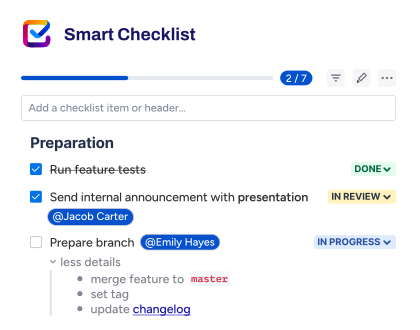
Running this process with Smart Checklist makes such coordination easier. You can assign individual checklist items to different teammates, set priorities and deadlines per step, and see who is holding up progress at a glance. The person responsible for the website does not need to chase updates one by one, as everything is gathered in one Jira work item.
FAQs About a Website Optimization Checklist
How often should I run a full website optimization check?
Quarterly works for most sites. Run it more often if you publish frequently, ship design changes, or manage product pages that change with inventory. You may also need more frequent checks if you manage a large website with millions of pages. Small sites can go longer between full audits, but it helps to keep a lighter monthly look at Google Search Console for indexing errors and drops in organic traffic. Always run the full checklist after a redesign, a migration, or a change in site structure. If your website is under active development and your engineering team updates it regularly, then you will need to run technical checks after every update.
What is the difference between an SEO audit and website optimization?
An SEO audit assesses how well your site performs in search engine optimization. It covers technical SEO, on-page elements, content, and often off-page SEO factors like backlinks and anchor text. Website optimization includes all of that and adds the parts search engines do not grade directly: accessibility, conversion flows, security basics like a valid SSL certificate, and visibility in AI answers.
What tools do I need to use this website optimization checklist?
Start with the free basics. Google Search Console shows indexing status, click-through rates, and Core Web Vitals for your real users. Google Analytics tracks what people do after they land. PageSpeed Insights gives you field and lab performance data for individual pages.
Add a crawler next. Screaming Frog, Ahrefs, or Semrush will surface broken links, duplicate content, missing meta tags, and orphan pages in one pass. Bing Webmaster Tools is worth connecting as well, since it feeds several AI answer engines. For accessibility, add Axe or WAVE. Finally, you need somewhere to manage the work itself, and Jira with Smart Checklist gives you assignment, tracking, and a record of what was checked and when.
How is AEO different from SEO?
SEO aims to place your page high on search engine results pages, so the user clicks through to your site. AEO aims to get your content quoted or recommended inside an AI-generated answer, where there may be no click at all. The technical foundation overlaps, since both need crawlable pages, clear headings, and clean structured data. The content approach differs. AEO rewards direct answers, precise facts, and self-contained statements a model can lift. Long introductions and keyword stuffing work against you in both.
Do I need a website optimization checklist if I already have an SEO checklist?
Both are useful, and they can cover different ground. An SEO checklist focuses on how search engines find, read, and rank your pages. A website optimization checklist keeps that work and adds the related areas around it: visibility in AI answers, page speed on real devices, conversion flows, and accessibility. If your on-page SEO checklist already covers those, you have what you need. If it stops at technical and on-page items, the extra blocks are worth adding.
Which on-page elements should I check first?
Start with the elements that affect both ranking and click-through rate. Check that every page has one H1 tag, a unique title tag, and a meta description that matches search intent. Review your headings and subheadings for a logical order, and make sure they describe the content rather than repeat your target keywords.
Then look at the supporting elements: alt text for images, internal links to related pages, schema markup where it fits the page type, and meta tags that are not duplicated across templates. Missing or duplicated page titles and meta titles are among the most common issues a crawler reports, and among the fastest to fix. Where two pages target the same query, keep one and point the other at it with a 301 redirect.
How do I choose target keywords for existing pages?
Use Google Search Console first. It shows the queries your pages already receive impressions for. Pull the queries with high impressions and low CTR, then check whether the page actually answers them. After that, run keyword research in Ahrefs or a similar tool to find related long-tail keywords and see what competitors rank for. Match each page to one primary intent, because two pages chasing the same query will split your organic traffic.
What should I check specifically on mobile?
Test mobile-friendliness on a real device, not in a resized browser window. Check that your responsive design holds up on small screens, that tap targets are far enough apart, and that forms are usable with a thumb. Page speed matters more here, since mobile users are often on slower connections. Compress images, serve them in WebP, and confirm your site speed with field data rather than a lab test. Rising bounce rates on mobile landing pages usually point to one of these issues.
How do I know the website optimization checklist is working?
Pick your baseline metrics before you start, then compare the results after each cycle. Search engine rankings and impressions show whether visibility improved. Click-through rates show whether your titles and meta descriptions do their job. Bounce rate and conversion rates in Google Analytics show whether the visits turn into something. Expect a lag of several weeks on most changes, and longer on anything involving Core Web Vitals or backlinks.